AI Animated Video

FlexClip

Create videos effortlessly with FlexClip, the free online video editor. Add text, music, and animations with no skills needed. Start now!

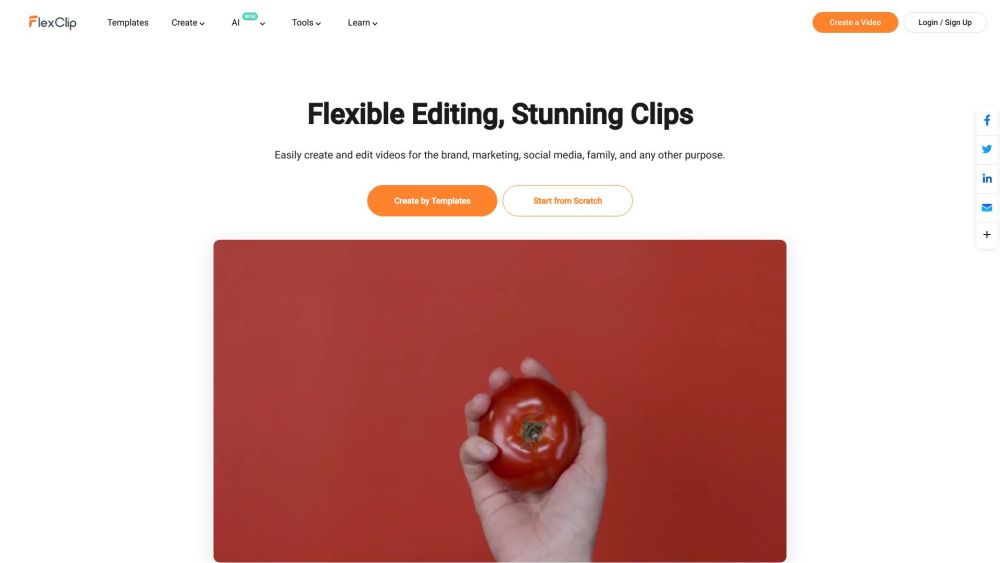
FlexClip website preview

FlexClip Website screenshot

Understanding FlexClip

FlexClip is an intuitive online platform for video editing and creation, designed to make video production accessible to everyone. Users can effortlessly create videos enriched with text, music, animations, and various effects without needing prior video editing experience. With a plethora of templates and tools, FlexClip aims to enhance the video creation process.

Using FlexClip

1. Add Media: Start by uploading videos or photos from your device or select from extensive stock libraries.
2. Customize: Personalize your video by adding text, music, elements, and other features.
3. Export: Save and share your finished video via a link or directly on social media.

Key Features of FlexClip

Templates: Explore a diverse range of templates for various uses and industries.

AI Tools: Utilize AI-driven tools such as AI Text to Video, AI Video Script, and AI Image Generator.

Built-in Resources: Access animations, elements, transitions, and millions of stock assets.

Collaboration: Work seamlessly with team members on video projects and share the final product easily.

Advanced Video Tools: Features like trimming, cutting, adding text, music, transitions, and motion graphics.

FlexClip Applications

Create Business Promo Videos

Produce Real Estate Videos

Make News Videos

Craft Corporate Videos

Develop Tutorial Videos

Create Lifestyle Videos

Design Birthday Videos

Make Wedding Videos

Produce Memorial Videos

Create Anniversary Videos

Make Music Videos

Produce Travel Videos

Generate Social Media Videos (YouTube, Facebook, Instagram, Twitter, TikTok, etc.)

Create YouTube Intros

Convert Text to Video with AI

Convert Text to Speech with AI

Remove Backgrounds with AI

Create Picture-in-Picture Videos

Use Motion Graphics in Videos

Edit Videos by Trimming, Cutting, Merging, Flipping, Rotating, etc.

Add Music, Text, Watermark, and Transitions to Videos

Record Screens

Change Video Speed

Create GIFs

Enhance Video Quality and Reduce File Sizes

Convert Video Formats

Product source: FlexClip official website. Check the provider for current plans, limits and availability.

FAQ

FlexClip questions and answers

Product context and practical checks for evaluating FlexClip.

What is FlexClip used for?

Create videos effortlessly with FlexClip, the free online video editor. Add text, music, and animations with no skills needed. Start now!

How do I get started with FlexClip?

Open the official FlexClip website and identify the workflow that matches your task. Use a short shot with one subject and one camera movement. Keep the prompt and duration constant, then compare usable seconds and the number of regenerations.

Which capabilities are described for FlexClip?

Templates: Explore a diverse range of templates for various uses and industries.AI Tools: Utilize AI-driven tools such as AI Text to Video, AI Video Script, and AI Image Generator.Built-in Resources: Access animations, elements, transitions, and millions of stock assets.Collaboration: Work seamlessly with team members on video projects and share the final product easily.Advanced Video Tools: Features like trimming, cutting, adding text, music, transitions, and motion graphics.

What projects can I evaluate FlexClip for?

Create Business Promo VideosProduce Real Estate VideosMake News VideosCraft Corporate VideosDevelop Tutorial VideosCreate Lifestyle VideosDesign Birthday VideosMake Wedding VideosProduce Memorial VideosCreate Anniversary VideosMake Music VideosProduce Travel VideosGenerate Social Media Videos (YouTube, Facebook, Instagram, Twitter, TikTok, etc.)Create YouTube IntrosConvert Text to Video with AIConvert Text to Speech with AIRemove Backgrounds with AICreate Picture-in-Picture VideosUse Motion Graphics in VideosEdit Videos by Trimming, Cutting, Merging, Flipping, Rotating, etc.Add Music, Text, Watermark, and Transitions to VideosRecord ScreensChange Video SpeedCreate GIFsEnhance Video Quality and Reduce File SizesConvert Video Formats FlexClip Support and Contact For more support, visit the contact page. About FlexClip FlexClip is a part of PearlMountain. Learn more by visiting the about us page. FlexClip Pricing Discover pricing details at FlexClip Pricing. Connect with FlexClip Follow FlexClip on Facebook, YouTube, LinkedIn, and Twitter.

What should I compare before choosing a FlexClip plan?

Discover pricing details at FlexClip Pricing. Confirm current prices and allowances on the provider’s website before purchasing.

What inputs should I prepare for a FlexClip trial?

Compare text prompts, reference frames, source footage and audio support. Check duration, aspect ratio and whether the tool lets you keep a subject consistent between shots.

How can I check the quality of a FlexClip result?

Watch the entire clip for motion errors, distorted objects, changing identities, lip-sync problems and abrupt transitions. Inspect the downloaded file as well as the preview.

Which export options should I check in FlexClip?

Check export resolution, frame rate, aspect ratio, audio tracks and watermark rules. A good preview is not a substitute for an export that fits your publishing channel.

What is a practical way to test FlexClip against alternatives?

Use a short shot with one subject and one camera movement. Keep the prompt and duration constant, then compare usable seconds and the number of regenerations.

Where is the official FlexClip website?

The website linked from this profile is . Use the provider’s own documentation, account area and support channels to confirm current product details.