AI Chatbot

FinanceOps

FinanceOps: Streamline collections and boost outcomes with our AI-powered chatbot. Automate processes, save time, and enhance financial efficiency.

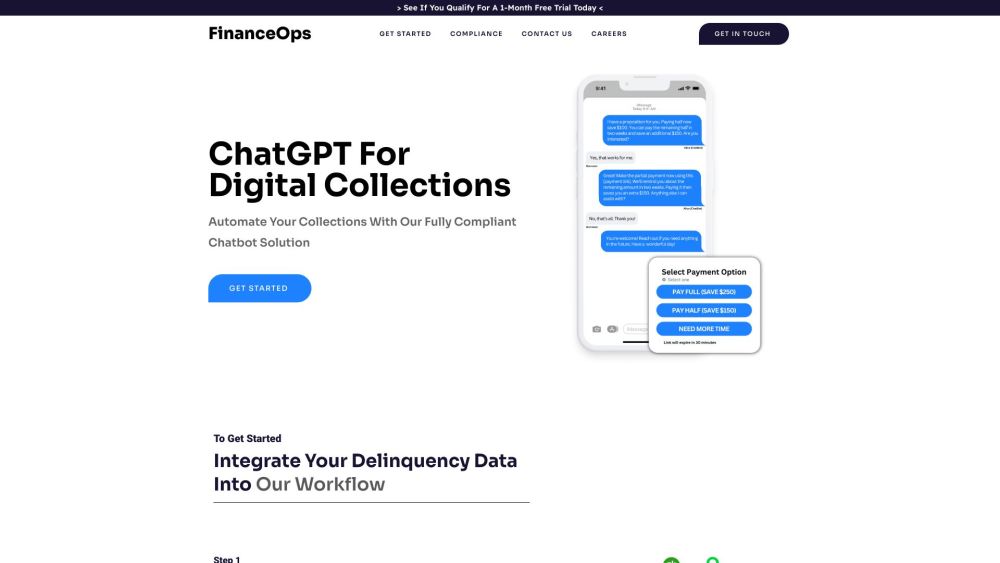
FinanceOps website preview

FinanceOps Website screenshot

What is FinanceOps?

FinanceOps is a comprehensive financial operations platform designed to revolutionize the collections process through AI-driven automation. This platform seamlessly integrates with leading ERP systems, using cutting-edge algorithms to enhance efficiency and maximize outcomes. FinanceOps empowers businesses by simplifying collections, delivering customized interactions, reducing operational costs, handling higher transaction volumes, and ensuring strict adherence to US debt collection regulations.

How to Use FinanceOps?

To get started with FinanceOps, follow these straightforward steps: 1. Connect your ERP system: Easily link FinanceOps with your existing ERP system for a smooth transition. 2. Import delinquency data: Seamlessly integrate and configure your delinquency data from ERP systems like QuickBooks, Xero, Sage, NetSuite, Salesforce, and more within the FinanceOps dashboard. 3. Customize your collections strategy: Tailor your approach by setting preferences for communication tone, loan parameters, and settlement thresholds. 4. Activate Autopilot: Allow FinanceOps to manage your collections with its AI-powered system that applies advanced algorithms and personalized strategies to optimize results and engage customers effectively.

Key Features of FinanceOps

Seamless ERP Integration

Precise Data Mapping and Configuration

Compliance with US Debt Collection Laws (FDCPA, CPA, CCPA)

Customizable Collection Strategies

Automated and Streamlined Operations

Targeted Customer Engagement

24/7 Support for Collections via SMS

Escalation to Live Agents When Necessary

Cost-Efficient with Reduced Overheads

Scalability to Manage Growing Volumes

Use Cases of FinanceOps

Automate Repetitive Collection Tasks

Enhance Operational Efficiency and Effectiveness

Personalize Interactions for Better Customer Experience

Mitigate Compliance Risks with Adherence to Legal Frameworks

Focus on Core Business by Offloading Collections Work

Product source: FinanceOps official website. Check the provider for current plans, limits and availability.

FAQ

FinanceOps questions and answers

Product context and practical checks for evaluating FinanceOps.

What is FinanceOps used for?

FinanceOps: Streamline collections and boost outcomes with our AI-powered chatbot. Automate processes, save time, and enhance financial efficiency.

How do I get started with FinanceOps?

To get started with FinanceOps, follow these straightforward steps: 1. Connect your ERP system: Easily link FinanceOps with your existing ERP system for a smooth transition. 2. Import delinquency data: Seamlessly integrate and configure your delinquency data from ERP systems like QuickBooks, Xero, Sage, NetSuite, Salesforce, and more within the FinanceOps dashboard. 3. Customize your collections strategy: Tailor your approach by setting preferences for communication tone, loan parameters, and settlement thresholds. 4. Activate Autopilot: Allow FinanceOps to manage your collections with its AI-powered system that applies advanced algorithms and personalized strategies to optimize results and engage customers effectively.

Which capabilities are described for FinanceOps?

Seamless ERP IntegrationPrecise Data Mapping and ConfigurationCompliance with US Debt Collection Laws (FDCPA, CPA, CCPA)Customizable Collection StrategiesAutomated and Streamlined OperationsTargeted Customer Engagement24/7 Support for Collections via SMSEscalation to Live Agents When NecessaryCost-Efficient with Reduced OverheadsScalability to Manage Growing Volumes

What projects can I evaluate FinanceOps for?

Automate Repetitive Collection TasksEnhance Operational Efficiency and EffectivenessPersonalize Interactions for Better Customer ExperienceMitigate Compliance Risks with Adherence to Legal FrameworksFocus on Core Business by Offloading Collections Work FinanceOps Support Contact Information For support, visit the contact us page. About FinanceOps Learn more about FinanceOps by visiting the about us page. FinanceOps on YouTube Watch more on FinanceOps' YouTube channel: https://www.youtube.com/watch?v=MLpWrANjFbI.

What should I compare before choosing a FinanceOps plan?

Check FinanceOps’s current pricing page for included usage, renewal terms and any credit charges. Compare the cost of a usable result, including retries, rather than assuming that account registration includes free usage.

What inputs should I prepare for a FinanceOps trial?

Identify the files, text or account connections your task needs. Confirm that the product accepts those inputs and offers controls for reviewing its work.

How can I check the quality of a FinanceOps result?

Test one representative task and inspect the result for accuracy and completeness. Record where manual corrections or extra tools are needed.

Which export options should I check in FinanceOps?

Check export formats, integrations and whether you can keep using your work outside the service. Test a real export before committing to a longer plan.

What is a practical way to test FinanceOps against alternatives?

Choose one task with a clear success condition. Keep the input consistent, record the time spent reviewing and compare the complete workflow cost.

Where is the official FinanceOps website?

The website linked from this profile is https://financeops.ai. Use the provider’s own documentation, account area and support channels to confirm current product details.

Visit FinanceOps