Table of contents
Filo Mail: AI-Powered Email App → Calm, Focused To-Do List
Filo Mail: AI transforms your chaotic inbox into a serene, focused to-do list—calm, clear, and in control.
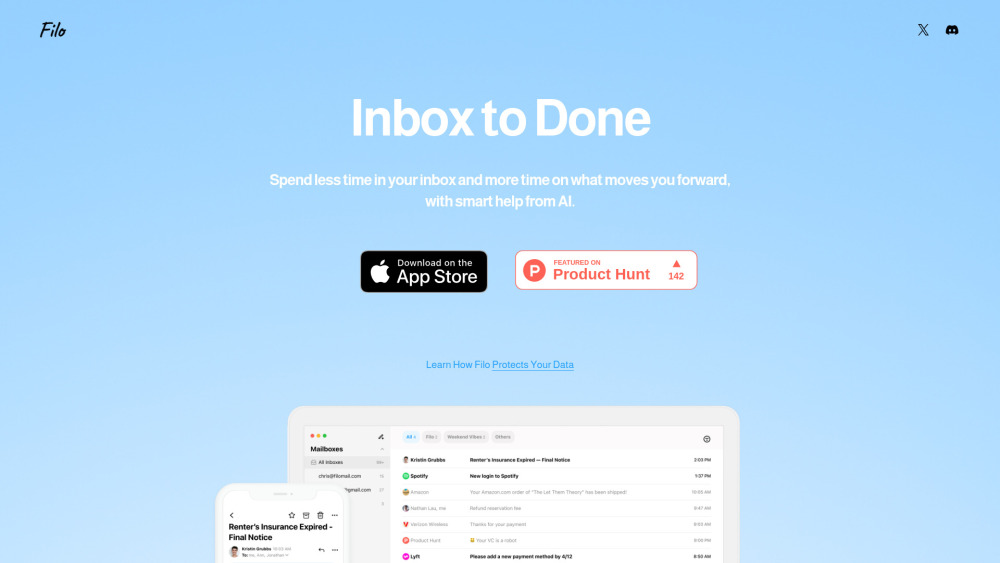
Introducing Filo Mail: Where Email Meets Intention
Filo Mail isn’t just another email client — it’s your AI co-pilot for intentional communication. Built from the ground up for clarity, not clutter, it reimagines your inbox as a serene, action-oriented to-do list. Instead of scanning, sorting, and stressing, you converse: tell Filo what matters, and it surfaces tasks, distills key insights, and handles routine work — all in plain language. With zero visual noise and intelligent prioritization, Filo helps you reclaim mental space, reduce email fatigue, and focus only on what moves you forward.
Use It Like You’d Talk to a Trusted Colleague
No menus. No filters to configure. Just speak — or type — naturally. Try: “Move all newsletters to Archive,” “Flag follow-ups from Sarah,” or “Remind me to reply to the budget proposal tomorrow.” Filo interprets intent, executes precisely, and learns your preferences over time. It’s email management that feels effortless, because it is.
What Makes Filo Different
AI that reads between the lines
Inbox → To-do list, automatically
Priority-aware task extraction
One-sentence summaries for every thread
Command-driven control — no setup, no syntax
Interface designed for stillness, not stimulation
Always-on, context-aware assistant
Real Moments, Real Relief
Declutter instantly: silence promotions, unsubscribe en masse
Rescue critical requests buried in noise
Auto-group related messages into actionable projects
Turn “I’ll get back to you” into scheduled reminders — with deadlines
Your Questions, Answered Thoughtfully
-
How does Filo work?
-
What kinds of tasks can I ask Filo to perform?
-
Is my data secure with Filo?
-
Can I add all my email accounts?
-
How can I share feedback?
-
Join the Conversation
Follow Filo Mail on X (Twitter) for updates, tips, and behind-the-scenes thinking: https://x.com/Filo_Mail
FAQ from Filo Mail
What is Filo Mail?
Filo Mail is an AI-native email experience built for people who value focus over friction. It transforms chaotic inboxes into quiet, purposeful spaces — turning unread messages into clear next steps, summarizing long threads in seconds, and responding to requests in natural language. No more inbox anxiety. Just calm, clarity, and control.
How to use Filo Mail?
Start by typing or speaking a request — like “Show me emails requiring approval this week” or “Archive everything from ‘Daily Digest’.” Filo acts immediately, intelligently, and invisibly. The less you click, the more you accomplish.
How does Filo work?
Filo connects securely to your Gmail account and uses lightweight, on-device AI to interpret meaning, detect urgency, and surface intent — without storing your emails or personal data. It works *with* your existing habits, not against them.
What kinds of tasks can I ask Filo to perform?
From cleanup (“Delete all receipts from last month”) to coordination (“Schedule a call with Alex and Priya next Tuesday”), Filo handles recurring, high-friction email tasks — and grows smarter as you use it.
Is my data secure with Filo?
Yes — rigorously. Filo never stores your emails, attachments, or credentials. It operates via Google’s secure OAuth2 flow and processes data in transient, encrypted sessions. Your trust is non-negotiable.
Can I add all my email accounts?
Today, Filo supports multiple Gmail accounts — ideal for work + personal separation. Support for Outlook, Apple Mail, and other providers is actively in development.
How can I share feedback?
We listen closely. Join Filo’s Discord community and share ideas in #📩|feedback, or get fast help in #🛠|support. Your voice shapes what comes next.