AI Creative Writing

Fenixs

Fenixs: AI-powered platform that transforms scriptwriting, storyboarding & film production—faster, smarter, and more creatively.

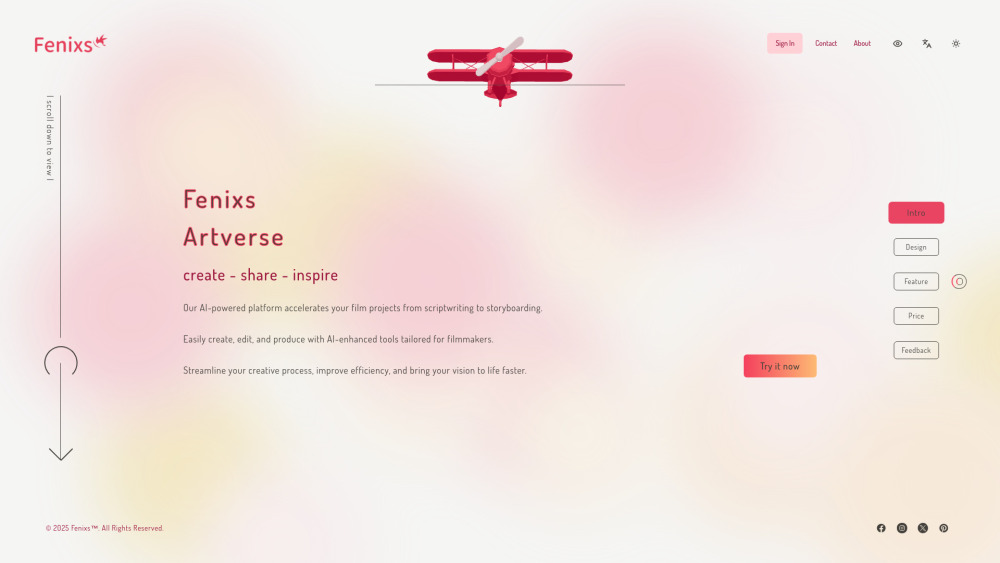
Fenixs website preview

Fenixs Website screenshot

Introducing Fenixs: Where AI Meets Cinematic Vision

Fenixs redefines film development by unifying AI-driven scriptwriting, intelligent storyboarding, and production-ready visual generation into a single cohesive platform. Built for storytellers who move fast but demand fidelity, Fenixs transforms raw ideas into compelling, pitch-ready assets—bypassing traditional bottlenecks like manual illustration, iterative revisions, or external art outsourcing. It’s not just automation—it’s creative amplification: empowering directors, writers, and indie studios to iterate boldly, visualize confidently, and produce professionally—all from one interface.

Getting Started with Fenixs

Begin with a logline or scene description—Fenixs interprets narrative intent and generates structured scripts with tone-aware dialogue, pacing notes, and character cues. From there, convert scenes into dynamic storyboards with customizable framing, lighting, and shot composition. Every frame is rendered as production-grade visual output—ready for presentations, pre-vis reviews, or direct integration into editing pipelines. No coding, no artists, no delays—just cinematic momentum.

Core Capabilities of Fenixs

Intelligent Script Generation & Refinement

Context-Aware Storyboard Creation

Cinematic Visual Output (4K-ready, style-consistent)

Real-Time Collaboration & Version Control

Seamless Export for Production Workflows (PDF, PNG, MP4, EDL)

AI-Assisted Editing Tools (Scene Timing, Beat Analysis, Continuity Checks)

Who Benefits from Fenixs?

Indie filmmakers building compelling pitches on tight timelines.

Screenwriters iterating rapidly across drafts and formats.

Production designers and VFX leads prototyping sequences before asset creation.

Film students and educators teaching narrative visualization with industry-aligned tools.

Product source: Fenixs official website. Check the provider for current plans, limits and availability.

FAQ

Fenixs questions and answers

Product context and practical checks for evaluating Fenixs.

What is Fenixs used for?

Fenixs: AI-powered platform that transforms scriptwriting, storyboarding & film production—faster, smarter, and more creatively.

How do I get started with Fenixs?

Begin with a logline or scene description—Fenixs interprets narrative intent and generates structured scripts with tone-aware dialogue, pacing notes, and character cues. From there, convert scenes into dynamic storyboards with customizable framing, lighting, and shot composition. Every frame is rendered as production-grade visual output—ready for presentations, pre-vis reviews, or direct integration into editing pipelines. No coding, no artists, no delays—just cinematic momentum.

Which capabilities are described for Fenixs?

Intelligent Script Generation & RefinementContext-Aware Storyboard CreationCinematic Visual Output (4K-ready, style-consistent)Real-Time Collaboration & Version ControlSeamless Export for Production Workflows (PDF, PNG, MP4, EDL)AI-Assisted Editing Tools (Scene Timing, Beat Analysis, Continuity Checks)

What should I compare before choosing a Fenixs plan?

Check Fenixs’s current pricing page for included usage, renewal terms and any credit charges. Compare the cost of a usable result, including retries, rather than assuming that account registration includes free usage.

What inputs should I prepare for a Fenixs trial?

Compare text prompts, reference frames, source footage and audio support. Check duration, aspect ratio and whether the tool lets you keep a subject consistent between shots.

How can I check the quality of a Fenixs result?

Watch the entire clip for motion errors, distorted objects, changing identities, lip-sync problems and abrupt transitions. Inspect the downloaded file as well as the preview.

Which export options should I check in Fenixs?

Check export resolution, frame rate, aspect ratio, audio tracks and watermark rules. A good preview is not a substitute for an export that fits your publishing channel.

What is a practical way to test Fenixs against alternatives?

Use a short shot with one subject and one camera movement. Keep the prompt and duration constant, then compare usable seconds and the number of regenerations.

What should I review before uploading material to Fenixs?

Read the provider’s rules on access, retention, deletion and use of uploaded material. Start with a non-confidential sample that you have permission to use.

Where is the official Fenixs website?

The website linked from this profile is https://fenixs.ai/en. Use the provider’s own documentation, account area and support channels to confirm current product details.

Visit Fenixs