Large Language Models (LLMs)

Faune

Faune: Multi-LLM AI Chat App with integrated Google Search, offering seamless, intelligent conversations and instant web results in one powerful tool.

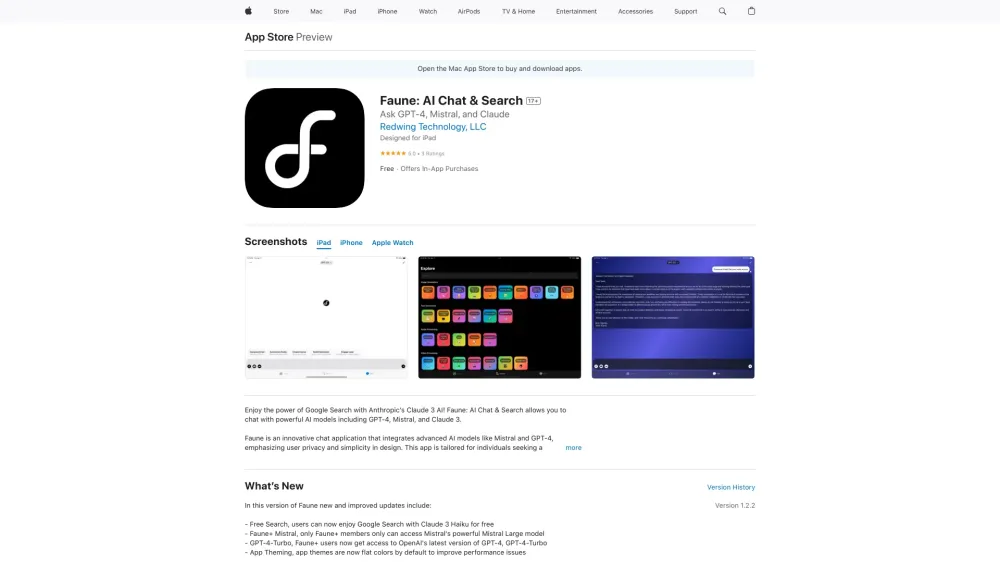
Faune website preview

Faune Website screenshot

Discover Faune

Faune is a cutting-edge Multi-LLM AI Chat app equipped with integrated Google Search capabilities. Faune allows users to chat with advanced language models, perform AI-driven web searches, engage in interactive role-play scenarios, transcribe handwritten notes using GPT-4 Vision, and more.

Getting Started with Faune

To begin using Faune, download the app from the App Store and install it on your iOS device, whether it's an iPhone, iPad, or iPod touch. Once installation is complete, launch the app to explore its features—chatting with LLMs, conducting AI-powered searches, role-playing with intelligent agents, and converting handwritten notes to digital text with ease.

Key Features of Faune

Multi-LLM Compatibility

Advanced Camera Integration

Interactive Role-Playing

Adaptive Prompt Configuration

Flexible Credit Management

Emphasis on Privacy

Seamless HuggingFace Support

Customizable Themes

Anonymous Mode

Applications of Faune

Conversing with LLMs

Conducting AI-Powered Searches

Participating in Role-Play Sessions

Transcribing Handwritten Notes with GPT-4 Vision

Common Questions about Faune

What is Faune?

Faune is an innovative AI Chat app that integrates multiple LLMs with Google Search functionality. It enables users to chat with LLMs, search online with AI, engage in role-play, and convert handwritten notes into text using GPT-4 Vision.

How do I start using Faune?

To get started with Faune, download and install the app from the App Store on your iOS device. After installation, you can immediately start chatting with LLMs, searching the internet, engaging in role-play, and more.

Is Faune available for iPhone?

Yes, Faune is compatible with iPhone, iPad, and iPod touch devices.

Can I use Faune on Android?

Currently, Faune is only available for iOS devices.

When does the credit system refresh?

The credit system in Faune refreshes every three hours, providing users with ongoing access to its AI-powered features.

Product source: Faune official website. Check the provider for current plans, limits and availability.

FAQ

Faune questions and answers

Product context and practical checks for evaluating Faune.

What is Faune used for?

Faune: Multi-LLM AI Chat App with integrated Google Search, offering seamless, intelligent conversations and instant web results in one powerful tool.

How do I get started with Faune?

To begin using Faune, download the app from the App Store and install it on your iOS device, whether it's an iPhone, iPad, or iPod touch. Once installation is complete, launch the app to explore its features—chatting with LLMs, conducting AI-powered searches, role-playing with intelligent agents, and converting handwritten notes to digital text with ease.

Which capabilities are described for Faune?

Multi-LLM CompatibilityAdvanced Camera IntegrationInteractive Role-PlayingAdaptive Prompt ConfigurationFlexible Credit ManagementEmphasis on PrivacySeamless HuggingFace SupportCustomizable ThemesAnonymous Mode

What projects can I evaluate Faune for?

Conversing with LLMsConducting AI-Powered SearchesParticipating in Role-Play SessionsTranscribing Handwritten Notes with GPT-4 Vision

What should I compare before choosing a Faune plan?

Check Faune’s current pricing page for included usage, renewal terms and any credit charges. Compare the cost of a usable result, including retries, rather than assuming that account registration includes free usage.

What inputs should I prepare for a Faune trial?

Check supported documents, datasets and source access. Establish whether the product can inspect your actual material rather than answer from general knowledge.

How can I check the quality of a Faune result?

Follow citations to the original source, recalculate important numbers and check the date and scope of the evidence. Distinguish an explanation from a verified result.

Which export options should I check in Faune?

Look for usable citations, tables, downloadable data and reproducible steps. A clear answer should let another person inspect how the conclusion was reached.

What is a practical way to test Faune against alternatives?

Choose a question with known sources and a checkable result. Compare citation accuracy, omissions and reproducibility rather than response length.

Where is the official Faune website?

The website linked from this profile is https://apps.apple.com/us/app/faune/id6478258164. Use the provider’s own documentation, account area and support channels to confirm current product details.

Visit Faune