AI Image Enhancer

EyeQ

Transform your visuals with EyeQ's auto photo correction & AI video enhancement. Boost your business with clear, compelling images and videos effortlessly!

EyeQ website preview

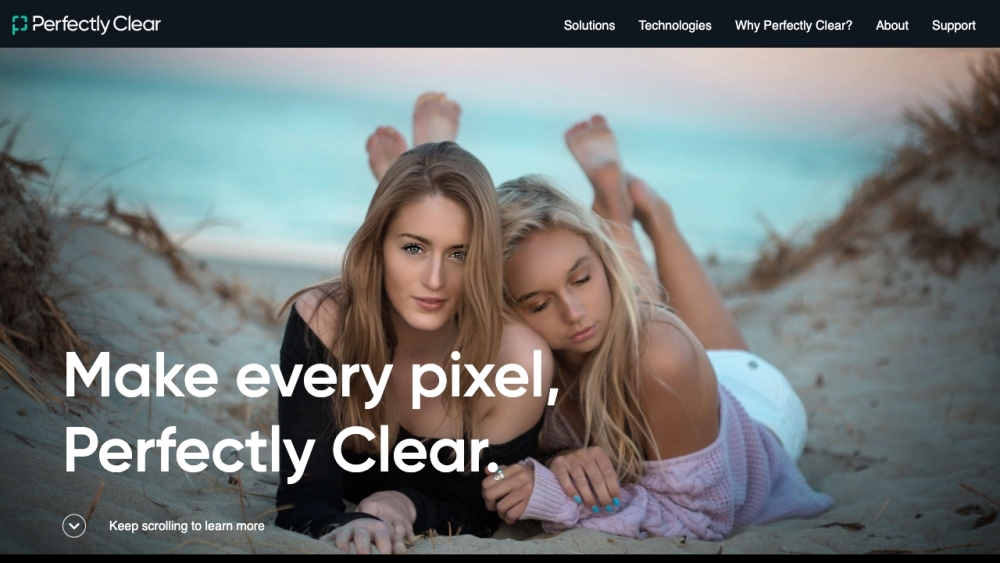
EyeQ | Creators of Perfectly Clear Website screenshot

What is EyeQ | Creators of Perfectly Clear?

EyeQ is a pioneering company in digital imaging, providing automatic photo correction and advanced AI video enhancement technology. Their innovative solutions help businesses achieve a competitive advantage by improving image quality effortlessly.

How to Use EyeQ | Creators of Perfectly Clear?

Integrating Perfectly Clear into your system is straightforward with their comprehensive options, including SDKs, web APIs, Docker containers, hot folders, and command line tools. Alternatively, you can opt for their desktop, cloud, or mobile applications for immediate photo enhancements.

EyeQ | Creators of Perfectly Clear's Core Features

Automatic Photo Corrections

Video Enhancement

AI Image Upscaling

AI Auto Crop Corrections

Retouching

Creative Filters

EyeQ | Creators of Perfectly Clear's Use Cases

Enhancing Print/Image Quality and Consistency

Boosting Customer Satisfaction

Increasing Revenue

Reducing Costs (Fewer Reprints)

Optimizing Visual Media Workflows

  • EyeQ | Creators of Perfectly Clear Support Email & Customer Service Contact

    For customer service, contact EyeQ | Creators of Perfectly Clear via email at: [email protected]. For additional contact details, visit the contact us page.

  • EyeQ | Creators of Perfectly Clear Company Information

    The company behind Perfectly Clear is EyeQ Imaging Inc. Learn more about their mission and technology on the about us page.

  • EyeQ | Creators of Perfectly Clear on YouTube

    Explore EyeQ's video content on their YouTube channel: EyeQ YouTube Channel.

  • EyeQ | Creators of Perfectly Clear on LinkedIn

    Connect with EyeQ on LinkedIn: EyeQ LinkedIn Page.

  • EyeQ | Creators of Perfectly Clear on Twitter

    Follow EyeQ on Twitter for updates: EyeQ Twitter Page.

Product source: EyeQ official website. Check the provider for current plans, limits and availability.

FAQ

EyeQ questions and answers

Product context and practical checks for evaluating EyeQ.

What is EyeQ used for?

Transform your visuals with EyeQ's auto photo correction & AI video enhancement. Boost your business with clear, compelling images and videos effortlessly!

How do I get started with EyeQ?

Integrating Perfectly Clear into your system is straightforward with their comprehensive options, including SDKs, web APIs, Docker containers, hot folders, and command line tools. Alternatively, you can opt for their desktop, cloud, or mobile applications for immediate photo enhancements.

Which capabilities are described for EyeQ?

Automatic Photo CorrectionsVideo EnhancementAI Image UpscalingAI Auto Crop CorrectionsRetouchingCreative Filters

What projects can I evaluate EyeQ for?

Enhancing Print/Image Quality and ConsistencyBoosting Customer SatisfactionIncreasing RevenueReducing Costs (Fewer Reprints)Optimizing Visual Media Workflows EyeQ | Creators of Perfectly Clear Support Email & Customer Service Contact For customer service, contact EyeQ | Creators of Perfectly Clear via email at: [email protected]. For additional contact details, visit the contact us page. EyeQ | Creators of Perfectly Clear Company Information The company behind Perfectly Clear is EyeQ Imaging Inc. Learn more about their mission and technology on the about us page. EyeQ | Creators of Perfectly Clear on YouTube Explore EyeQ's video content on their YouTube channel: EyeQ YouTube Channel. EyeQ | Creators of Perfectly Clear on LinkedIn Connect with EyeQ on LinkedIn: EyeQ LinkedIn Page. EyeQ | Creators of Perfectly Clear on Twitter Follow EyeQ on Twitter for updates: EyeQ Twitter Page.

What should I compare before choosing a EyeQ plan?

Check EyeQ’s current pricing page for included usage, renewal terms and any credit charges. Compare the cost of a usable result, including retries, rather than assuming that account registration includes free usage.

What inputs should I prepare for a EyeQ trial?

Compare text prompts, reference frames, source footage and audio support. Check duration, aspect ratio and whether the tool lets you keep a subject consistent between shots.

How can I check the quality of a EyeQ result?

Watch the entire clip for motion errors, distorted objects, changing identities, lip-sync problems and abrupt transitions. Inspect the downloaded file as well as the preview.

Which export options should I check in EyeQ?

Check export resolution, frame rate, aspect ratio, audio tracks and watermark rules. A good preview is not a substitute for an export that fits your publishing channel.

What is a practical way to test EyeQ against alternatives?

Use a short shot with one subject and one camera movement. Keep the prompt and duration constant, then compare usable seconds and the number of regenerations.

Where is the official EyeQ website?

The website linked from this profile is https://eyeq.photos. Use the provider’s own documentation, account area and support channels to confirm current product details.

Visit EyeQ