AI Analytics Assistant

EOS Data Analytics

Unlock insights with EOS Data Analytics: AI-powered global satellite imagery solutions for precise, actionable data-driven decisions worldwide.

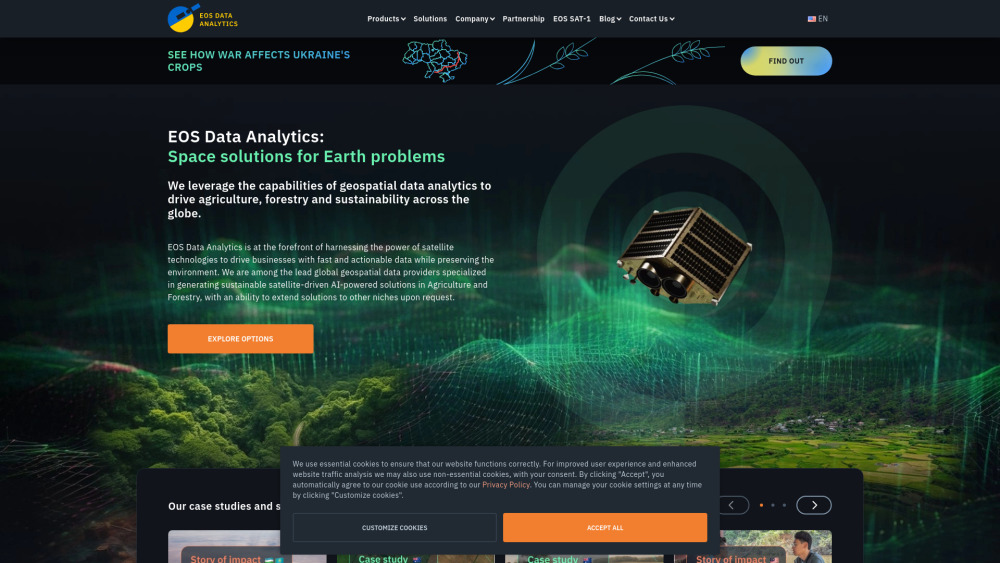
EOS Data Analytics website preview

EOS Data Analytics Website screenshot

What is EOS Data Analytics?

EOS Data Analytics (EOSDA) is an industry leader in providing AI-driven satellite imagery analytics. Founded by Dr. Max Polyakov, the company focuses on delivering cutting-edge geospatial data solutions for sectors like agriculture, forestry, and environmental sustainability. Through advanced satellite technology, EOSDA equips businesses with rapid and actionable insights to enhance decision-making processes globally.

How to use EOS Data Analytics?

EOS Data Analytics offers a suite of user-friendly digital platforms designed for crop monitoring, forest management, and land assessment. Users can easily access detailed satellite imagery, track crop health, receive weather updates, and plan field activities via the online platform. The tools are designed to simplify complex data into actionable insights.

Core Features of EOS Data Analytics

High-Resolution Satellite Imagery

Real-Time Crop Monitoring

Precision Agriculture through Field Boundary Detection

Soil Moisture Analytics for Optimized Farming

Practical Applications of EOS Data Analytics

Remote Monitoring of Crop Health and Field Operations

Forest Health Surveillance to Prevent Deforestation

Accurate Crop Yield Predictions for Optimized Harvesting

Product source: EOS Data Analytics official website. Check the provider for current plans, limits and availability.

FAQ

EOS Data Analytics questions and answers

Product context and practical checks for evaluating EOS Data Analytics.

What is EOS Data Analytics used for?

Unlock insights with EOS Data Analytics: AI-powered global satellite imagery solutions for precise, actionable data-driven decisions worldwide.

How do I get started with EOS Data Analytics?

EOS Data Analytics offers a suite of user-friendly digital platforms designed for crop monitoring, forest management, and land assessment. Users can easily access detailed satellite imagery, track crop health, receive weather updates, and plan field activities via the online platform. The tools are designed to simplify complex data into actionable insights.

Which capabilities are described for EOS Data Analytics?

High-Resolution Satellite ImageryReal-Time Crop MonitoringPrecision Agriculture through Field Boundary DetectionSoil Moisture Analytics for Optimized Farming

What projects can I evaluate EOS Data Analytics for?

Remote Monitoring of Crop Health and Field OperationsForest Health Surveillance to Prevent DeforestationAccurate Crop Yield Predictions for Optimized Harvesting EOS Data Analytics Support & Contact Information For more information or support, visit the contact us page(https://eos.com/contact-us/). About EOS Data Analytics Company Name: EOS Data Analytics, Inc. To learn more, visit the About Us page(https://eos.com/company/). Connect with EOS Data Analytics on Social Media Facebook: https://www.facebook.com/eosda/?fref=ts YouTube: https://www.youtube.com/channel/UCK9Dn-7WPM8LqYGOcotOmkQ LinkedIn: https://www.linkedin.com/company/eos-data-analytics Twitter: https://twitter.com/eos_da Instagram: https://instagram.com/eosdataanalytics/

What should I compare before choosing a EOS Data Analytics plan?

Check EOS Data Analytics’s current pricing page for included usage, renewal terms and any credit charges. Compare the cost of a usable result, including retries, rather than assuming that account registration includes free usage.

What inputs should I prepare for a EOS Data Analytics trial?

Look for text prompts, image references, masks or sketches as appropriate. Compare composition control, supported upload types and the ability to revise a selected area.

How can I check the quality of a EOS Data Analytics result?

Inspect text, hands, edges, reflections and repeated objects at full size. Check that important product or brand details survive editing.

Which export options should I check in EOS Data Analytics?

Compare pixel dimensions, transparency, file formats and any enlargement options. Confirm that the downloaded result works in your design or publishing software.

What is a practical way to test EOS Data Analytics against alternatives?

Prepare a brief with a subject, composition, lighting and required output size. Test a first generation and a targeted revision to see how much control you retain.

Where is the official EOS Data Analytics website?

The website linked from this profile is https://eos.com. Use the provider’s own documentation, account area and support channels to confirm current product details.

Visit EOS Data Analytics