Text&ampWriting

Embeddable

Build forms, popups, quizzes & widgets with Embeddable AI—no coding needed. Embed on any platform in minutes to boost engagement and convert leads.

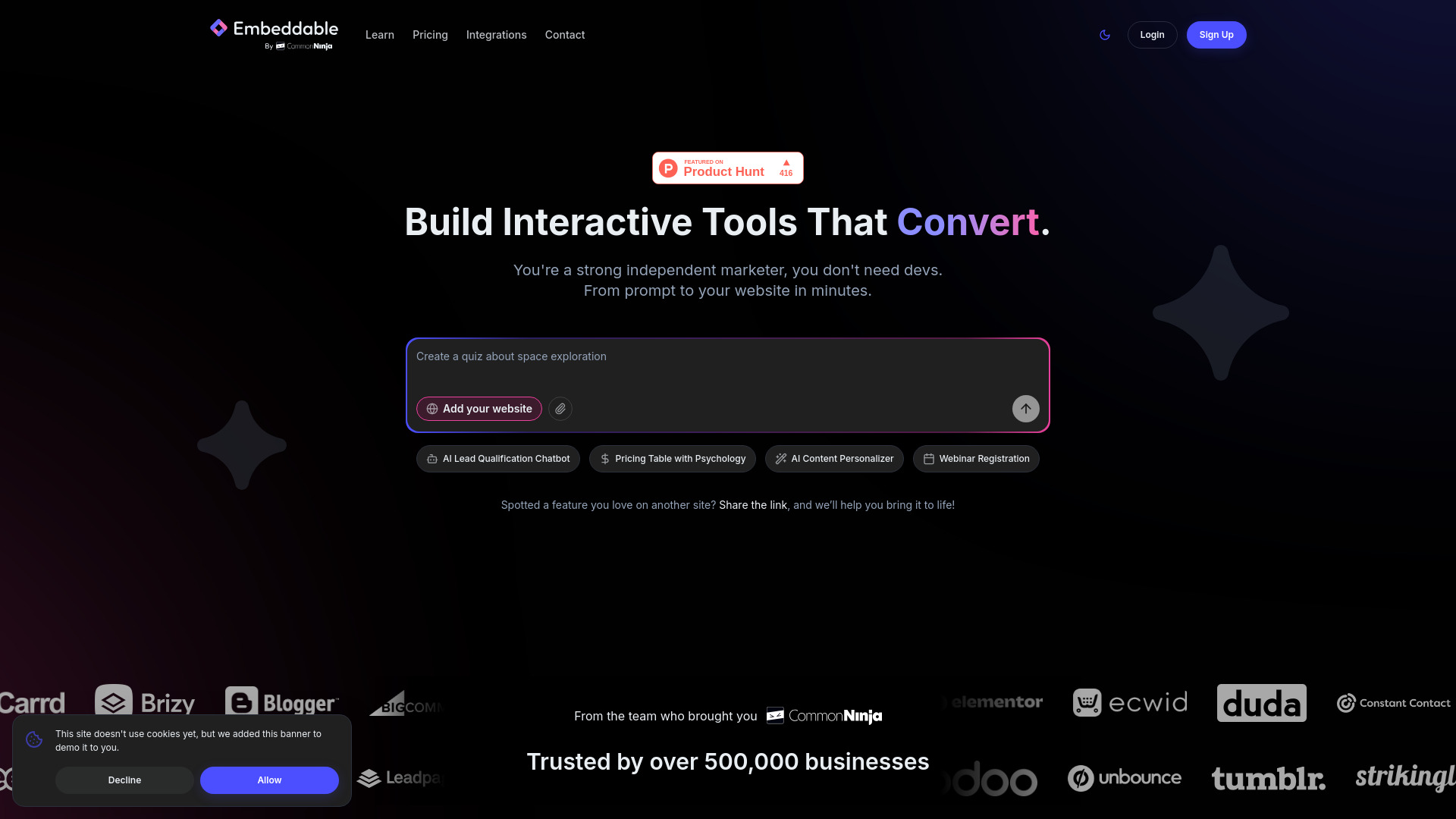
Embeddable website preview

What Is Embeddable?

Embeddable is an AI-powered no-code platform for creating forms, quizzes, popups, and interactive web widgets without building them from scratch. Designed for marketers, agencies, and business owners, it turns plain-language instructions into tools that help websites capture leads and encourage visitor interaction. Instead of coordinating a development project for every campaign, users can describe an idea, refine the design, and publish the finished component. Embeddable supports deployment across website platforms such as Shopify, Wix, and Webflow, with additional embedding options depending on the publishing environment. Its lightweight approach helps teams add interactive experiences while keeping website performance in mind.

How to Use Embeddable

Start by describing the tool you want to create. Your prompt might outline a product recommendation quiz, a newsletter signup form, or a promotional popup for an upcoming sale. You can also share information about your business or provide a website URL to guide the AI toward relevant suggestions. Once Embeddable generates an initial version, adjust the wording, layout, colors, and visual assets to suit your brand. Connect supported marketing services where needed, then use the provided embed code to add the component to your website.

After publishing, review how visitors interact with your tool and make changes as your campaign develops. Version control can support safer experimentation, while CRM and analytics connections help organize submissions and evaluate results. This workflow gives marketing teams more control over testing new ideas without requiring a developer for every adjustment.

Key Features of Embeddable

  • AI-Powered Tool Creation: Describe your objective in everyday language and generate an interactive starting point. From lead capture forms to quizzes and promotional widgets, AI helps translate campaign ideas into usable website components.
  • No-Code Customization: Refine your tools through visual editing and AI-assisted changes rather than manual programming. Adjust design details, update messaging, and incorporate your own images or other media to create a consistent brand experience.
  • Flexible Website Embedding: Publish interactive elements using a lightweight code snippet. Embeddable supports popular website builders and e-commerce platforms, although installation methods and display options depend on each platform's embedding capabilities.
  • Marketing Workflow Connections: Link supported CRM, email marketing, analytics, and automation services to your forms and widgets. These connections help move captured information into the systems your team already uses for reporting and follow-up.
  • Performance-Conscious Publishing: Add interactive functionality with components designed around efficient loading and SEO-friendly implementation. Version management and collaboration features also help teams coordinate updates and maintain consistency across campaigns.

Together, these features aim to shorten the path from concept to launch. Teams can spend less time arranging technical implementation and more time improving their messaging, offers, and visitor experience.

Why Choose Embeddable?

Embeddable offers a practical way to introduce interactive marketing tools without treating each one as a custom development project. For teams with limited technical resources, that flexibility can make it easier to launch seasonal promotions, test different lead capture approaches, and respond to changing campaign priorities. AI-generated starting points reduce setup work, while customization options let users adapt the result to their audience rather than relying on a fixed design.

The platform is also relevant to agencies handling multiple client websites. A repeatable creation and publishing process can simplify campaign delivery across different businesses and site builders. Connected marketing tools help keep submissions useful beyond the initial interaction, while performance tracking supports informed revisions. Rather than guaranteeing higher rankings or conversions, Embeddable provides tools for testing experiences that may improve engagement when paired with relevant offers, clear messaging, and thoughtful placement.

Use Cases and Applications

E-commerce teams can use Embeddable to create discount popups, product discovery quizzes, and savings calculators that help shoppers explore an offer. Publishers and creators can build newsletter signup forms, reader polls, or downloadable-resource registration widgets. Event marketers can add countdown timers and registration forms to support webinars, launches, and limited-time campaigns. Service businesses can introduce multi-step inquiry forms or lead qualification experiences that collect useful details before a sales conversation begins.

Agencies can apply the same approach across client campaigns, adapting reusable concepts to different branding and business goals. Other applications include feedback forms, promotional scratch cards, attention-grabbing calls to action, and personalized content widgets. The best format depends on the purpose of the page: a short form may suit a simple signup, while a quiz or calculator can provide a more involved experience when visitors need guidance before taking action.

Product source: Embeddable official website. Check the provider for current plans, limits and availability.

FAQ

Embeddable questions and answers

Product context and practical checks for evaluating Embeddable.

What is Embeddable used for?

Build forms, popups, quizzes & widgets with Embeddable AI—no coding needed. Embed on any platform in minutes to boost engagement and convert leads.

How do I get started with Embeddable?

Start by describing the tool you want to create. Your prompt might outline a product recommendation quiz, a newsletter signup form, or a promotional popup for an upcoming sale. You can also share information about your business or provide a website URL to guide the AI toward relevant suggestions. Once Embeddable generates an initial version, adjust the wording, layout, colors, and visual assets to suit your brand. Connect supported marketing services where needed, then use the provided embed code to add the component to your website.After publishing, review how visitors interact with your tool and make changes as your campaign develops. Version control can support safer experimentation, while CRM and analytics connections help organize submissions and evaluate results. This workflow gives marketing teams more control over testing new ideas without requiring a developer for every adjustment.

Which capabilities are described for Embeddable?

AI-Powered Tool Creation: Describe your objective in everyday language and generate an interactive starting point. From lead capture forms to quizzes and promotional widgets, AI helps translate campaign ideas into usable website components. No-Code Customization: Refine your tools through visual editing and AI-assisted changes rather than manual programming. Adjust design details, update messaging, and incorporate your own images or other media to create a consistent brand experience. Flexible Website Embedding: Publish interactive elements using a lightweight code snippet. Embeddable supports popular website builders and e-commerce platforms, although installation methods and display options depend on each platform's embedding capabilities. Marketing Workflow Connections: Link supported CRM, email marketing, analytics, and automation services to your forms and widgets. These connections help move captured information into the systems your team already uses for reporting and follow-up. Performance-Conscious Publishing: Add interactive functionality with components designed around efficient loading and SEO-friendly implementation. Version management and collaboration features also help teams coordinate updates and maintain consistency across campaigns. Together, these features aim to shorten the path from concept to launch. Teams can spend less time arranging technical implementation and more time improving their messaging, offers, and visitor experience.

What projects can I evaluate Embeddable for?

E-commerce teams can use Embeddable to create discount popups, product discovery quizzes, and savings calculators that help shoppers explore an offer. Publishers and creators can build newsletter signup forms, reader polls, or downloadable-resource registration widgets. Event marketers can add countdown timers and registration forms to support webinars, launches, and limited-time campaigns. Service businesses can introduce multi-step inquiry forms or lead qualification experiences that collect useful details before a sales conversation begins.Agencies can apply the same approach across client campaigns, adapting reusable concepts to different branding and business goals. Other applications include feedback forms, promotional scratch cards, attention-grabbing calls to action, and personalized content widgets. The best format depends on the purpose of the page: a short form may suit a simple signup, while a quiz or calculator can provide a more involved experience when visitors need guidance before taking action.

How does Embeddable handle ai-powered tool creation?

AI-Powered Tool Creation: Describe your objective in everyday language and generate an interactive starting point. From lead capture forms to quizzes and promotional widgets, AI helps translate campaign ideas into usable website components.

How does Embeddable handle no-code customization?

No-Code Customization: Refine your tools through visual editing and AI-assisted changes rather than manual programming. Adjust design details, update messaging, and incorporate your own images or other media to create a consistent brand experience.

What should I compare before choosing a Embeddable plan?

Check Embeddable’s current pricing page for included usage, renewal terms and any credit charges. Compare the cost of a usable result, including retries, rather than assuming that account registration includes free usage.

What inputs should I prepare for a Embeddable trial?

Identify the files, text or account connections your task needs. Confirm that the product accepts those inputs and offers controls for reviewing its work.

How can I check the quality of a Embeddable result?

Test one representative task and inspect the result for accuracy and completeness. Record where manual corrections or extra tools are needed.

Where is the official Embeddable website?

The website linked from this profile is https://embeddable.co. Use the provider’s own documentation, account area and support channels to confirm current product details.

Visit Embeddable