Table of contents
EaseQuiz: AI Quiz Generator : Instant, Smart, Customizable
EaseQuiz: AI-powered quiz generator that creates engaging quizzes from any content. Instant, smart, and customizable—perfect for educators and trainers.
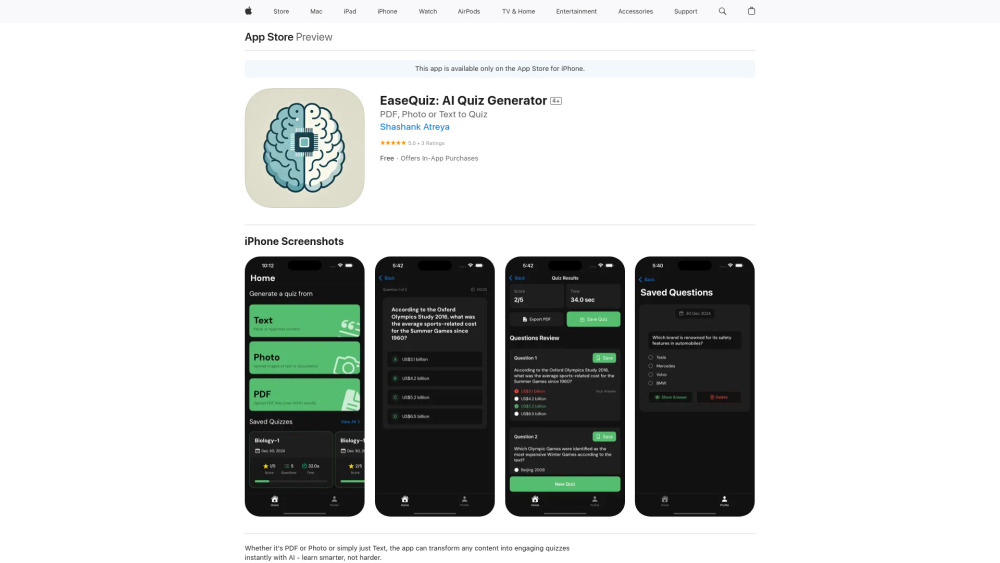
Introducing EaseQuiz: AI-Powered Quiz Creation Made Simple
EaseQuiz is a smart, AI-driven tool designed to transform your study materials into interactive quizzes in seconds. Whether you're working with plain text, scanned images, or PDF documents, EaseQuiz instantly analyzes the content and generates well-structured assessments. Choose from up to 15 questions per quiz, including multiple-choice, true/false, and fill-in-the-blank formats—perfect for active learning and knowledge retention.
How It Works: Create Quizzes in Three Easy Steps
Using EaseQuiz is effortless. Start by uploading your source material—be it a textbook excerpt, lecture notes, or a research paper in image or PDF format. Then, select your preferred question types and let the AI craft a tailored quiz. Once generated, review, edit, and export your quiz as a clean, printable PDF for sharing or studying anytime.
Key Features of EaseQuiz: AI Quiz Generator
Instant quiz generation from text, images, and PDFs
Multiple question formats: MCQs, true/false, and fill-in-the-blank
Export and save quizzes in PDF format
Cloud sync for seamless access across devices
Who Can Benefit from EaseQuiz?
Teachers designing quick assessments for classrooms
Students generating practice tests from their notes
Lifelong learners testing their understanding of new topics
Frequently Asked Questions
-
What kinds of questions does EaseQuiz support?
-
Can I download my quizzes for offline use?
-
Is EaseQuiz accessible on different devices?
FAQ from EaseQuiz: AI Quiz Generator
What is EaseQuiz: AI Quiz Generator?
EaseQuiz leverages artificial intelligence to convert educational content from text, images, or PDF files into dynamic quizzes. With support for various question types and the ability to generate up to 15 questions per session, it's an ideal tool for creating customized assessments quickly and efficiently.
How to use EaseQuiz: AI Quiz Generator?
Begin by uploading your learning material. Select the quiz type you'd like to generate, and let the AI build your assessment. After reviewing and customizing the questions, you can save or export the quiz as a PDF for easy distribution or personal study.
What types of questions can I create with EaseQuiz?
You can generate multiple-choice questions (MCQ), true/false statements, and fill-in-the-blank prompts, all automatically derived from your uploaded content.
Can I export my quizzes?
Yes, all quizzes can be saved within the app and exported as downloadable PDFs for printing or offline review.
Is the app available on all devices?
EaseQuiz is currently available on the App Store for iPhone users and requires iOS 18.1 or later for optimal performance.