Large Language Models (LLMs)

Dust - Smarter Teams with AI

Dust is an AI assistant that combines large language models, updated company knowledge, collaboration applications, and an extensible platform to help teams craft better content, understand their environment, and make better decisions.

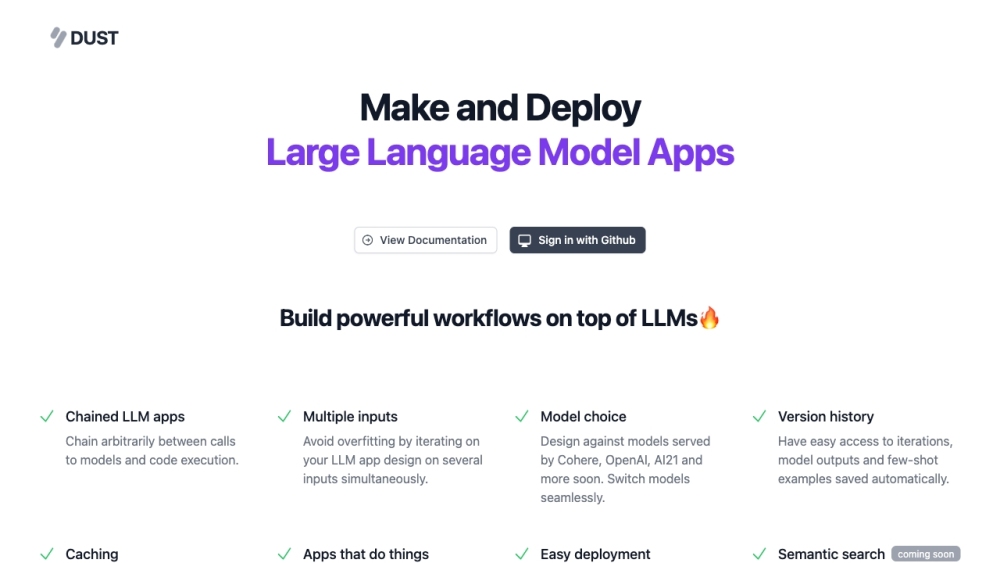
Dust - Smarter Teams with AI website preview

Dust - Smarter Teams with AI Website screenshot

What is Dust - Smarter Teams with AI?

Dust is an advanced AI assistant designed to integrate large language models with your company's knowledge and collaborative tools. Its goal is to enhance content creation, improve team understanding, and facilitate better decision-making processes.

How to use Dust - Smarter Teams with AI?

To get started with Dust, log in using your GitHub or Google account. Then, connect Dust securely to your company's knowledge base. Use the intuitive chat interface to get real-time answers, suggestions for updating documentation, and to explore the capabilities of generative AI. Additionally, you can develop custom workflows using Dust's features tailored to your company's data.

Dust - Smarter Teams with AI's Core Features

Access to GPT-4 and internal knowledge

Secure AI assistant with company knowledge

Unified and safe access to GPT-4

Break down knowledge silos

Share prompts and conversations with the team

Get documentation update suggestions

Build custom Large Language Model apps

Assistance with working with LLMs

Augmenting humans, not replacing them

Uncompromising data security and privacy

Solving hard problems on user experience and product quality

Dust - Smarter Teams with AI's Use Cases

Crafting better content

Understanding the environment faster

Making better decisions

Ramping up on generative AI

Building custom workflows

Improving documentation

Enhancing collaboration

Product source: Dust - Smarter Teams with AI official website. Check the provider for current plans, limits and availability.

FAQ

Dust - Smarter Teams with AI questions and answers

Product context and practical checks for evaluating Dust - Smarter Teams with AI.

What is Dust - Smarter Teams with AI used for?

Dust is an AI assistant that combines large language models, updated company knowledge, collaboration applications, and an extensible platform to help teams craft better content, understand their environment, and make better decisions.

How do I get started with Dust - Smarter Teams with AI?

To get started with Dust, log in using your GitHub or Google account. Then, connect Dust securely to your company's knowledge base. Use the intuitive chat interface to get real-time answers, suggestions for updating documentation, and to explore the capabilities of generative AI. Additionally, you can develop custom workflows using Dust's features tailored to your company's data.

Which capabilities are described for Dust - Smarter Teams with AI?

Access to GPT-4 and internal knowledgeSecure AI assistant with company knowledgeUnified and safe access to GPT-4Break down knowledge silosShare prompts and conversations with the teamGet documentation update suggestionsBuild custom Large Language Model appsAssistance with working with LLMsAugmenting humans, not replacing themUncompromising data security and privacySolving hard problems on user experience and product quality

What projects can I evaluate Dust - Smarter Teams with AI for?

Crafting better contentUnderstanding the environment fasterMaking better decisionsRamping up on generative AIBuilding custom workflowsImproving documentationEnhancing collaboration Dust - Smarter Teams with AI Pricing Dust - Smarter Teams with AI Pricing Link: https://dust.tt/#sectionPricing Dust - Smarter Teams with AI Linkedin Dust - Smarter Teams with AI Linkedin Link: https://www.linkedin.com/company/dust-tt/ Dust - Smarter Teams with AI Twitter Dust - Smarter Teams with AI Twitter Link: https://x.com/dust4ai Dust - Smarter Teams with AI Github Dust - Smarter Teams with AI Github Link: https://github.com/dust-tt

What should I compare before choosing a Dust - Smarter Teams with AI plan?

Dust - Smarter Teams with AI Pricing Link: https://dust.tt/#sectionPricing Confirm current prices and allowances on the provider’s website before purchasing.

What inputs should I prepare for a Dust - Smarter Teams with AI trial?

Look for text prompts, image references, masks or sketches as appropriate. Compare composition control, supported upload types and the ability to revise a selected area.

How can I check the quality of a Dust - Smarter Teams with AI result?

Inspect text, hands, edges, reflections and repeated objects at full size. Check that important product or brand details survive editing.

Which export options should I check in Dust - Smarter Teams with AI?

Compare pixel dimensions, transparency, file formats and any enlargement options. Confirm that the downloaded result works in your design or publishing software.

What is a practical way to test Dust - Smarter Teams with AI against alternatives?

Prepare a brief with a subject, composition, lighting and required output size. Test a first generation and a targeted revision to see how much control you retain.

Where is the official Dust - Smarter Teams with AI website?

The website linked from this profile is https://makebestmusic.com. Use the provider’s own documentation, account area and support channels to confirm current product details.

Visit Dust - Smarter Teams with AI