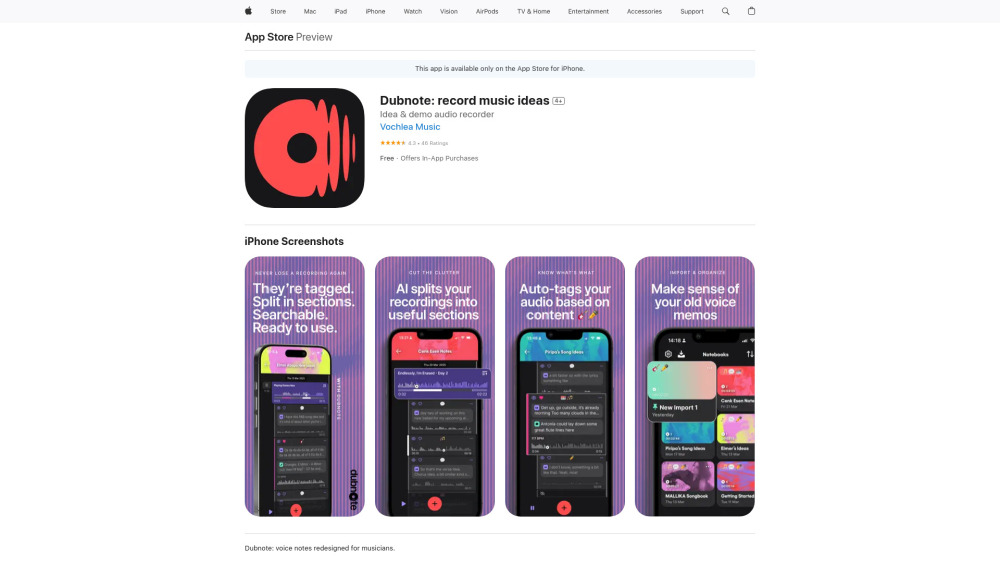
What Is Dubnote?
Dubnote reimagines how musicians capture and cultivate inspiration—transforming fleeting sonic sparks into structured, searchable, and production-ready assets. More than a voice memo app, it’s an intelligent idea studio built for composers, producers, and performers who need clarity amid creative chaos. With on-device AI, every riff, lyric sketch, or rhythmic motif is instantly organized, transcribed, segmented, and enriched—no cloud dependency, no privacy trade-offs. It turns fragmented recordings into a living musical archive you can navigate, refine, and export with precision.
How Dubnote Works
Launch Dubnote, hit record—and your idea lands directly in a named notebook or custom folder, complete with visual cover art. As audio flows in, Dubnote listens: detecting structural shifts, isolating melodic phrases, flagging lyrical passages, and estimating tempo—all in real time. You can then zoom into any segment, add time-stamped annotations, adjust boundaries with intuitive scrubbing, or let AI suggest optimal splits. Transcribe vocals offline, extract BPM for tempo-matching, export clean stems to your DAW, or import legacy voice memos for intelligent rediscovery. Everything stays private, everything stays yours.
Dubnote’s Core Capabilities
Musical Idea Capture Engine — optimized for spontaneity and fidelity
Intelligent Notebook System — organize by project, mood, instrument, or genre
AI Split — intelligently partitions recordings into riffs, verses, hooks, and bridges
Precision Editing Suite — smart trimming, manual refinement, and section labeling
One-Tap Export — deliver high-quality .wav or .aac stems ready for production
Context-Aware Tagging — auto-labels content using audio fingerprinting (e.g., “guitar solo,” “vocal ad-lib,” “drum loop”)
Offline Speech-to-Text — transcribes lyrics, notes, and vocal sketches without internet
Time-Stamped Annotation — embed ideas, chord changes, or feedback at exact timestamps
Real-Time BPM Analysis — detects tempo across sections, even in rubato or layered takes
AI Audio Insights — analyzes imported files for key, energy, density, and structural patterns
End-to-End iCloud Sync — seamless backup and cross-device continuity
Zero-Data-Exit Architecture — all processing occurs locally; nothing leaves your device
Who Uses Dubnote?
Songwriters capturing melody fragments between sessions—or mid-coffee break.
Producers curating years of vocal sketches, beat ideas, and field recordings into a searchable library.
Session musicians retrieving that perfect bassline from last month’s jam—by keyword, tempo, or timestamp.
Educators archiving student performances, practice notes, and lesson feedback in context-rich folders.
Collaborators sharing polished, labeled audio clips—not raw voice memos—with bandmates or engineers.
Composers converting spoken lyric drafts into editable text, then syncing them to relevant audio moments.
Archivists breathing new life into old voice memos—re-tagging, splitting, transcribing, and repurposing them instantly.