What is DraftLab?
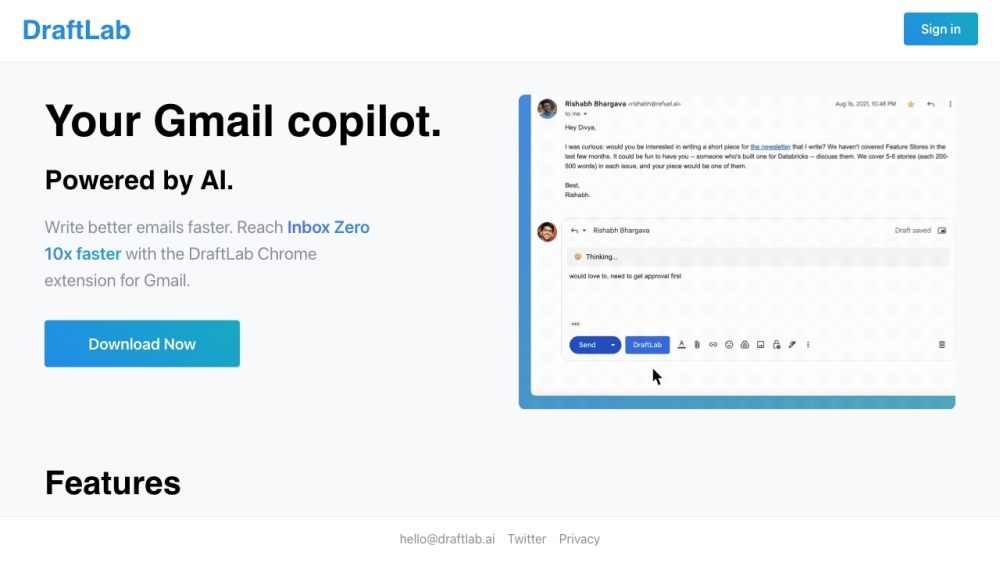
DraftLab is your AI-powered Gmail copilot designed to help you craft better emails more efficiently.
How to Use DraftLab?
To start using DraftLab, sign in and install the Chrome extension. Once set up, integrate it with Gmail to quickly generate top-quality email responses and manage your inbox effectively.
DraftLab's Core Features
Gmail Integration
Seamlessly works with your Gmail account to enhance email productivity.
Flexible Pricing
Adopts a pay-as-you-go model, ensuring you only pay for what you use.
Privacy Focused
Prioritizes your privacy by not storing emails unless personalization is enabled.
Personalization (Coming Soon)
Future updates will allow you to tailor DraftLab’s AI to match your unique writing style.
Autopilot (Coming Soon)
Upcoming feature to automate responses for repetitive emails.
Triage (Coming Soon)
Soon, DraftLab will be able to categorize and prioritize your emails automatically.
DraftLab's Use Cases
Overcome Writer's Block and Achieve Inbox Zero
Use DraftLab’s AI capabilities to swiftly generate high-quality email replies, helping you maintain an organized inbox.
-
DraftLab Support Email & Customer Service Contact
For assistance, reach out to DraftLab support at: [email protected].
-
DraftLab Login
Access your DraftLab account here: https://draftlab.ai/signin
-
DraftLab Sign Up
Create a new DraftLab account: https://draftlab.ai/signup
-
DraftLab Twitter
Follow us on Twitter: https://twitter.com/divyahansg