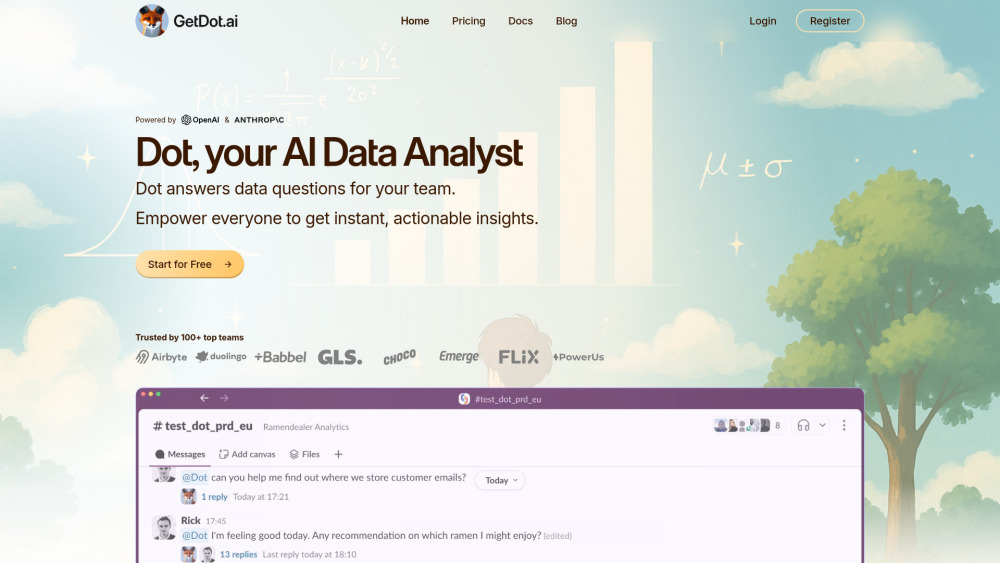
Dot: AI Data Analyst for Instant Insights in Slack & Teams
Dot: Your AI data analyst—delivers instant, actionable insights directly in Slack & Teams. No dashboards, no delays. Just smart answers, in seconds.


Introducing Dot: Your AI Data Analyst — Instantly Embedded in Slack & Teams
Dot isn’t just another AI assistant—it’s a purpose-built, enterprise-grade data analyst that lives natively inside your daily collaboration tools: Slack and Microsoft Teams. No context switching. No tab-hopping. Just type a question—“What drove Q3 revenue growth?” or “Show churn by cohort over the last 90 days”—and get trustworthy, actionable insights in seconds. Dot connects directly to your live data infrastructure (Snowflake, BigQuery, Redshift, Databricks, and more), understands your business logic and schema, and executes precise, auditable queries—no coding required. Built from the ground up for analytics—not general conversation—Dot eliminates guesswork, avoids hallucinations, and delivers rigorously accurate answers grounded entirely in your data.
Getting Started with Dot Is Effortless
Launch Dot in minutes: connect your warehouse or upload files (CSV, XLSX, JSON), define access permissions, and start asking questions. Whether you're a product manager exploring feature adoption, a finance lead modeling cash flow, or a support director tracking resolution trends—Dot interprets your intent, runs validated SQL under the hood, and returns intuitive visualizations, summary tables, or narrative reports—all within your existing workflow.
Dot’s Intelligent Analytics Capabilities
Natural Language Query Engine
Interactive Charting & Dashboard-Ready Visuals
Automated Data Cleaning & Transformation
AI-Powered Insight Summarization
Predictive Modeling & Forecasting (ARIMA, ML-based)
One-Click Report Generation & Export (PDF, PPTX, CSV)
Real-World Impact Across Functions
Product: Track funnel drop-offs, measure feature engagement, and prioritize roadmap items
Marketing: Attribute campaign ROI, segment audiences, and optimize spend in real time
Sales: Forecast pipeline health, identify win/loss patterns, and benchmark rep performance
Customer Support: Surface root causes of tickets, monitor CSAT drivers, and predict escalation risk
Finance: Automate variance analysis, model scenario planning, and streamline month-end close
HR: Analyze attrition signals, assess diversity metrics, and forecast hiring needs
Operations: Optimize inventory turnover, track supplier SLAs, and reduce logistics bottlenecks
Security & Compliance: Generate audit-ready logs, detect anomalous access patterns, and auto-generate SOC2 reports
Supply Chain: Forecast demand volatility, simulate disruption impact, and recommend buffer adjustments
Frequently Asked Questions
-
What makes Dot different from other AI tools?
-
Where can I interact with Dot?
-
Which data sources does Dot integrate with?
-
How fast are Dot’s responses?
-
Why not just use ChatGPT + manual exports?
-
Can Dot handle advanced analytical workflows?
-
How does Dot ensure factual accuracy and eliminate hallucinations?
-
How long does onboarding take?
-
Support & Contact
Reach our dedicated support team at [email protected]. For full assistance—including implementation guidance, billing inquiries, and refund requests—visit our Contact page.
-
About Dot
Company Name: Dot, Inc. — The AI-native data analyst built for modern teams.
Legal Entity: Dot, Inc., a Delaware corporation.
Learn more about our mission, values, and leadership team on the About Us page. -
Access Dot
Log in to your workspace: https://app.getdot.ai/login
-
Get Started Today
Sign up for a free trial in under 2 minutes: https://app.getdot.ai/register
-
Follow Dot
Stay updated on product launches, best practices, and data strategy insights:
LinkedIn: linkedin.com/company/getdot-ai
X (Twitter): @GetDotAi
FAQ from Dot
What is Dot?
Dot is an AI-powered data analyst embedded directly into Slack and Microsoft Teams—designed to turn natural language questions into accurate, real-time insights from your live data stack. It bridges the gap between data engineers and business users by combining secure, governed access with intuitive conversational analytics.
How to use Dot?
Connect your data source (cloud warehouse, BI platform, or flat file), grant role-based permissions, then ask anything—“Compare YoY conversion rates by channel,” “Forecast next quarter’s CAC,” or “Explain the top three drivers of NPS decline.” Dot returns visualizations, statistical summaries, and plain-language explanations—all within your chat interface.
What can Dot do?
Dot enables self-service analytics at scale: explore metrics, build predictive models, generate compliance reports, visualize correlations, transform raw data into clean tables, and export findings for stakeholder review—without relying on analysts or writing code.
Where is Dot available?
Primarily in Slack and Microsoft Teams—but also accessible via web app, email-triggered insights, and API integrations. Coming soon: native plugins for Notion, Confluence, and Power BI.
Which databases does Dot support?
Full compatibility with Snowflake, Google BigQuery, Amazon Redshift, Databricks SQL, PostgreSQL, SQL Server, ClickHouse, MotherDuck, and Trino. Custom connectors available for legacy or proprietary systems. Full list: docs.getdot.ai/dot/integrations
How quickly can I get results?
Simple queries return in under 3 seconds. Complex multi-step analyses (e.g., cohort lifetime value forecasting) complete in under 90 seconds—optimized through query rewriting, caching, and parallel execution.
How does Dot compare to using ChatGPT for data analysis?
ChatGPT lacks direct database access, relies on static training data, and cannot execute live queries—making it unsuitable for accurate, auditable business decisions. Dot, by contrast, operates *on* your live data, enforces governance policies, logs every query, and surfaces only verifiable outputs—ensuring trust, traceability, and compliance.
Can Dot perform complex data analysis beyond basic queries?
Absolutely. Dot supports multivariate regression, survival analysis, clustering, A/B test significance evaluation, time-series decomposition, and custom Python/R script execution (sandboxed and approved). All triggered via plain English—no syntax memorization needed.
How does Dot prevent AI hallucinations in data analysis?
Dot never “invents” answers. Every insight originates from an executed query against your actual data. Its LLM layer acts solely as a semantic translator—converting intent into deterministic SQL/Python—and includes built-in validation rules, schema-aware grounding, and optional human-in-the-loop approval for high-risk queries.
What is the implementation time for Dot AI data analyst?
Most customers go live in 3–5 business days. The process includes secure connection setup, automated schema introspection, role-based permission mapping, and interactive onboarding sessions. Zero infrastructure changes required—Dot works alongside your existing stack.