Table of contents
DigiMirror: AI Virtual Try-On for Clothes, Free & No Registration
Try clothes virtually with DigiMirror—AI-powered, free, no sign-up needed. See how outfits look on you in seconds! 🌟
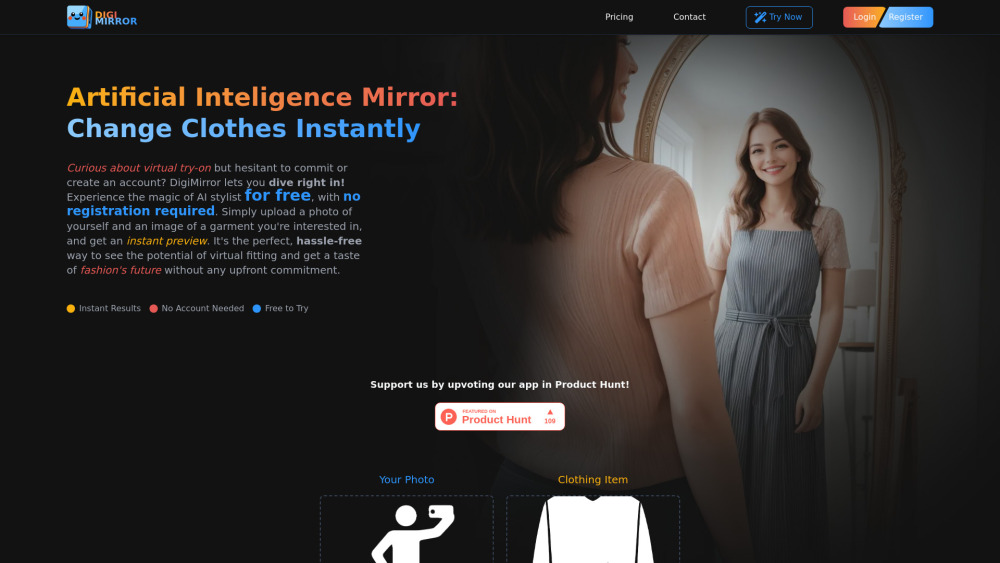
Directory : AI Clothing Generator, AI Image Generator, AI Outfit Generator, AI Clothing Removal, AI Photo Editor, AI Shopping Assistant
Introducing DigiMirror: Try Clothes Instantly — Zero Signup, Zero Cost
DigiMirror is a next-generation AI virtual fitting room that lets you see how any outfit looks on *your body* — in seconds, for free, and without creating an account. Using state-of-the-art generative AI, it seamlessly overlays clothing onto your uploaded photo with natural pose alignment, fabric simulation, and realistic lighting. Designed for real people shopping online and forward-thinking fashion brands alike, DigiMirror cuts decision fatigue, slashes return rates, and transforms static product pages into immersive, interactive experiences. Bonus tools include one-click AI clothes removal and smart photo editing — all accessible instantly.
How It Works (In 2 Simple Steps)
No downloads. No forms. No passwords. Just upload: (1) a clear, front-facing photo of yourself (standing, arms relaxed), and (2) a clean image of the clothing item (flat-lay or model shot). DigiMirror’s AI analyzes proportions, posture, and garment geometry — then renders a photorealistic preview you can rotate, save, or share — all within your browser.
Why Users & Brands Choose DigiMirror
Truly Free Access — No Hidden Gates
Zero Registration Required
Real-Time Try-On in Under 10 Seconds
End-to-End Privacy — Your Photos Aren’t Stored or Shared
Mobile-Optimized & Lightning-Fast
API-Ready for E-Commerce Platforms
AI-Powered Clothing Swap & Removal
Who Benefits Most?
For Shoppers: Shop with certainty. Preview jeans, dresses, suits, or seasonal styles before you buy. Compare fits across sizes, experiment with bold colors, share looks with friends, and skip the “will this suit me?” doubt — all without leaving your phone.
For Fashion Businesses: Embed DigiMirror directly into your product pages to boost engagement, increase average order value, reduce size-related returns by up to 35%, and gather anonymized fit preference insights — no SDK install needed.
Frequently Asked Questions
How realistic is the fit simulation?
What’s the ideal selfie setup?
Do you store or sell my photos?
Is DigiMirror really free with no login?
Can I integrate DigiMirror into my Shopify/WooCommerce store?
Does the AI remove clothing from photos too?
Can I edit images online for free — no software needed?
Which clothing categories work best?
Are there content restrictions?
Are swimwear or intimate apparel supported?
What about hats, scarves, or sunglasses?
Is there a subscription or paywall?
Where do my uploads go after processing?
-
Need Help? We’re Here.
Reach our support team anytime: https://digimirror.app/contact
-
About DigiMirror
DigiMirror is developed by TYY Labs — a team dedicated to ethical, accessible AI for everyday fashion discovery.
-
Login (Optional)
Already have an account? Sign in here: https://digimirror.app/login
-
Sign Up (Only If You Want More)
Unlock priority rendering and extended history: https://digimirror.app/register
FAQ from DigiMirror
What is DigiMirror?
DigiMirror is the world’s first truly frictionless AI virtual try-on tool — built for speed, privacy, and realism. Upload two images, get a lifelike preview in seconds. No sign-up. No fees. Just smarter shopping.
How to use DigiMirror?
Go to digimirror.app → click “Try Now” → upload your photo + clothing image → watch AI generate your custom preview. Done. No email, no password, no waiting.
How realistic is the fit simulation?
We simulate fabric drape, body contours, and lighting using diffusion-based modeling — delivering visual accuracy far beyond basic overlays. While exact sizing still depends on brand-specific charts, style, proportion, and silhouette are rendered with high fidelity.
What’s the ideal selfie setup?
Stand 5–6 feet from the camera, wear fitted (not baggy) clothing, ensure even lighting, and keep your face and full torso clearly visible. Avoid shadows, mirrors, or busy backgrounds.
Do you store or sell my photos?
No. Uploaded images are processed in-memory, deleted immediately after rendering, and never saved, shared, or used for training. We comply with GDPR and CCPA standards by default.
Is DigiMirror really free with no login?
Yes — fully free, fully functional, and completely anonymous. You only need an account if you want to save history, access batch processing, or use advanced editing features.
Can I integrate DigiMirror into my Shopify/WooCommerce store?
Absolutely. Our lightweight iframe embed and REST API let you add virtual try-on to any product page in under 10 minutes. Contact sales for white-label options and volume pricing.
Does the AI remove clothing from photos too?
Yes — our patented “ClothSwap” engine supports both *adding* and *removing* garments in a single click. Ideal for outfit experimentation, modesty edits, or creative styling.
Can I edit images online for free — no software needed?
100%. All processing happens securely in-browser. No downloads, no watermarks, no forced upgrades. Just drag, drop, and transform.
Which clothing categories work best?
Tops, dresses, jackets, blazers, skirts, trousers, jumpsuits, and formal wear deliver the strongest results. Items with defined silhouettes and minimal transparency perform optimally.
Are there content restrictions?
We enforce responsible AI usage. Content violating community guidelines — including non-consensual imagery, hate symbols, or exploitative material — is automatically blocked.
Are swimwear or intimate apparel supported?
Context matters. Modest, retail-contextualized swimwear (e.g., resort wear) is accepted. For sensitive categories, our AI applies additional safety layers — prioritizing respect and usability over permissiveness.
What about hats, scarves, or sunglasses?
Currently optimized for upper-body garments. Accessories are in active development — subscribe to our newsletter for early access to accessory try-on beta.
Is there a subscription or paywall?
The core virtual try-on experience remains forever free. Optional premium credits unlock faster processing, HD exports, and bulk uploads — but never lock core functionality.
Where do my uploads go after processing?
Nowhere. They vanish from memory the moment your preview loads. We don’t log, cache, or retain any user-uploaded assets — ever.