AI Product Description Generator

DeskDay

DeskDay: The AI-powered platform for MSPs. Streamline IT support, RMM, and service desk tasks effortlessly. Boost efficiency with next-gen automation.

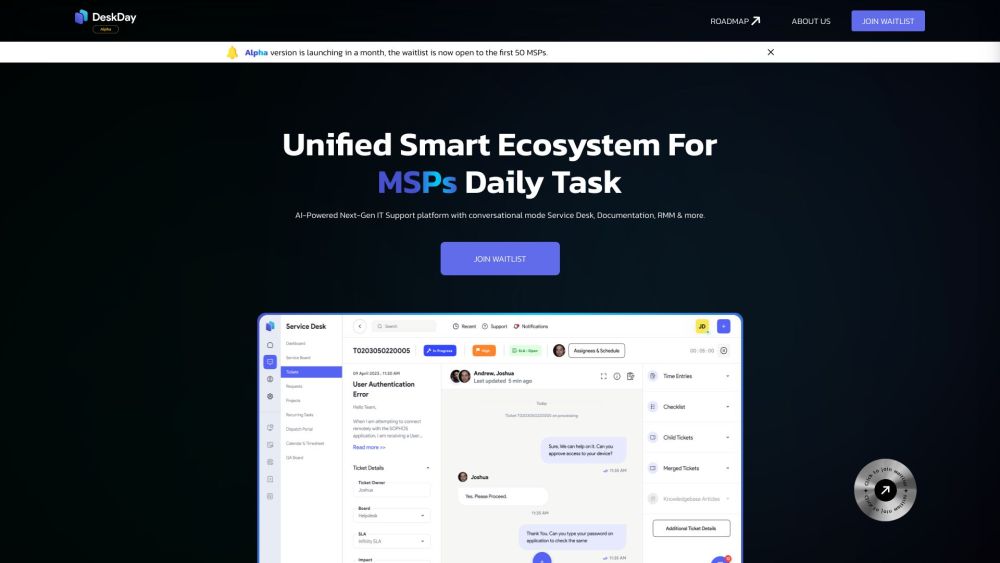
DeskDay website preview

DeskDay Website screenshot

Introducing DeskDay

DeskDay is a cutting-edge IT support platform crafted for Managed Service Providers (MSPs). It integrates several functionalities such as a chat-based Service Desk, Remote Monitoring and Management (RMM), and comprehensive Documentation, all powered by advanced AI technology. DeskDay ensures that MSPs can manage their operations smoothly and efficiently.

Getting Started with DeskDay

To start using DeskDay, follow these instructions: 1. Visit the DeskDay website and create an account. 2. After logging in, familiarize yourself with features like the chat-based Service Desk, RMM, and Documentation. 3. Engage with the platform using the conversational interface. 4. Utilize automation to optimize your daily workflows. 5. Enhance your support services with the intelligent QA system. 6. Experience the user-friendly onboarding process designed for ease of use. DeskDay aims to simplify MSPs' daily activities by providing an all-inclusive solution.

Key Features of DeskDay

Chat-based Service Desk

Remote Monitoring and Management (RMM)

Comprehensive Documentation

Workflow Automation

Intelligent Quality Assurance

User-focused Design

Seamless Onboarding

Ideal for Various Use Cases

Managed Service Providers (MSPs)

IT Support Teams

IT Service Management

IT Documentation Management

IT Ticketing and Incident Management

Product source: DeskDay official website. Check the provider for current plans, limits and availability.

FAQ

DeskDay questions and answers

Product context and practical checks for evaluating DeskDay.

What is DeskDay used for?

DeskDay: The AI-powered platform for MSPs. Streamline IT support, RMM, and service desk tasks effortlessly. Boost efficiency with next-gen automation.

How do I get started with DeskDay?

To start using DeskDay, follow these instructions: 1. Visit the DeskDay website and create an account. 2. After logging in, familiarize yourself with features like the chat-based Service Desk, RMM, and Documentation. 3. Engage with the platform using the conversational interface. 4. Utilize automation to optimize your daily workflows. 5. Enhance your support services with the intelligent QA system. 6. Experience the user-friendly onboarding process designed for ease of use. DeskDay aims to simplify MSPs' daily activities by providing an all-inclusive solution.

Which capabilities are described for DeskDay?

Chat-based Service DeskRemote Monitoring and Management (RMM)Comprehensive DocumentationWorkflow AutomationIntelligent Quality AssuranceUser-focused DesignSeamless Onboarding

What projects can I evaluate DeskDay for?

Managed Service Providers (MSPs)IT Support TeamsIT Service ManagementIT Documentation ManagementIT Ticketing and Incident Management DeskDay Reddit Join the DeskDay community on Reddit: https://www.reddit.com/r/DeskDay/ DeskDay Discord Connect with us on Discord: https://discord.gg/sv2verKBez. For more Discord details, click here. DeskDay Support & Customer Service For support and other inquiries, visit our Contact Us page. About DeskDay Learn more about DeskDay Inc.: About Us page. DeskDay Login Access DeskDay here: https://login.deskday.ai/login DeskDay Sign Up Create an account: https://login.deskday.ai/signup DeskDay Pricing View our pricing plans: https://deskday.com/pricing/ DeskDay on Social Media Facebook: https://www.facebook.com/deskday.a.i YouTube: https://www.youtube.com/@DeskDay_ai/ LinkedIn: https://www.linkedin.com/company/deskday/ Twitter: https://twitter.com/DeskDay_ai Instagram: https://www.instagram.com/deskday.ai/ Reddit: https://www.reddit.com/r/DeskDay/

What should I compare before choosing a DeskDay plan?

View our pricing plans: https://deskday.com/pricing/ Confirm current prices and allowances on the provider’s website before purchasing.

What inputs should I prepare for a DeskDay trial?

Identify the files, text or account connections your task needs. Confirm that the product accepts those inputs and offers controls for reviewing its work.

How can I check the quality of a DeskDay result?

Test one representative task and inspect the result for accuracy and completeness. Record where manual corrections or extra tools are needed.

Which export options should I check in DeskDay?

Check export formats, integrations and whether you can keep using your work outside the service. Test a real export before committing to a longer plan.

What is a practical way to test DeskDay against alternatives?

Choose one task with a clear success condition. Keep the input consistent, record the time spent reviewing and compare the complete workflow cost.

Where is the official DeskDay website?

The website linked from this profile is https://deskday.ai. Use the provider’s own documentation, account area and support channels to confirm current product details.

Visit DeskDay