AI Product Description Generator

Descript

Descript is an all-in-one video and podcast editing software that allows users to write, record, transcribe, edit, collaborate, and share their videos and podcasts. It features powerful AI technology to simplify the editing process and offers a user-friendly interface similar to working with documents and slides.

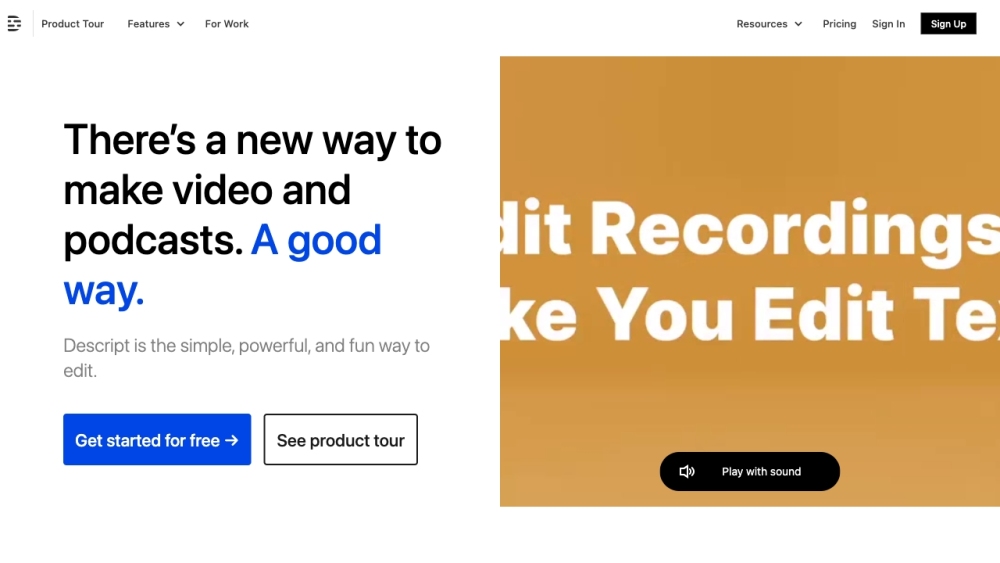
Descript website preview

Exploring Descript: Revolutionizing Video and Podcast Editing

Descript is a cutting-edge platform that redefines the landscape of video and podcast editing. With its innovative approach, users can seamlessly write, record, transcribe, edit, collaborate, and share their multimedia content. Powered by advanced AI technology, Descript simplifies the editing process, offering a user-friendly interface akin to working with traditional documents and slides.

Unleashing the Power of Descript

Unlocking the full potential of Descript is a breeze. Begin by creating a free account and delve into the array of features available. Whether crafting scripts, recording audio or video, or leveraging automatic transcription, Descript streamlines the editing workflow. Cut, rearrange, and enhance your content effortlessly with the intuitive editing tools. Foster collaboration by sharing projects and enabling seamless team contributions. Finally, showcase your polished creations through Descript's embeddable player.

Embracing Descript's Versatile Capabilities

Elevated Video Editing Experience

Simplified Multitrack Audio Editing for Podcasts

Precision Transcription Tools for Seamless Workflow

Effortless Screen Recording and Sharing

AI-Enhanced Narration with Synthetic Voices

Simultaneous Editing of Multiple Audio Tracks

Diverse Applications of Descript

Crafting Professional-Grade Videos

Publishing and Enhancing Podcasts

Facilitating Team Collaboration on Multimedia Projects

Streamlining Interview Transcription and Editing

Capturing and Distributing Screen and Webcam Recordings

  • Discover More About Descript

    For further insights into Descript, visit the about us page.

  • Access Descript's Features

    Explore Descript by logging in here.

  • Join the Descript Community

    Create your Descript account now.

  • Explore Descript's Pricing Options

    Find out more about Descript's pricing here.

  • Connect with Descript on Social Media

    Follow Descript on Facebook and Twitter for updates.

Product source: Descript official website. Check the provider for current plans, limits and availability.

FAQ

Descript questions and answers

Product context and practical checks for evaluating Descript.

What is Descript used for?

Descript is an all-in-one video and podcast editing software that allows users to write, record, transcribe, edit, collaborate, and share their videos and podcasts. It features powerful AI technology to simplify the editing process and offers a user-friendly interface similar to working with documents and slides.

How do I get started with Descript?

Open the official Descript website and identify the workflow that matches your task. Use a short shot with one subject and one camera movement. Keep the prompt and duration constant, then compare usable seconds and the number of regenerations.

Which capabilities are described for Descript?

Elevated Video Editing ExperienceSimplified Multitrack Audio Editing for PodcastsPrecision Transcription Tools for Seamless WorkflowEffortless Screen Recording and SharingAI-Enhanced Narration with Synthetic VoicesSimultaneous Editing of Multiple Audio Tracks

What projects can I evaluate Descript for?

Crafting Professional-Grade VideosPublishing and Enhancing PodcastsFacilitating Team Collaboration on Multimedia ProjectsStreamlining Interview Transcription and EditingCapturing and Distributing Screen and Webcam Recordings Discover More About Descript For further insights into Descript, visit the about us page. Access Descript's Features Explore Descript by logging in here. Join the Descript Community Create your Descript account now. Explore Descript's Pricing Options Find out more about Descript's pricing here. Connect with Descript on Social Media Follow Descript on Facebook and Twitter for updates.

What should I compare before choosing a Descript plan?

Find out more about Descript's pricing here. Confirm current prices and allowances on the provider’s website before purchasing.

What inputs should I prepare for a Descript trial?

Compare text prompts, reference frames, source footage and audio support. Check duration, aspect ratio and whether the tool lets you keep a subject consistent between shots.

How can I check the quality of a Descript result?

Watch the entire clip for motion errors, distorted objects, changing identities, lip-sync problems and abrupt transitions. Inspect the downloaded file as well as the preview.

Which export options should I check in Descript?

Check export resolution, frame rate, aspect ratio, audio tracks and watermark rules. A good preview is not a substitute for an export that fits your publishing channel.

What is a practical way to test Descript against alternatives?

Use a short shot with one subject and one camera movement. Keep the prompt and duration constant, then compare usable seconds and the number of regenerations.

Where is the official Descript website?

The website linked from this profile is https://www.descript.com. Use the provider’s own documentation, account area and support channels to confirm current product details.

Visit Descript