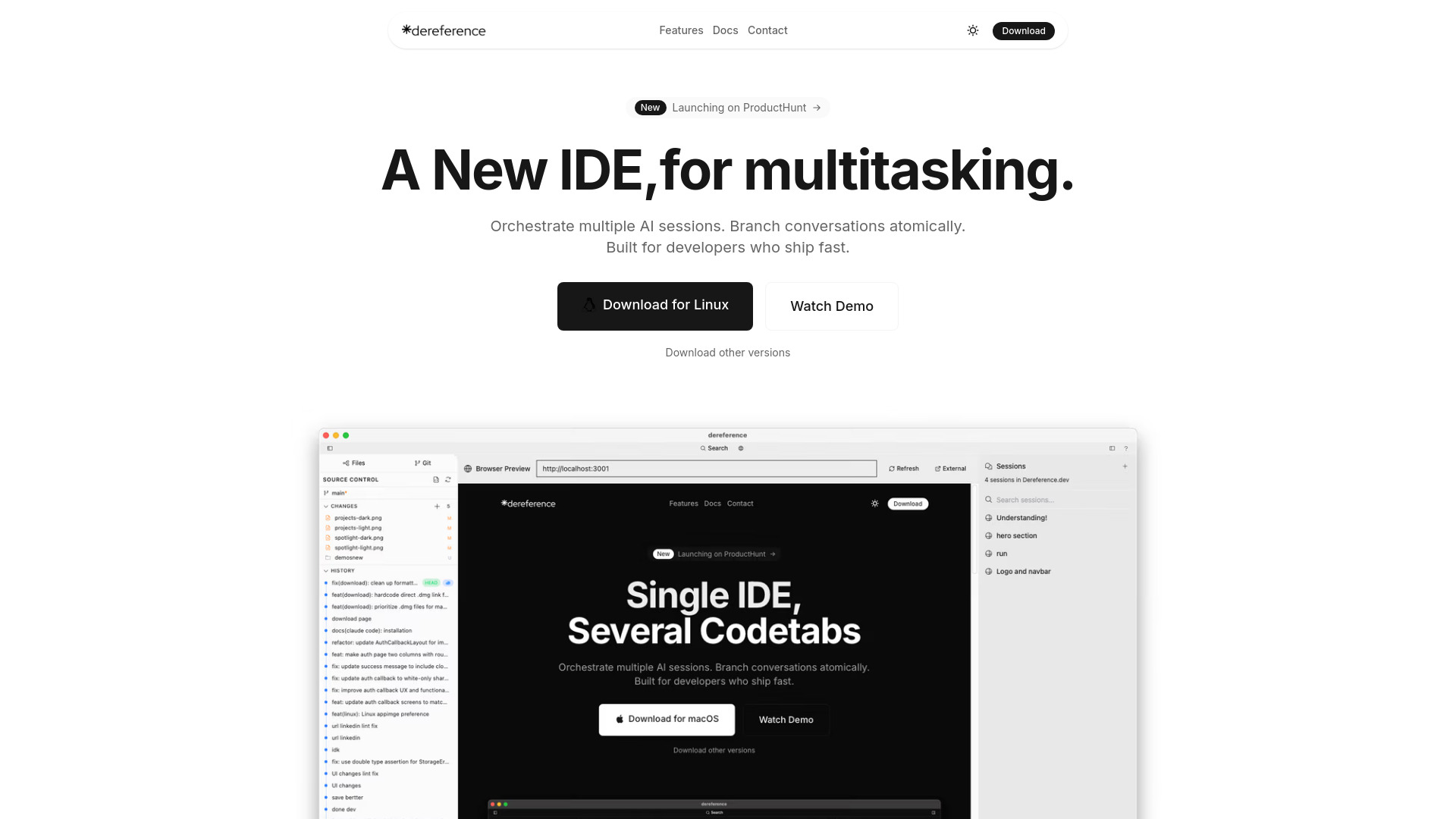
What is Dereference AI Codetabs?
Dereference AI Codetabs is a privacy-first, prompt-driven development environment created for developers who rely on Claude Code, Gemini CLI, GPT-4, and other command-line AI assistants. It transforms the traditional terminal workflow into a flexible workspace where several AI coding sessions can operate at the same time. Developers can move between conversations, save important states, and investigate different solutions without interrupting their primary task.
The tool combines native desktop performance with a session model inspired by tmux and Git. Each conversation can be treated as an independent development thread, making it easier to compare suggestions, revisit earlier decisions, and test experimental ideas. By keeping the workflow focused on prompts and code, Dereference AI Codetabs helps experienced AI users coordinate complex development tasks while maintaining control over their project context and private data.
How to Use Dereference AI Codetabs
Begin by installing Dereference AI Codetabs on Linux or another supported platform, then connect it to the command-line AI tools you already use. From the main workspace, you can open several sessions and assign each one a separate purpose. For example, one session can investigate a bug, another can propose a refactoring plan, and a third can review the security implications of a potential change.
When a conversation reaches an important milestone, create a checkpoint to preserve that state. Checkpoints make it possible to return to a known position before trying a different prompt or implementation strategy. If a particular direction becomes promising, branch the conversation and continue experimenting independently. This approach lets you evaluate alternatives without overwriting the reasoning that led to your original solution.
Dereference AI Codetabs also supports a structured process for comparing model responses. Run parallel sessions with Claude, GPT-4, Gemini, or compatible CLI assistants, review their recommendations, and bring the strongest ideas into your working branch. With context organized by session and checkpoint, developers can move quickly while keeping each line of investigation understandable and recoverable.
Key Features of Dereference AI Codetabs
- Parallel AI Workspaces: Open and manage multiple AI conversations at once. Assign separate sessions to debugging, planning, code generation, testing, documentation, or review so that several tasks can progress together.
- Conversation Checkpoints and Branches: Save a precise point in an AI discussion and create new paths from it. Explore a new implementation or prompt sequence while preserving the original conversation for reference or recovery.
- Native Application Speed: The native architecture is designed for quick startup, responsive navigation, and efficient resource usage. Session changes and context operations remain smooth during demanding development workflows.
- Privacy-Focused Architecture: Code, prompts, and local conversation data remain under the developer’s control. The local-first design supports teams that need to work with confidential repositories, internal tools, or proprietary technical information.
- Organized Context Handling: Keep the history associated with each AI session separate and easy to follow. This reduces confusion when switching between projects, models, or experimental development paths.
- Command-Line AI Compatibility: Dereference AI Codetabs works naturally with Claude Code, Gemini CLI, and other terminal-based AI utilities, allowing developers to extend their existing workflow instead of rebuilding it around a browser interface.
Why Choose Dereference AI Codetabs?
Developers choose Dereference AI Codetabs when they need more structure than a single AI chat window can provide. Software work often involves several competing possibilities: different database designs, multiple debugging theories, alternative API structures, or distinct approaches to improving performance. Running these investigations in separate sessions makes the reasoning easier to compare and prevents useful context from being lost in one long conversation.
The tool’s branching model brings a familiar version-control mindset to AI-assisted development. A developer can preserve a working direction, test an ambitious change in a new branch, and return to the earlier checkpoint if the experiment proves unsuitable. This creates room for exploration while reducing the risk of losing valuable prompts, explanations, or implementation details.
Privacy is another central reason to use Dereference AI Codetabs. Developers working on commercial software, internal systems, or sensitive research may not want their local project context collected by an additional hosted platform. By emphasizing local processing and direct interaction with installed command-line tools, the IDE provides a more controlled environment for AI-assisted coding. Its native performance, multi-session controls, and model flexibility make it well suited to professionals who want AI support without giving up ownership of their workflow.
Use Cases and Applications
Dereference AI Codetabs is useful for debugging problems that require several kinds of analysis. A developer might ask one session to inspect an error path, another to analyze recent changes, and a third to suggest a minimal reproduction. Running those investigations in parallel can reveal different causes more quickly than repeatedly restarting a single conversation. Once the likely fix is identified, the developer can preserve the useful reasoning and continue implementation from a selected checkpoint.
The branching workflow is also valuable during refactoring. Before changing a major service or component, a team can create a stable checkpoint and explore several architectural options independently. One branch might focus on simplicity, another on runtime performance, and another on long-term maintainability. Comparing the results side by side gives the team a clearer basis for choosing an approach while keeping the original discussion available.
Product teams can use the environment for rapid prototyping, too. Parallel sessions can cover interface concepts, backend endpoints, database schemas, test coverage, and technical documentation at the same time. Because each line of work has its own conversation history, contributors can return to a specific topic without searching through unrelated prompts.
Privacy-conscious organizations may find the local-first model particularly useful when working with proprietary code. Engineers can use AI tools to reason about internal systems while keeping their project files and conversation organization within their own controlled environment. This supports faster experimentation while fitting workflows that place a high value on confidentiality and data ownership.