Table of contents
DeepL Translator: Instant, Accurate Text & Doc Translations
DeepL: The world's most accurate instant translator for texts & documents. Perfect for individuals and teams. Supports multiple languages effortlessly.
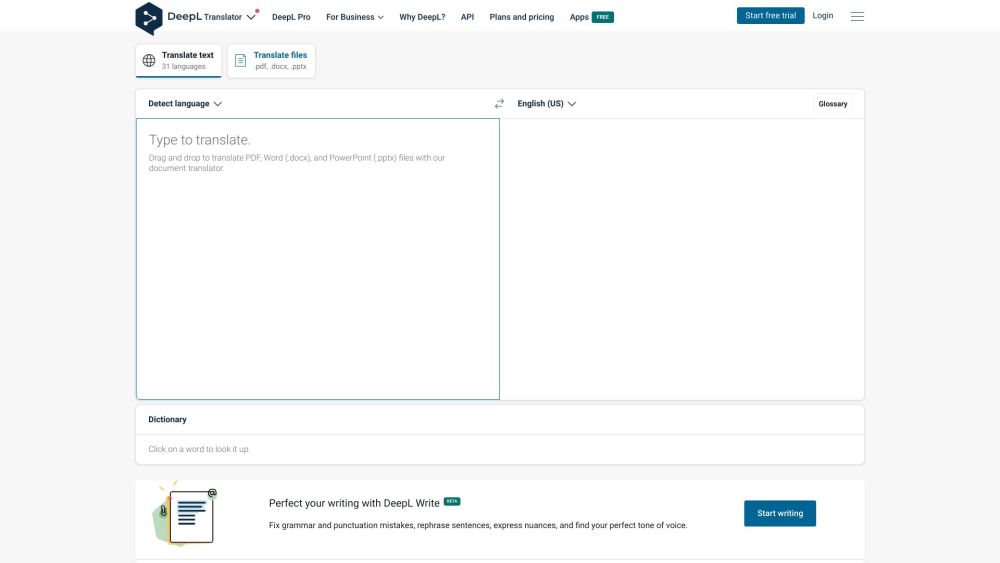
Understanding DeepL Translator
DeepL is renowned for its precise and immediate translation services, catering to both individuals and teams. It excels in converting text and complete document files across numerous languages with high accuracy.
Utilizing DeepL Translator
Using DeepL is straightforward: choose the source language and input or paste the text to be translated. Additionally, you can drag and drop Word (.docx) or PowerPoint (.pptx) files for seamless translation. DeepL supports popular language pairs, including Spanish to English, French to English, and Japanese to English, along with many other languages like Bulgarian, Chinese, Czech, Danish, Dutch, Estonian, Finnish, German, Greek, Hungarian, Italian, Latvian, Lithuanian, Polish, Portuguese, Romanian, Russian, Slovak, Slovenian, and Swedish. After inputting the text, select the target language for an instant, accurate translation.
Key Features of DeepL
DeepL's main features include:
- Accurate translations for individuals and teams
- Instant text and document file translations
- Support for a variety of source and target languages
- Drag-and-drop functionality for document translation
- Utilized by millions daily
- DeepL Pro version offering advanced features for businesses
- Apps available for both Windows and Mac
Applications of DeepL
DeepL is versatile, suitable for:
- Translating personal documents, emails, or messages
- Facilitating multilingual team or company communication
- Translating educational or research materials
- Assisting in language learning with accurate translations
- Enabling global customer support by translating inquiries or product descriptions
DeepL Support and Contact Information
For more information, visit the contact us page.
DeepL Pricing
Details on pricing can be found here: DeepL Pricing
Follow DeepL on Social Media
Facebook: DeepL Facebook
LinkedIn: DeepL LinkedIn
Twitter: DeepL Twitter
Instagram: DeepL Instagram
GitHub: DeepL GitHub
Frequently Asked Questions
What is DeepL?
DeepL is a leading translator known for its accuracy and instant translation capabilities for both text and documents, supporting a multitude of languages.
How to use DeepL?
Select the source language and enter or paste the text for translation. You can also drag and drop Word (.docx) or PowerPoint (.pptx) files. DeepL supports many language pairs, ensuring quick and precise translations.
What languages are supported by DeepL?
DeepL supports numerous languages, including English, Spanish, French, German, Italian, Dutch, Portuguese, Russian, Polish, Japanese, Chinese, and many more.
Is DeepL Pro available for businesses?
Yes, DeepL Pro offers enhanced features tailored for businesses, such as API access, faster translations, and collaborative tools.
Can I translate document files using DeepL?
Absolutely. DeepL allows you to translate Word (.docx) and PowerPoint (.pptx) files by simply dragging and dropping them.
Is DeepL available for Windows and Mac?
Yes, DeepL provides free apps compatible with both Windows and Mac, ensuring versatile use across different platforms.