AI Product Description Generator

DecodeBills

Simplify invoice management with DecodeBills: AI-powered tool for organizing email invoices, saving details in Google Drive, and auto-populating Google Sheets.

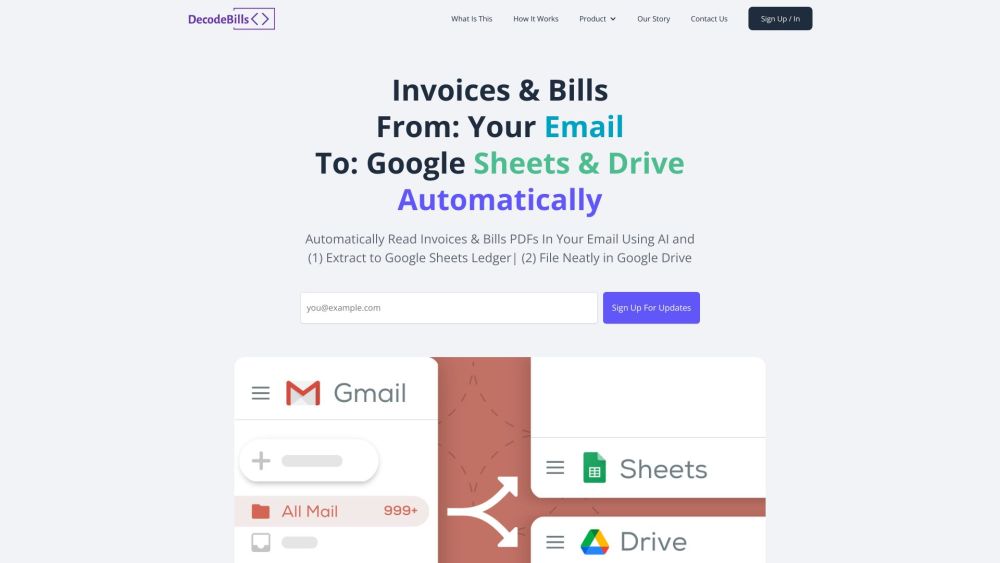
DecodeBills website preview

DecodeBills Website screenshot

DecodeBills: AI Invoice Management, Google Drive & Sheets Integration

Streamline your invoice management process with DecodeBills, an innovative tool that leverages AI technology to simplify the handling of invoices received via email. By extracting key details from PDF attachments and saving them in Google Drive, DecodeBills offers a seamless solution for organizing and accessing invoice information.

How Does DecodeBills Work?

DecodeBills operates by providing users with a unique email address to which invoice emails can be forwarded. Upon receipt, the tool automatically saves the attachments to Google Drive, categorizing them by month, and extracts essential information from the PDFs. The extracted data is then conveniently populated in a Google Sheets ledger for easy reference and analysis.

Key Features of DecodeBills

Discover the functionality of DecodeBills:

  • Automated email forwarding: Simply forward invoice emails to your designated DecodeBills email address for effortless processing.
  • Automatic file saving: Invoice attachments are systematically stored in Google Drive, ensuring easy access and organization.
  • AI-powered data extraction: Benefit from accurate extraction of crucial invoice details, such as total amount and supplier information, using advanced AI technology.
  • Google Sheets integration: View a summary of extracted data in a Google Sheets ledger, enabling efficient search and analysis.
  • Enhanced accuracy and error detection: DecodeBills achieves an impressive data entry accuracy rate of up to 99% and highlights potential errors in the Google Sheets summary for quick rectification.
  • PDF file links: Each entry in the summary includes a direct link to the corresponding PDF file, facilitating verification and cross-referencing.

Utilizing DecodeBills

Who can benefit from DecodeBills?

DecodeBills caters to businesses and individuals handling a high volume of email invoices, offering a time-saving solution to streamline invoice management processes. Whether you're a small business owner or a freelancer, DecodeBills simplifies the organization and analysis of invoices, eliminating the need for manual data entry.

Product source: DecodeBills official website. Check the provider for current plans, limits and availability.

FAQ

DecodeBills questions and answers

Product context and practical checks for evaluating DecodeBills.

What is DecodeBills used for?

Simplify invoice management with DecodeBills: AI-powered tool for organizing email invoices, saving details in Google Drive, and auto-populating Google Sheets.

How do I get started with DecodeBills?

DecodeBills operates by providing users with a unique email address to which invoice emails can be forwarded. Upon receipt, the tool automatically saves the attachments to Google Drive, categorizing them by month, and extracts essential information from the PDFs. The extracted data is then conveniently populated in a Google Sheets ledger for easy reference and analysis.

Which capabilities are described for DecodeBills?

Discover the functionality of DecodeBills: Automated email forwarding: Simply forward invoice emails to your designated DecodeBills email address for effortless processing. Automatic file saving: Invoice attachments are systematically stored in Google Drive, ensuring easy access and organization. AI-powered data extraction: Benefit from accurate extraction of crucial invoice details, such as total amount and supplier information, using advanced AI technology. Google Sheets integration: View a summary of extracted data in a Google Sheets ledger, enabling efficient search and analysis. Enhanced accuracy and error detection: DecodeBills achieves an impressive data entry accuracy rate of up to 99% and highlights potential errors in the Google Sheets summary for quick rectification. PDF file links: Each entry in the summary includes a direct link to the corresponding PDF file, facilitating verification and cross-referencing.

What should I compare before choosing a DecodeBills plan?

Check DecodeBills’s current pricing page for included usage, renewal terms and any credit charges. Compare the cost of a usable result, including retries, rather than assuming that account registration includes free usage.

What inputs should I prepare for a DecodeBills trial?

Compare support for source documents, style instructions, outlines and length limits. Check whether citations link to real material rather than merely looking like references.

How can I check the quality of a DecodeBills result?

Verify names, dates, quotations and factual claims against the original sources. Edit tone, remove repetition and make sure the text answers the intended reader’s question.

Which export options should I check in DecodeBills?

Check export to plain text, Markdown, documents or your publishing system. Formatting, headings and working links matter when moving a draft into production.

What is a practical way to test DecodeBills against alternatives?

Use a real brief and a short source document. Compare factual accuracy, structure and editing time rather than accepting the longest or most confident draft.

What should I review before uploading material to DecodeBills?

Read the provider’s rules on access, retention, deletion and use of uploaded material. Start with a non-confidential sample that you have permission to use.

Where is the official DecodeBills website?

The website linked from this profile is https://www.decodebills.com. Use the provider’s own documentation, account area and support channels to confirm current product details.

Visit DecodeBills