AI Productivity Tools

Datatruck

Boost efficiency with Datatruck: the ultimate workforce automation platform for trucking, delivering actionable data insights for smarter business decisions.

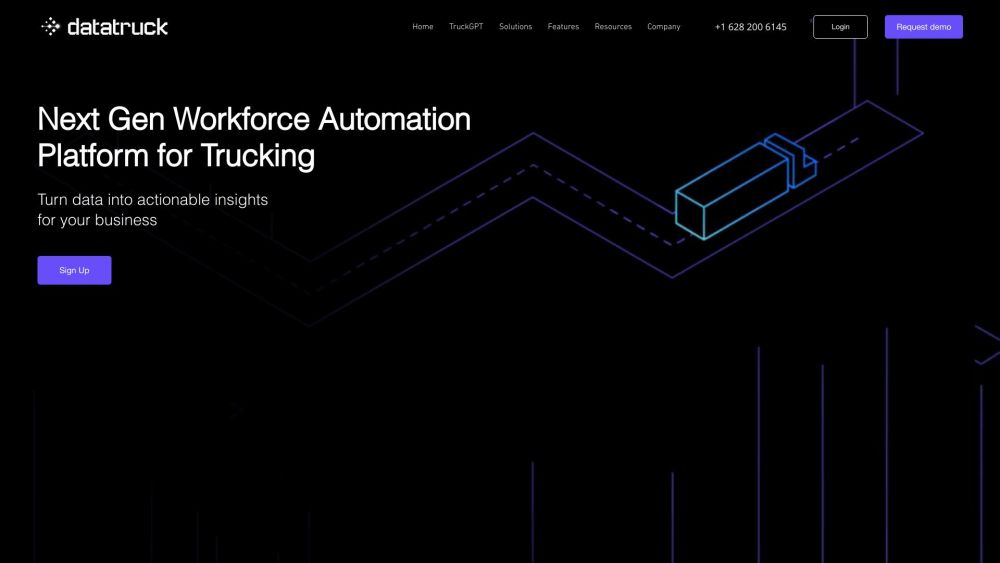
Datatruck website preview

Datatruck Website screenshot

What is Datatruck?

Datatruck is a state-of-the-art workforce automation platform designed specifically for the trucking industry. It provides business owners with crucial data insights to enhance operational efficiency.

How to use Datatruck?

To get started with Datatruck, sign up for an account on their official website. Once registered, link your company's data to the platform to begin automating various manual tasks. The intuitive dashboard offers a comprehensive view of your operations and allows you to schedule reports. Key features include load management, invoicing, driver pay, dispatch planning, human resources, and data consolidation, all aimed at streamlining your workflow and facilitating data-driven decision-making. Datatruck's cloud analytics provide real-time insights and an accessible owner dashboard.

Datatruck's Core Features

Load Management

Invoicing & Billing

Driver Pay

Planning Dispatch

Dashboard

Human Resources

Consolidation

Data Analytics

Datatruck's Use Cases

Optimizing fleet expansion efforts

Streamlining operations

Enhancing future planning

Optimizing carrier efficiency and productivity

Achieving data visibility and insights across the business and fleet

Product source: Datatruck official website. Check the provider for current plans, limits and availability.

FAQ

Datatruck questions and answers

Product context and practical checks for evaluating Datatruck.

What is Datatruck used for?

Boost efficiency with Datatruck: the ultimate workforce automation platform for trucking, delivering actionable data insights for smarter business decisions.

How do I get started with Datatruck?

To get started with Datatruck, sign up for an account on their official website. Once registered, link your company's data to the platform to begin automating various manual tasks. The intuitive dashboard offers a comprehensive view of your operations and allows you to schedule reports. Key features include load management, invoicing, driver pay, dispatch planning, human resources, and data consolidation, all aimed at streamlining your workflow and facilitating data-driven decision-making. Datatruck's cloud analytics provide real-time insights and an accessible owner dashboard.

Which capabilities are described for Datatruck?

Load ManagementInvoicing & BillingDriver PayPlanning DispatchDashboardHuman ResourcesConsolidationData Analytics

What projects can I evaluate Datatruck for?

Optimizing fleet expansion effortsStreamlining operationsEnhancing future planningOptimizing carrier efficiency and productivityAchieving data visibility and insights across the business and fleet Datatruck Support Email & Customer service contact & Refund contact etc. For customer service inquiries, contact Datatruck support at [email protected]. For additional contact information, visit the contact us page(https://www.datatruck.io/contact). Datatruck Company Company Name: Datatruck Company Address: 4113 Esters Road 617 Suite Irving, TX 75038 US. For more details, visit the about us page(https://www.datatruck.io/about-us). Datatruck Login Login Link: https://dashboard.datatruck.io/auth Datatruck Sign up Sign up Link: https://www.datatruck.io/get-started Datatruck Pricing Pricing Information: https://www.datatruck.io/pricing Datatruck Facebook Facebook Page: https://www.facebook.com/datatruck.ioDatatruck Youtube Youtube Channel: https://www.youtube.com/@datatruck_ioDatatruck Linkedin Linkedin Profile: https://www.linkedin.com/company/datatruckDatatruck Twitter Twitter Handle: https://twitter.com/datatruck_ioDatatruck Instagram Instagram Profile: https://www.instagram.com/datatruck_io/

What should I compare before choosing a Datatruck plan?

Pricing Information: https://www.datatruck.io/pricing Confirm current prices and allowances on the provider’s website before purchasing.

What inputs should I prepare for a Datatruck trial?

Look for text prompts, image references, masks or sketches as appropriate. Compare composition control, supported upload types and the ability to revise a selected area.

How can I check the quality of a Datatruck result?

Inspect text, hands, edges, reflections and repeated objects at full size. Check that important product or brand details survive editing.

Which export options should I check in Datatruck?

Compare pixel dimensions, transparency, file formats and any enlargement options. Confirm that the downloaded result works in your design or publishing software.

What is a practical way to test Datatruck against alternatives?

Prepare a brief with a subject, composition, lighting and required output size. Test a first generation and a targeted revision to see how much control you retain.

Where is the official Datatruck website?

The website linked from this profile is https://www.datatruck.io. Use the provider’s own documentation, account area and support channels to confirm current product details.

Visit Datatruck