Table of contents
Correctify : AI Proofreading for Restaurant Menus, Pricing & Reviews
Correctify: AI-powered proofreading tool that perfects restaurant menus in minutes. Check pricing, reviews, features & alternatives. Save time, impress diners.
Directory : Translate, Writing Assistants, AI Content Generator, AI Grammar Checker, AI Productivity Tools, AI Team Collaboration, Newsletter
Introducing Correctify
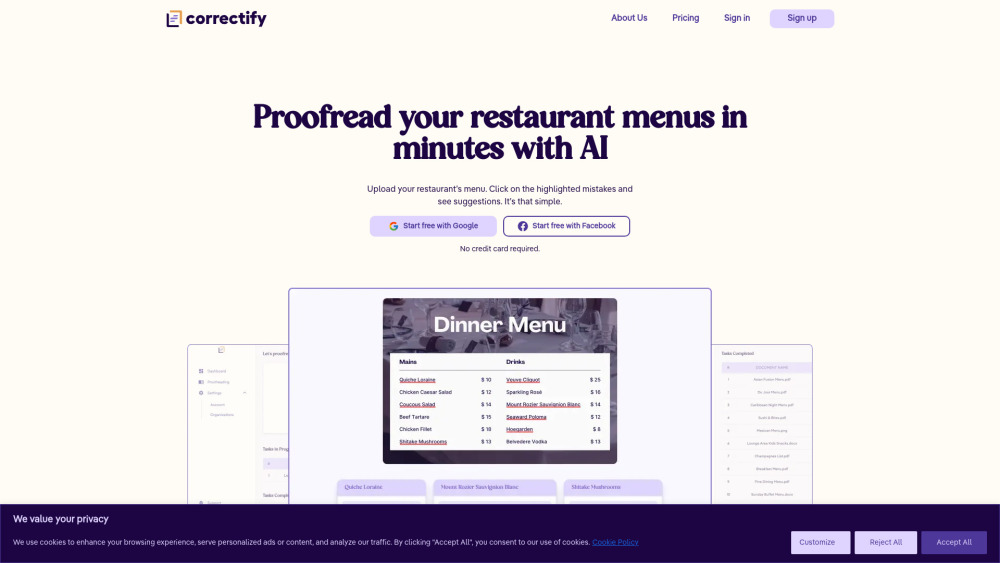
Correctify is an advanced artificial intelligence tool crafted to help restaurants maintain flawless menus, pricing structures, and customer reviews. It scans your documents in seconds, detecting spelling errors, grammatical inconsistencies, and formatting issues — making sure your brand always looks professional and polished.
Getting Started with Correctify
Using Correctify is simple and intuitive. Just upload your restaurant’s menu or review document, and our system will automatically highlight any mistakes. Click on each error to view suggested fixes, and apply them instantly to refine your content before it reaches customers or print.
Key Features of Correctify
Instant error detection for restaurant menus
Smart AI-driven grammar and spelling suggestions
Real-time collaboration tools for team editing
Supports multiple file types including PDF, DOCX, JPG, and PNG
Practical Applications of Correctify
Ensure upscale dining menus are free from embarrassing typos before publication.
Prepare error-free beverage lists and seasonal specials with confidence.
Frequently Asked Questions
-
What file formats does Correctify support?
-
Do I need to pay to try Correctify?
-
Can my team work together using Correctify?
FAQ from Correctify
What is Correctify?
Correctify is an intelligent proofreading solution built specifically for the restaurant industry. It uses cutting-edge AI to identify and correct spelling, grammar, and formatting issues across menus, pricing sheets, and customer reviews — helping restaurateurs present their best foot forward at all times.
How do I use Correctify?
Begin by uploading your restaurant's menu or related document. Correctify will analyze the content and underline any inaccuracies. You can then browse through each suggestion and choose which corrections to implement.
What file formats does Correctify support?
You can upload files in common formats such as PDF, Word (DOCX), JPEG, PNG, and more, making it easy to integrate into your existing workflow.
Do I need to pay to try Correctify?
No credit card required — start using Correctify today with a completely free trial version.
Can my team work together using Correctify?
Absolutely. Correctify includes a collaborative workspace where multiple users can edit, comment, and finalize restaurant menus together — streamlining communication and keeping everything organized in one place.