AI Blog Writer

Copymate

Copymate: Effortlessly create high-quality, SEO-optimized articles in minutes with AI. Features bulk creation, WP integration, and multilingual support.

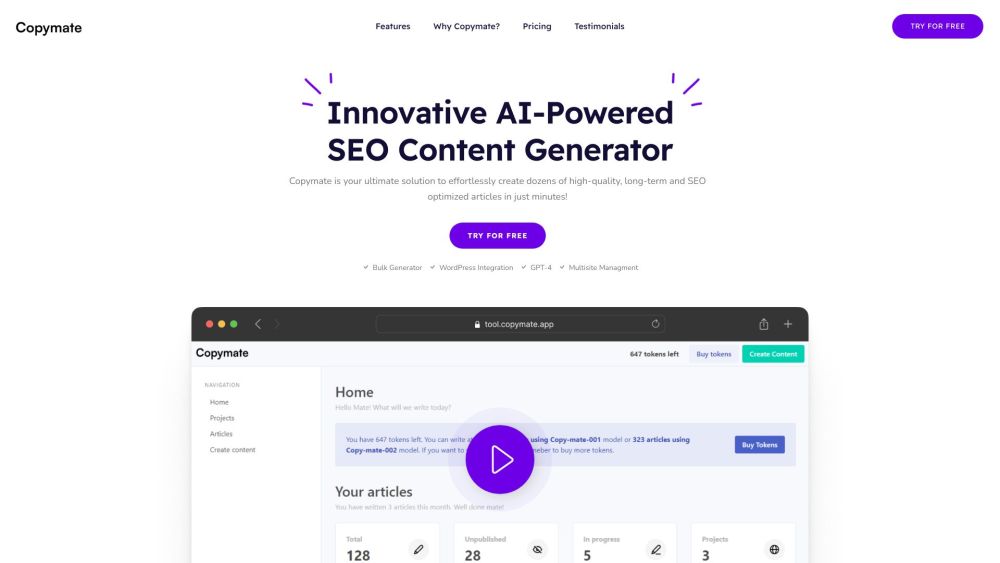
Copymate website preview
```html

Copymate Website screenshot

What is Copymate?

Copymate is a cutting-edge AI-driven SEO content creation tool designed to help users generate high-quality, SEO-optimized articles quickly and efficiently. Leveraging artificial intelligence, Copymate streamlines the content creation process, featuring capabilities such as bulk article generation, seamless WordPress synchronization, the advanced GPT-4 language model, multisite management, and support for multilingual content creation.

How to use Copymate?

Using Copymate is simple and user-friendly. After logging in, users can utilize the bulk generator to produce multiple articles at once. The WordPress integration allows for direct publishing to your site, simplifying the process. With its advanced AI, Copymate supports content creation in any language without prior language knowledge. The GPT-4 language model ensures that the content is created using the latest in natural language processing technology. Additionally, Copymate's SEO optimization tools help drive organic traffic to your website. The multisite management feature allows users to handle content across multiple websites with ease.

Copymate's Core Features

Bulk Generator: Generate numerous articles simultaneously.

WordPress Integration: Seamlessly publish content directly to your WordPress site.

GPT-4: Utilize the latest language model from OpenAI for content creation.

SEO Optimized: Ensure your content is perfectly optimized for search engines.

Multisite Management: Efficiently manage content across multiple websites.

Copymate's Use Cases

Efficient SEO content creation

Producing high-quality articles for online publications

Streamlining content creation for multiple websites

Testing SEO concepts and thematic silos

Automating the content generation process

Boosting organic traffic with SEO-optimized content

```

Product source: Copymate official website. Check the provider for current plans, limits and availability.

FAQ

Copymate questions and answers

Product context and practical checks for evaluating Copymate.

What is Copymate used for?

Copymate: Effortlessly create high-quality, SEO-optimized articles in minutes with AI. Features bulk creation, WP integration, and multilingual support.

How do I get started with Copymate?

Using Copymate is simple and user-friendly. After logging in, users can utilize the bulk generator to produce multiple articles at once. The WordPress integration allows for direct publishing to your site, simplifying the process. With its advanced AI, Copymate supports content creation in any language without prior language knowledge. The GPT-4 language model ensures that the content is created using the latest in natural language processing technology. Additionally, Copymate's SEO optimization tools help drive organic traffic to your website. The multisite management feature allows users to handle content across multiple websites with ease.

Which capabilities are described for Copymate?

Bulk Generator: Generate numerous articles simultaneously.WordPress Integration: Seamlessly publish content directly to your WordPress site.GPT-4: Utilize the latest language model from OpenAI for content creation.SEO Optimized: Ensure your content is perfectly optimized for search engines.Multisite Management: Efficiently manage content across multiple websites.

What projects can I evaluate Copymate for?

Efficient SEO content creationProducing high-quality articles for online publicationsStreamlining content creation for multiple websitesTesting SEO concepts and thematic silosAutomating the content generation processBoosting organic traffic with SEO-optimized content Copymate Support Email & Customer Service Contact & Refund Contact For customer service, contact Copymate at: [email protected]. Copymate Login Access the Copymate login page here: https://tool.copymate.app/login Copymate Sign Up Register for Copymate here: https://tool.copymate.app/register Copymate Pricing View Copymate's pricing plans here: https://copymate.app/#pricing Copymate Facebook Follow Copymate on Facebook: https://www.facebook.com/copymateapp Copymate LinkedIn Connect with Copymate on LinkedIn: https://www.linkedin.com/company/copymate/

What should I compare before choosing a Copymate plan?

View Copymate's pricing plans here: https://copymate.app/#pricing Confirm current prices and allowances on the provider’s website before purchasing.

What inputs should I prepare for a Copymate trial?

Look for text prompts, image references, masks or sketches as appropriate. Compare composition control, supported upload types and the ability to revise a selected area.

How can I check the quality of a Copymate result?

Inspect text, hands, edges, reflections and repeated objects at full size. Check that important product or brand details survive editing.

Which export options should I check in Copymate?

Compare pixel dimensions, transparency, file formats and any enlargement options. Confirm that the downloaded result works in your design or publishing software.

What is a practical way to test Copymate against alternatives?

Prepare a brief with a subject, composition, lighting and required output size. Test a first generation and a targeted revision to see how much control you retain.

Where is the official Copymate website?

The website linked from this profile is https://copymate.app. Use the provider’s own documentation, account area and support channels to confirm current product details.

Visit Copymate