AI Blog Writer

Copy.ai

Copy.ai: Elevate your marketing with AI-driven copywriting. Generate premium content in seconds. Write better, sell more, and simplify your workflow effortlessly.

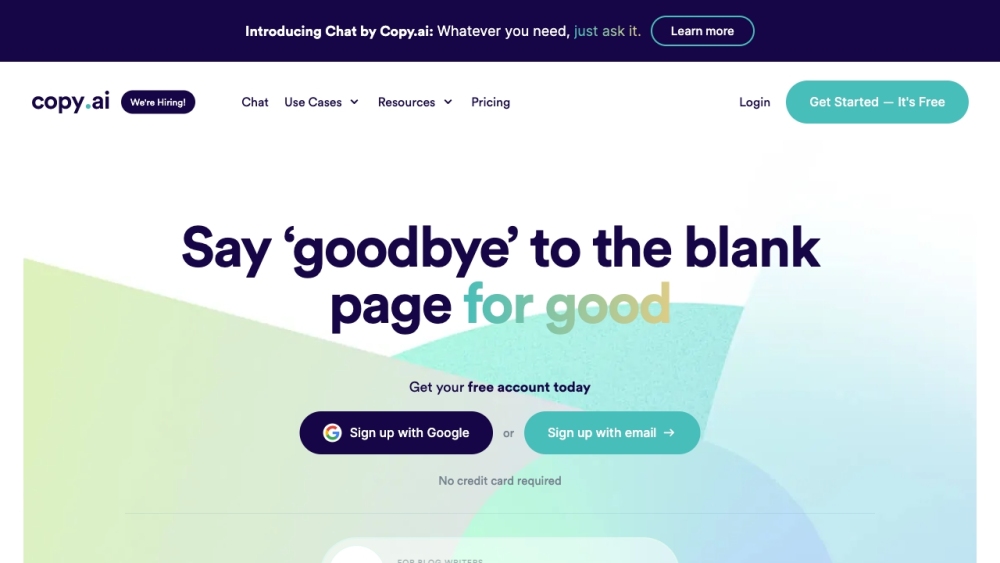
Copy.ai website preview
```html

Copy.ai Website screenshot

What is Copy.ai?

Copy.ai is a cutting-edge AI-driven tool designed to help businesses quickly create top-notch marketing copy and content. Utilizing sophisticated AI algorithms, it delivers excellent results within seconds, making the marketing process more straightforward and efficient. With Copy.ai, you can effortlessly produce superior content that effectively drives sales.

How to use Copy.ai?

Using Copy.ai is intuitive and easy. Start by selecting the type of copywriting project you need from various options such as emails, social media posts, blog articles, and more. Then, provide some context about your brand and products by entering a few sentences. Copy.ai's AI generator will offer multiple content options for each campaign. You can then use the editor to refine, personalize, and perfect the generated content. Once satisfied, simply copy and paste the content into your CMS for publication. With Copy.ai, you can create content up to ten times faster, effectively engage your audience, and overcome writer's block.

Copy.ai's Core Features

AI-powered copywriting

High-quality copy generation

Wide range of content types (emails, social posts, blog posts, etc.)

Customizable templates and prompts

Editing and polishing tools

Streamlined content production with 90+ tools and templates

Copy.ai's Use Cases

Email marketing

Blog content

Social media posts

Digital advertising

E-commerce product descriptions

Website copywriting

```

Product source: Copy.ai official website. Check the provider for current plans, limits and availability.

FAQ

Copy.ai questions and answers

Product context and practical checks for evaluating Copy.ai.

What is Copy.ai used for?

Copy.ai: Elevate your marketing with AI-driven copywriting. Generate premium content in seconds. Write better, sell more, and simplify your workflow effortlessly.

How do I get started with Copy.ai?

Using Copy.ai is intuitive and easy. Start by selecting the type of copywriting project you need from various options such as emails, social media posts, blog articles, and more. Then, provide some context about your brand and products by entering a few sentences. Copy.ai's AI generator will offer multiple content options for each campaign. You can then use the editor to refine, personalize, and perfect the generated content. Once satisfied, simply copy and paste the content into your CMS for publication. With Copy.ai, you can create content up to ten times faster, effectively engage your audience, and overcome writer's block.

Which capabilities are described for Copy.ai?

AI-powered copywritingHigh-quality copy generationWide range of content types (emails, social posts, blog posts, etc.)Customizable templates and promptsEditing and polishing toolsStreamlined content production with 90+ tools and templates

What projects can I evaluate Copy.ai for?

Email marketingBlog contentSocial media postsDigital advertisingE-commerce product descriptionsWebsite copywriting Copy.ai Support Email & Customer service contact & Refund contact etc. For more information, visit the contact us page Copy.ai Company Company name: CopyAI, Inc. Copy.ai Login Login here: https://app.copy.ai/login Copy.ai Pricing See pricing details: https://www.copy.ai/prices Copy.ai Facebook Join our Facebook group: https://www.facebook.com/groups/887950931991543/ Copy.ai LinkedIn Follow us on LinkedIn: https://www.linkedin.com/company/copyai/ Copy.ai Twitter Follow us on Twitter: https://www.twitter.com/copy_ai

What should I compare before choosing a Copy.ai plan?

See pricing details: https://www.copy.ai/prices Confirm current prices and allowances on the provider’s website before purchasing.

What inputs should I prepare for a Copy.ai trial?

Compare support for source documents, style instructions, outlines and length limits. Check whether citations link to real material rather than merely looking like references.

How can I check the quality of a Copy.ai result?

Verify names, dates, quotations and factual claims against the original sources. Edit tone, remove repetition and make sure the text answers the intended reader’s question.

Which export options should I check in Copy.ai?

Check export to plain text, Markdown, documents or your publishing system. Formatting, headings and working links matter when moving a draft into production.

What is a practical way to test Copy.ai against alternatives?

Use a real brief and a short source document. Compare factual accuracy, structure and editing time rather than accepting the longest or most confident draft.

Where is the official Copy.ai website?

The website linked from this profile is https://www.copy.ai. Use the provider’s own documentation, account area and support channels to confirm current product details.

Visit Copy.ai