AI Analytics Assistant

Contrast

Host engaging webinars that people watch till the end. No credit card. No downloads.

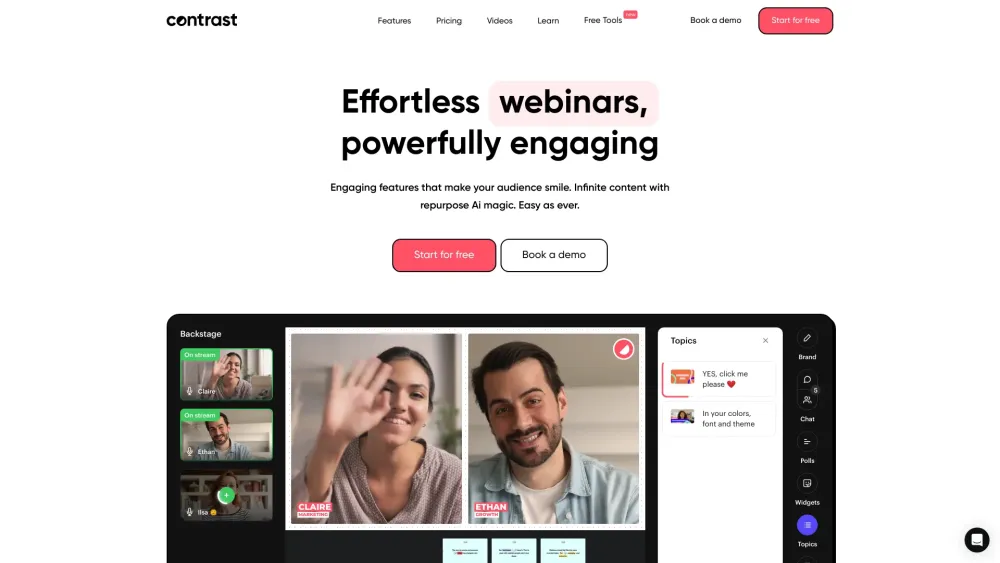
Contrast website preview

Contrast Website screenshot

What is Contrast?

Contrast is a powerful webinar hosting platform designed to boost audience engagement and interaction. It requires no credit card or downloads, ensuring a seamless experience for both hosts and attendees.

How to use Contrast?

To get started with Contrast, sign up for a free account. Once you're in, create your webinar content, tailor the branding to reflect your style, invite attendees, and go live effortlessly.

Key Features of Contrast

AI-Powered Content Repurposing

Interactive Q&A Sessions

Dynamic Animations

Customizable Webinar Branding

Enhanced Chat Experience

Adaptive Layouts

Branded Email Campaigns

Real-Time Polls

Automated Notifications

Seamless CRM Integration

Analytics for Webinar Performance

HD 1080p Streaming

On-Demand Webinars

Custom Registration Pages

Dedicated Webinar Channel

Practical Use Cases of Contrast

Leverage AI to Extract Multiple Content Types from a Single Webinar

Highlight Audience Contributions During Live Webinars

Utilize Animations to Keep Viewers Engaged

Customize Branding with Your Logos, Colors, and Fonts

Foster Interactive Discussions with Advanced Chat Features

Dynamic Layouts to Create a Vibrant Webinar Experience

  • About Contrast

    Contrast is designed for businesses looking to enhance their webinar experience with interactive features and branding options. For more details, visit our about us page.

  • Contrast Login

    Access your account at Contrast Login.

  • Contrast Sign Up

    Start hosting webinars today with a free plan! Sign up at Contrast Sign Up.

  • Contrast Pricing

    Explore our pricing plans and find the one that suits your needs: Contrast Pricing.

  • Contrast Youtube

    Discover video tutorials and insights on our Contrast YouTube channel.

  • Contrast LinkedIn

    Follow us on LinkedIn for updates: Contrast LinkedIn.

  • Contrast Twitter

    Join the conversation on Twitter: Contrast Twitter.

Product source: Contrast official website. Check the provider for current plans, limits and availability.

FAQ

Contrast questions and answers

Product context and practical checks for evaluating Contrast.

What is Contrast used for?

Host engaging webinars that people watch till the end. No credit card. No downloads.

How do I get started with Contrast?

To get started with Contrast, sign up for a free account. Once you're in, create your webinar content, tailor the branding to reflect your style, invite attendees, and go live effortlessly.

Which capabilities are described for Contrast?

AI-Powered Content RepurposingInteractive Q&A SessionsDynamic AnimationsCustomizable Webinar BrandingEnhanced Chat ExperienceAdaptive LayoutsBranded Email CampaignsReal-Time PollsAutomated NotificationsSeamless CRM IntegrationAnalytics for Webinar PerformanceHD 1080p StreamingOn-Demand WebinarsCustom Registration PagesDedicated Webinar Channel

What projects can I evaluate Contrast for?

Leverage AI to Extract Multiple Content Types from a Single WebinarHighlight Audience Contributions During Live WebinarsUtilize Animations to Keep Viewers EngagedCustomize Branding with Your Logos, Colors, and FontsFoster Interactive Discussions with Advanced Chat FeaturesDynamic Layouts to Create a Vibrant Webinar Experience About Contrast Contrast is designed for businesses looking to enhance their webinar experience with interactive features and branding options. For more details, visit our about us page. Contrast Login Access your account at Contrast Login. Contrast Sign Up Start hosting webinars today with a free plan! Sign up at Contrast Sign Up. Contrast Pricing Explore our pricing plans and find the one that suits your needs: Contrast Pricing. Contrast Youtube Discover video tutorials and insights on our Contrast YouTube channel. Contrast LinkedIn Follow us on LinkedIn for updates: Contrast LinkedIn. Contrast Twitter Join the conversation on Twitter: Contrast Twitter.

What should I compare before choosing a Contrast plan?

Explore our pricing plans and find the one that suits your needs: Contrast Pricing. Confirm current prices and allowances on the provider’s website before purchasing.

What inputs should I prepare for a Contrast trial?

Identify the files, text or account connections your task needs. Confirm that the product accepts those inputs and offers controls for reviewing its work.

How can I check the quality of a Contrast result?

Test one representative task and inspect the result for accuracy and completeness. Record where manual corrections or extra tools are needed.

Which export options should I check in Contrast?

Check export formats, integrations and whether you can keep using your work outside the service. Test a real export before committing to a longer plan.

What is a practical way to test Contrast against alternatives?

Choose one task with a clear success condition. Keep the input consistent, record the time spent reviewing and compare the complete workflow cost.

Where is the official Contrast website?

The website linked from this profile is https://www.promptdodo.com. Use the provider’s own documentation, account area and support channels to confirm current product details.

Visit Contrast