AI Photo &amp Image Generator

Components AI

Unlock creativity with Components AI: Explore new generative design systems today. Innovate design processes effortlessly!

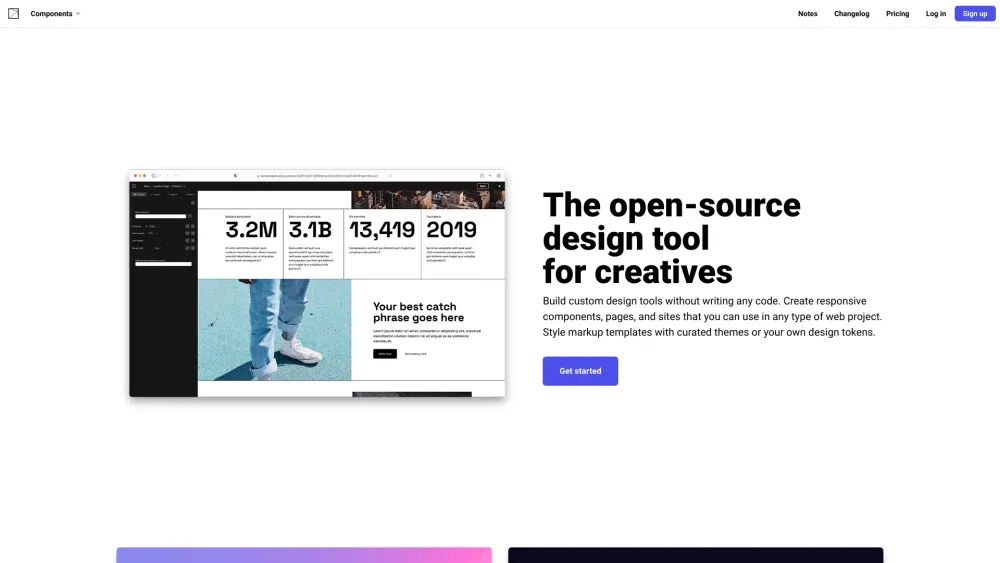
Components AI website preview

Components AI Website screenshot

What is Components AI?

An innovative platform for exploring generative design systems.

How to use Components AI?

Create bespoke design tools effortlessly. Develop responsive components, pages, and websites suitable for any web project. Style your designs with curated themes or your own design tokens.

Core Features of Components AI

Visually design custom tools, generative components, pages, and sites

Import or create design tokens to use consistently across your designs

Iterate through generated designs or craft your own with intuitive parametric controls

Adjust parameters until your design meets your exact requirements

Curate future designs by voting generated designs up or down

Export designs in various formats including React, JS, JSON, JSX, SVG, PNG, HTML, CSS, and Sass

Easily share designs with colleagues or clients for presentation or collaboration

Design using scales and systems. Components adhere to your brand guidelines with the option to override as needed

Utilize your visual brand immediately. Edit and audit or set constraints for generative components

Get rapid visual feedback for contrast scores and accessible combinations within a theme

Design for multiple screen sizes by targeting values across defined breakpoints. Manage responsive typography, layout, and spacing

Full support for the entire Google Font Library plus any locally installed fonts

First design tool to fully support variable fonts, providing fine-grained control over custom axis

Browse curated presets to customize or integrate into your designs

Use Cases for Components AI

Develop custom design tools

Create responsive components, pages, and websites

Design generative components and graphics

Explore and iterate on generative designs

Share and collaborate with team members or clients

Product source: Components AI official website. Check the provider for current plans, limits and availability.

FAQ

Components AI questions and answers

Product context and practical checks for evaluating Components AI.

What is Components AI used for?

Unlock creativity with Components AI: Explore new generative design systems today. Innovate design processes effortlessly!

How do I get started with Components AI?

Create bespoke design tools effortlessly. Develop responsive components, pages, and websites suitable for any web project. Style your designs with curated themes or your own design tokens.

Which capabilities are described for Components AI?

Visually design custom tools, generative components, pages, and sitesImport or create design tokens to use consistently across your designsIterate through generated designs or craft your own with intuitive parametric controlsAdjust parameters until your design meets your exact requirementsCurate future designs by voting generated designs up or downExport designs in various formats including React, JS, JSON, JSX, SVG, PNG, HTML, CSS, and SassEasily share designs with colleagues or clients for presentation or collaborationDesign using scales and systems. Components adhere to your brand guidelines with the option to override as neededUtilize your visual brand immediately. Edit and audit or set constraints for generative componentsGet rapid visual feedback for contrast scores and accessible combinations within a themeDesign for multiple screen sizes by targeting values across defined breakpoints. Manage responsive typography, layout, and spacingFull support for the entire Google Font Library plus any locally installed fontsFirst design tool to fully support variable fonts, providing fine-grained control over custom axisBrowse curated presets to customize or integrate into your designs

What projects can I evaluate Components AI for?

Develop custom design toolsCreate responsive components, pages, and websitesDesign generative components and graphicsExplore and iterate on generative designsShare and collaborate with team members or clients Components AI Support Email & Customer Service Contact For customer support, you can reach Components AI via email: [email protected]. Components AI Login Access Components AI by logging in here: https://components.ai/login Components AI Sign up Sign up for Components AI here: https://components.ai/pricing Components AI Pricing Find out more about pricing plans here: https://components.ai/pricing Components AI Twitter Follow Components AI on Twitter: https://twitter.com/components_aiComponents AI GitHub Explore Components AI on GitHub: https://github.com/components-ai

What should I compare before choosing a Components AI plan?

Find out more about pricing plans here: https://components.ai/pricing Confirm current prices and allowances on the provider’s website before purchasing.

What inputs should I prepare for a Components AI trial?

Look for text prompts, image references, masks or sketches as appropriate. Compare composition control, supported upload types and the ability to revise a selected area.

How can I check the quality of a Components AI result?

Inspect text, hands, edges, reflections and repeated objects at full size. Check that important product or brand details survive editing.

Which export options should I check in Components AI?

Compare pixel dimensions, transparency, file formats and any enlargement options. Confirm that the downloaded result works in your design or publishing software.

What is a practical way to test Components AI against alternatives?

Prepare a brief with a subject, composition, lighting and required output size. Test a first generation and a targeted revision to see how much control you retain.

Where is the official Components AI website?

The website linked from this profile is https://components.ai. Use the provider’s own documentation, account area and support channels to confirm current product details.

Visit Components AI