AI Code Generator

CodeFriends

CodeFriends: Interactive coding & AI learning—build real projects, master skills, and level up with hands-on practice. Start coding smarter today!

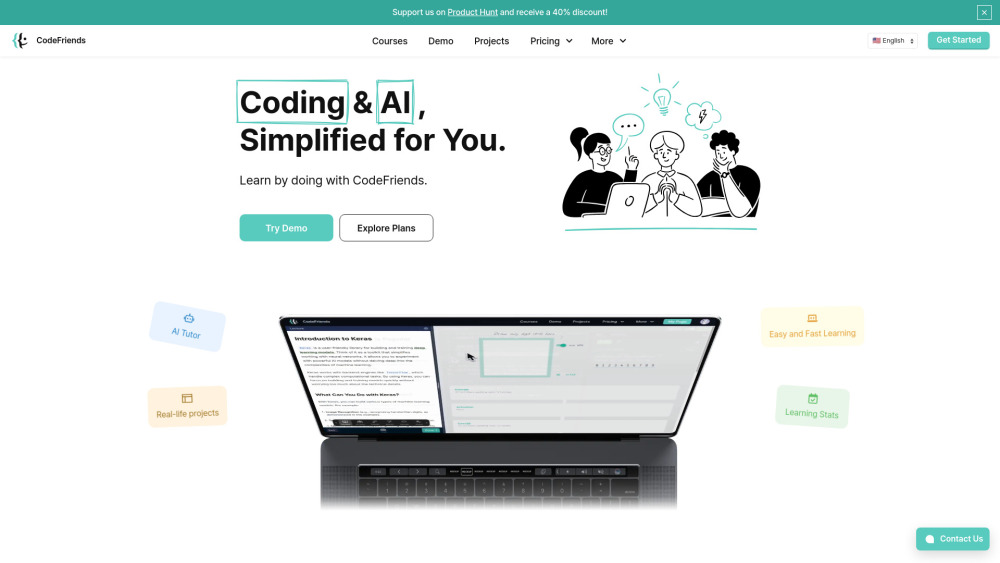
CodeFriends website preview

CodeFriends Website screenshot

What Is CodeFriends?

CodeFriends is a dynamic, project-first learning ecosystem where coding and AI mastery happen through doing—not just watching. Built for the modern learner, it merges immersive browser-based coding environments with intelligent, adaptive AI guidance—no downloads, no setup, just instant access to real-world development workflows. Whether you're writing your first print("Hello, World!") or fine-tuning a LLM-powered web app, CodeFriends meets you where you are—and helps you build *real* things that matter.

How CodeFriends Works

Learning begins with action: choose a guided project—like building a responsive portfolio site or training a custom image classifier—then code live in an integrated editor powered by real-time syntax validation, smart error explanations, and contextual AI suggestions. Each milestone unlocks deeper concepts, with auto-graded challenges, version-controlled project history, and one-click deployment to a shareable URL. Start free, explore at your rhythm, and upgrade seamlessly when you’re ready for full access—including priority AI tutoring and advanced AI-assisted debugging tools.

Why Developers & Learners Choose CodeFriends

Project-Driven Curriculum — Learn by Building, Not Just Reading

Intelligent AI Companion — Context-aware feedback, code explanations, and personalized learning nudges

Zero-Setup Cloud IDE — Full-featured editor, terminal, and preview pane—all in-browser

AI-Powered Code Generation — Generate boilerplate, refactor logic, or explain complex snippets on demand

Live Project Hosting & Sharing — Instantly deploy and showcase work with custom subdomains

Git-Integrated Version History — Track iterations, revert changes, and download clean ZIP archives

Skill Analytics Dashboard — Visualize progress across languages, frameworks, and AI competencies

Who Benefits From CodeFriends?

Beginners launching careers in tech—master Python, JavaScript, React, and foundational AI principles through tangible outcomes.

Career-switchers and non-technical founders—build MVPs, automate workflows, and speak the language of engineers with confidence.

Students and educators—integrate scaffolded labs, auto-graded assignments, and classroom-ready AI mentoring into curricula.

Engineering teams upskilling in generative AI—practice prompt engineering, RAG implementation, and model evaluation in safe, sandboxed environments.

Hiring managers and bootcamps—leverage skill benchmarking reports and verified project portfolios to assess technical readiness.

Product source: CodeFriends official website. Check the provider for current plans, limits and availability.

FAQ

CodeFriends questions and answers

Product context and practical checks for evaluating CodeFriends.

What is CodeFriends used for?

CodeFriends: Interactive coding & AI learning—build real projects, master skills, and level up with hands-on practice. Start coding smarter today!

How do I get started with CodeFriends?

Learning begins with action: choose a guided project—like building a responsive portfolio site or training a custom image classifier—then code live in an integrated editor powered by real-time syntax validation, smart error explanations, and contextual AI suggestions. Each milestone unlocks deeper concepts, with auto-graded challenges, version-controlled project history, and one-click deployment to a shareable URL. Start free, explore at your rhythm, and upgrade seamlessly when you’re ready for full access—including priority AI tutoring and advanced AI-assisted debugging tools.

How does CodeFriends handle geek haus llc?

About CodeFriends CodeFriends is developed by Geek Haus LLC, an edtech innovation studio headquartered in the United States. Learn more about our mission, values, and team on the About Us page.

What should I compare before choosing a CodeFriends plan?

Check CodeFriends’s current pricing page for included usage, renewal terms and any credit charges. Compare the cost of a usable result, including retries, rather than assuming that account registration includes free usage.

What inputs should I prepare for a CodeFriends trial?

Look for text prompts, image references, masks or sketches as appropriate. Compare composition control, supported upload types and the ability to revise a selected area.

How can I check the quality of a CodeFriends result?

Inspect text, hands, edges, reflections and repeated objects at full size. Check that important product or brand details survive editing.

Which export options should I check in CodeFriends?

Compare pixel dimensions, transparency, file formats and any enlargement options. Confirm that the downloaded result works in your design or publishing software.

What is a practical way to test CodeFriends against alternatives?

Prepare a brief with a subject, composition, lighting and required output size. Test a first generation and a targeted revision to see how much control you retain.

What should I review before uploading material to CodeFriends?

Read the provider’s rules on access, retention, deletion and use of uploaded material. Start with a non-confidential sample that you have permission to use.

Where is the official CodeFriends website?

The website linked from this profile is https://www.codefriends.net. Use the provider’s own documentation, account area and support channels to confirm current product details.

Visit CodeFriends