AI Content Generator

CodeDesign.ai

Create websites effortlessly with CodeDesign.ai: the AI website builder with customizable UI and quick preview. Build responsive sites in no time!

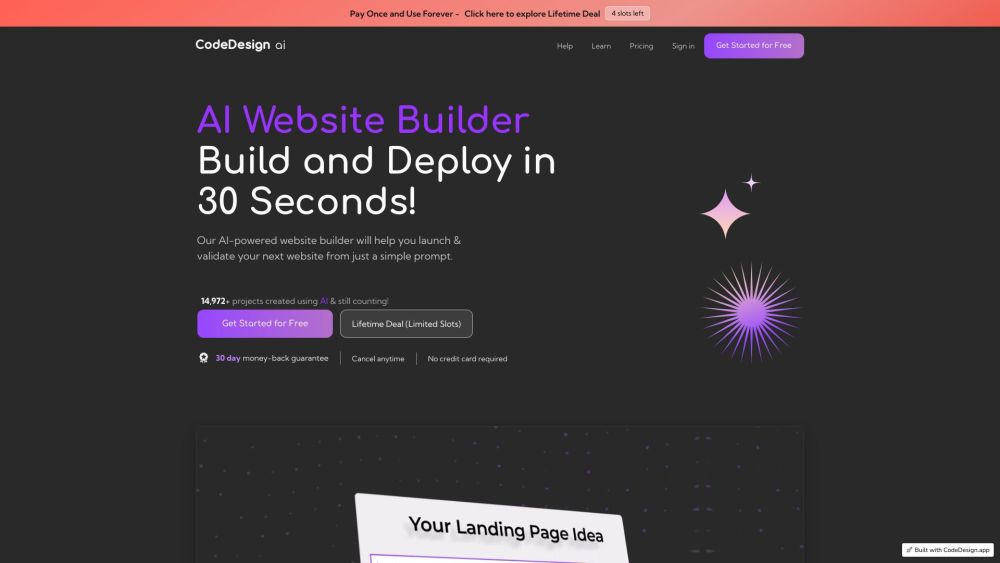
CodeDesign.ai website preview

CodeDesign.ai Website screenshot

What is CodeDesign.ai?

CodeDesign.ai is an innovative AI-driven website builder designed to simplify the process of creating beautiful and responsive websites. Leveraging artificial intelligence, it offers an intuitive experience with features such as AI-generated UI components, a smart suggestion system, effortless customization, and immediate previews.

How to Use CodeDesign.ai?

Using CodeDesign.ai is straightforward. Start by signing up for an account, then begin crafting your website. You can develop components and complete pages all in one place, tailor and modify designs, and take advantage of responsive design capabilities. The AI Magic feature aids in producing perfect marketing content, and you can continuously refine designs until you're satisfied. Publish your website directly on CodeDesign's platform or export it as code. CodeDesign also provides hosting options, database integration, version control, and collaboration tools for developers and designers.

CodeDesign.ai's Core Features

AI-generated UI elements and designs

Smart suggestion system

Easy customization of designs

Quick preview of designs

AI Magic for marketing copy

No-code capabilities

Responsive design for desktops, mobile phones, and tablets

Cloud hosting

SEO optimization

Database integration

Version history

Developer handoff

CodeDesign.ai's Use Cases

Small business websites

Portfolio websites

E-commerce websites

Blogs

Personal websites

Product source: CodeDesign.ai official website. Check the provider for current plans, limits and availability.

FAQ

CodeDesign.ai questions and answers

Product context and practical checks for evaluating CodeDesign.ai.

What is CodeDesign.ai used for?

Create websites effortlessly with CodeDesign.ai: the AI website builder with customizable UI and quick preview. Build responsive sites in no time!

How do I get started with CodeDesign.ai?

Using CodeDesign.ai is straightforward. Start by signing up for an account, then begin crafting your website. You can develop components and complete pages all in one place, tailor and modify designs, and take advantage of responsive design capabilities. The AI Magic feature aids in producing perfect marketing content, and you can continuously refine designs until you're satisfied. Publish your website directly on CodeDesign's platform or export it as code. CodeDesign also provides hosting options, database integration, version control, and collaboration tools for developers and designers.

Which capabilities are described for CodeDesign.ai?

AI-generated UI elements and designsSmart suggestion systemEasy customization of designsQuick preview of designsAI Magic for marketing copyNo-code capabilitiesResponsive design for desktops, mobile phones, and tabletsCloud hostingSEO optimizationDatabase integrationVersion historyDeveloper handoff

What projects can I evaluate CodeDesign.ai for?

Small business websitesPortfolio websitesE-commerce websitesBlogsPersonal websites CodeDesign.ai Support Email & Customer Service Contact For customer service, reach out to CodeDesign.ai at [email protected]. For more contact information, visit the contact us page. CodeDesign.ai Company Information Company Name: CodeDesign Inc. Company Address: 256 Chapman Road STE 105-4, Newark, New Castle, 19702. CodeDesign.ai Login Access your account at https://accounts.codedesign.app/login. CodeDesign.ai Pricing View pricing details at https://codedesign.ai/pricing. CodeDesign.ai on YouTube Watch tutorials and more at https://www.youtube.com/@codedesignai/videos. CodeDesign.ai on Twitter Follow them at https://twitter.com/codedesignai. CodeDesign.ai on Instagram Check out their posts at https://www.instagram.com/codedesignai/.

What should I compare before choosing a CodeDesign.ai plan?

View pricing details at https://codedesign.ai/pricing. Confirm current prices and allowances on the provider’s website before purchasing.

What inputs should I prepare for a CodeDesign.ai trial?

Look for text prompts, image references, masks or sketches as appropriate. Compare composition control, supported upload types and the ability to revise a selected area.

How can I check the quality of a CodeDesign.ai result?

Inspect text, hands, edges, reflections and repeated objects at full size. Check that important product or brand details survive editing.

Which export options should I check in CodeDesign.ai?

Compare pixel dimensions, transparency, file formats and any enlargement options. Confirm that the downloaded result works in your design or publishing software.

What is a practical way to test CodeDesign.ai against alternatives?

Prepare a brief with a subject, composition, lighting and required output size. Test a first generation and a targeted revision to see how much control you retain.

Where is the official CodeDesign.ai website?

The website linked from this profile is https://codedesign.ai. Use the provider’s own documentation, account area and support channels to confirm current product details.

Visit CodeDesign.ai