AI Code Generator

CodeCompanion.AI

Boost your coding efficiency with CodeCompanion.AI—your AI-powered assistant for generating, reviewing, and executing code tasks, all in one desktop app.

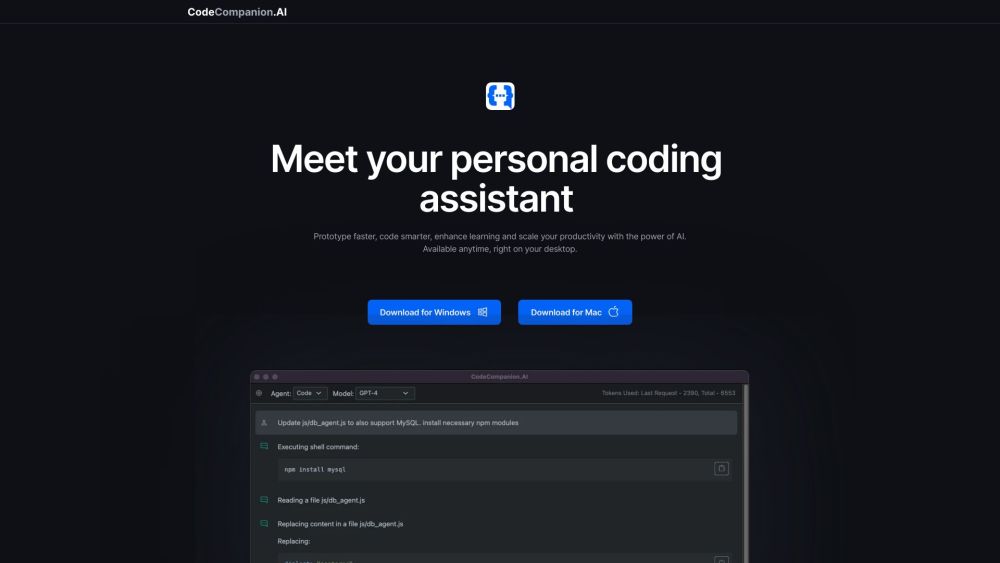
CodeCompanion.AI website preview

CodeCompanion.AI Website screenshot

What is CodeCompanion.AI?

CodeCompanion.AI is an innovative AI-powered coding assistant designed to boost productivity and streamline development tasks. This desktop application, utilizing OpenAI's ChatGPT, offers various coding capabilities including running shell commands, generating code snippets, handling database queries, and reviewing existing code.

How to Use CodeCompanion.AI?

To get started with CodeCompanion.AI, download the app from the official website. Once installed, you can communicate with the AI assistant through its intuitive chatbot interface. You can request tasks such as creating a .gitignore file, deploying applications on AWS, writing and reviewing code, or querying databases. The AI assistant executes these tasks and delivers the results promptly.

CodeCompanion.AI's Core Features

Code Interaction and Management

Terminal Command Execution

Codebase Searching Using Natural Language

Web Search for Latest Information

Website Data Extraction

Autonomous and Collaborative Coding

Support for Multiple Programming Languages

Multi-lingual Capability for Various Platforms

SQL Query Generation from Natural Language

Local Data Storage for Privacy and Security

CodeCompanion.AI's Use Cases

Initiating Projects in Rails, Django, or Express

Generating .gitignore Files

Framework and Library Setup

Shell Script Creation and Automation

Natural Language Database Queries

Application Deployment on Platforms like Heroku and AWS

Creating Dockerfiles and Setting Up CI/CD Pipelines

Code Review and Improvement

Application Testing and Bug Fixing

Implementing AI and RL Agents

Product source: CodeCompanion.AI official website. Check the provider for current plans, limits and availability.

FAQ

CodeCompanion.AI questions and answers

Product context and practical checks for evaluating CodeCompanion.AI.

What is CodeCompanion.AI used for?

Boost your coding efficiency with CodeCompanion.AI—your AI-powered assistant for generating, reviewing, and executing code tasks, all in one desktop app.

How do I get started with CodeCompanion.AI?

To get started with CodeCompanion.AI, download the app from the official website. Once installed, you can communicate with the AI assistant through its intuitive chatbot interface. You can request tasks such as creating a .gitignore file, deploying applications on AWS, writing and reviewing code, or querying databases. The AI assistant executes these tasks and delivers the results promptly.

Which capabilities are described for CodeCompanion.AI?

Code Interaction and ManagementTerminal Command ExecutionCodebase Searching Using Natural LanguageWeb Search for Latest InformationWebsite Data ExtractionAutonomous and Collaborative CodingSupport for Multiple Programming LanguagesMulti-lingual Capability for Various PlatformsSQL Query Generation from Natural LanguageLocal Data Storage for Privacy and Security

What projects can I evaluate CodeCompanion.AI for?

Initiating Projects in Rails, Django, or ExpressGenerating .gitignore FilesFramework and Library SetupShell Script Creation and AutomationNatural Language Database QueriesApplication Deployment on Platforms like Heroku and AWSCreating Dockerfiles and Setting Up CI/CD PipelinesCode Review and ImprovementApplication Testing and Bug FixingImplementing AI and RL Agents CodeCompanion.AI Discord Join the CodeCompanion.AI community on Discord: https://discord.gg/qcTqDgqy6R. For more details, click here(/discord/qctqdgqy6r). Support and Contact Information For customer service, contact CodeCompanion.AI support: [email protected]. Visit our contact page (https://codecompanion.ai/contact) for more details. About CodeCompanion.AI Learn more about the company behind CodeCompanion.AI: CodeCompanion.AI. CodeCompanion.AI on YouTube Check out our YouTube channel: https://www.youtube.com/@codecompanion-ai. Follow CodeCompanion.AI on Twitter Stay updated via Twitter: https://twitter.com/codecompanionai. CodeCompanion.AI on GitHub Explore our projects on GitHub: https://github.com/codecompanion-ai/code-companion.

What should I compare before choosing a CodeCompanion.AI plan?

Check CodeCompanion.AI’s current pricing page for included usage, renewal terms and any credit charges. Compare the cost of a usable result, including retries, rather than assuming that account registration includes free usage.

What inputs should I prepare for a CodeCompanion.AI trial?

Compare repository access, context limits, supported languages and tool permissions. Check whether the assistant can read relevant files and run your existing checks.

How can I check the quality of a CodeCompanion.AI result?

Review the diff, run tests and inspect error handling and dependency changes. Generated code should meet the same review standard as a human contribution.

Which export options should I check in CodeCompanion.AI?

Prefer changes you can inspect and keep in version control. Check whether code, tests and configuration can be exported without depending on a hosted preview.

What is a practical way to test CodeCompanion.AI against alternatives?

Choose a small reproducible bug with an existing failing check. Measure whether the tool fixes the cause, preserves behavior and produces a reviewable change.

Where is the official CodeCompanion.AI website?

The website linked from this profile is . Use the provider’s own documentation, account area and support channels to confirm current product details.