AI Developer Tools

CodeBuddy - Chrome Extension

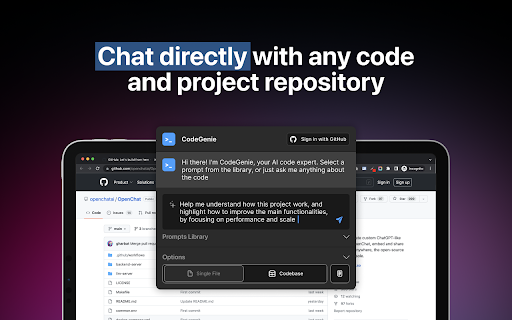
CodeBuddy Chrome Extension: AI-powered tool for effortless GitHub code comprehension. Simplify code reviews, understand faster, and boost productivity!

CodeBuddy - Chrome Extension website preview

CodeBuddy - Chrome Extension Website screenshot

What is CodeBuddy AI Chrome Extension?

CodeBuddy is an AI-driven tool designed to help users easily comprehend code repositories on GitHub.

How to Use the CodeBuddy AI Chrome Extension?

Start by connecting your GitHub account, and the AI assistant will aid you in navigating and understanding the code effortlessly.

Key Features of CodeBuddy AI Chrome Extension

AI-Powered Code Analysis

Seamless GitHub Integration

CodeBuddy AI Chrome Extension Use Cases

Simplifying Complex Codebases

Accelerating Development Workflow

Product source: CodeBuddy - Chrome Extension official website. Check the provider for current plans, limits and availability.

FAQ

CodeBuddy - Chrome Extension questions and answers

Product context and practical checks for evaluating CodeBuddy - Chrome Extension.

What is CodeBuddy - Chrome Extension used for?

CodeBuddy Chrome Extension: AI-powered tool for effortless GitHub code comprehension. Simplify code reviews, understand faster, and boost productivity!

How do I get started with CodeBuddy - Chrome Extension?

Start by connecting your GitHub account, and the AI assistant will aid you in navigating and understanding the code effortlessly.

Which capabilities are described for CodeBuddy - Chrome Extension?

AI-Powered Code AnalysisSeamless GitHub Integration

What projects can I evaluate CodeBuddy - Chrome Extension for?

Simplifying Complex CodebasesAccelerating Development Workflow

What should I compare before choosing a CodeBuddy - Chrome Extension plan?

Check CodeBuddy - Chrome Extension’s current pricing page for included usage, renewal terms and any credit charges. Compare the cost of a usable result, including retries, rather than assuming that account registration includes free usage.

What inputs should I prepare for a CodeBuddy - Chrome Extension trial?

Compare repository access, context limits, supported languages and tool permissions. Check whether the assistant can read relevant files and run your existing checks.

How can I check the quality of a CodeBuddy - Chrome Extension result?

Review the diff, run tests and inspect error handling and dependency changes. Generated code should meet the same review standard as a human contribution.

Which export options should I check in CodeBuddy - Chrome Extension?

Prefer changes you can inspect and keep in version control. Check whether code, tests and configuration can be exported without depending on a hosted preview.

What is a practical way to test CodeBuddy - Chrome Extension against alternatives?

Choose a small reproducible bug with an existing failing check. Measure whether the tool fixes the cause, preserves behavior and produces a reviewable change.

Where is the official CodeBuddy - Chrome Extension website?

The website linked from this profile is https://chromewebstore.google.com/detail/codegenie-for-github/dannmnmanfkiefbpenjaemkeohklamok. Use the provider’s own documentation, account area and support channels to confirm current product details.

Visit CodeBuddy - Chrome Extension