AI Product Description Generator

Code Conductor

Build SEO-optimized, responsive websites and apps effortlessly with Code Conductor. AI-powered, no-code, drag-and-drop interface, and endless integrations.

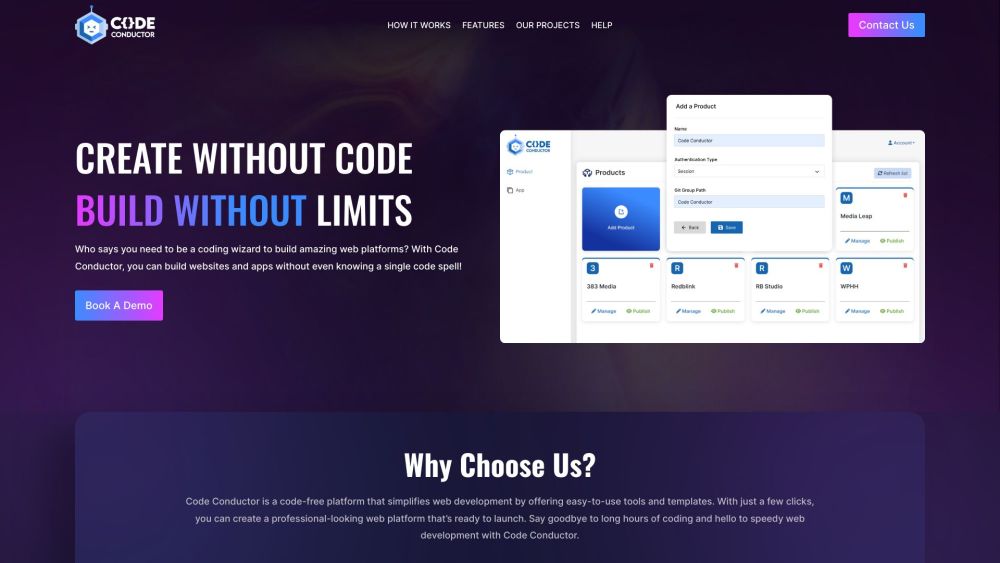
Code Conductor website preview

Code Conductor Website screenshot

What is Code Conductor?

Code Conductor is an innovative AI-driven no-code platform designed for building SEO-optimized and responsive websites and mobile applications without the need for coding skills. Its user-friendly drag-and-drop interface and smooth integration with numerous third-party tools enable limitless creativity and advanced functionalities.

How to use Code Conductor?

To get started with Code Conductor, create an account and access the visual editor. Use the drag-and-drop feature to build your website or app, customize pre-built templates, and integrate with your favorite tools, payment systems, and AI chatbots. The platform supports real-time collaboration and offers zero-touch cloud deployment for a hassle-free experience.

Code Conductor's Core Features

AI-powered no-code app and website builder

Drag and drop interface

Fully SEO-optimized and responsive websites

Complete source code access via GitLab

Visual editor for effortless design

Seamless integration with third-party tools

Zero-touch cloud deployment

Real-time collaboration

Code Conductor's Use Cases

SAAS

Landing page development

CRM development

Dashboard development

Product source: Code Conductor official website. Check the provider for current plans, limits and availability.

FAQ

Code Conductor questions and answers

Product context and practical checks for evaluating Code Conductor.

What is Code Conductor used for?

Build SEO-optimized, responsive websites and apps effortlessly with Code Conductor. AI-powered, no-code, drag-and-drop interface, and endless integrations.

How do I get started with Code Conductor?

To get started with Code Conductor, create an account and access the visual editor. Use the drag-and-drop feature to build your website or app, customize pre-built templates, and integrate with your favorite tools, payment systems, and AI chatbots. The platform supports real-time collaboration and offers zero-touch cloud deployment for a hassle-free experience.

Which capabilities are described for Code Conductor?

AI-powered no-code app and website builderDrag and drop interfaceFully SEO-optimized and responsive websitesComplete source code access via GitLabVisual editor for effortless designSeamless integration with third-party toolsZero-touch cloud deploymentReal-time collaboration

What projects can I evaluate Code Conductor for?

SAASLanding page developmentCRM developmentDashboard development Code Conductor Support Email & Customer Service Contact Contact Code Conductor customer service at: [email protected]. For more contact details, visit the contact us page. Code Conductor Company Company address: 23 Railroad Ave #971, Danville, CA 94526. Code Conductor Pricing For pricing details, visit: https://codeconductor.ai/#contact-us Code Conductor Facebook Follow us on Facebook: https://www.facebook.com/Code-Conductor-113033601771199 Code Conductor YouTube Subscribe to our YouTube channel: https://www.youtube.com/@code-conductor Code Conductor LinkedIn Connect with us on LinkedIn: https://www.linkedin.com/company/code-conductor/ Code Conductor Twitter Follow us on Twitter: https://twitter.com/code_conductor

What should I compare before choosing a Code Conductor plan?

For pricing details, visit: https://codeconductor.ai/#contact-us Confirm current prices and allowances on the provider’s website before purchasing.

What inputs should I prepare for a Code Conductor trial?

Compare support for source documents, style instructions, outlines and length limits. Check whether citations link to real material rather than merely looking like references.

How can I check the quality of a Code Conductor result?

Verify names, dates, quotations and factual claims against the original sources. Edit tone, remove repetition and make sure the text answers the intended reader’s question.

Which export options should I check in Code Conductor?

Check export to plain text, Markdown, documents or your publishing system. Formatting, headings and working links matter when moving a draft into production.

What is a practical way to test Code Conductor against alternatives?

Use a real brief and a short source document. Compare factual accuracy, structure and editing time rather than accepting the longest or most confident draft.

Where is the official Code Conductor website?

The website linked from this profile is https://codeconductor.ai. Use the provider’s own documentation, account area and support channels to confirm current product details.

Visit Code Conductor