AI Search Engine

Cốc Cốc Search - Chrome Extension

Cốc Cốc Search Chrome Extension: Personalize your search engine and new tab experience tailored for Vietnam users. Fast, local, and easy customization!

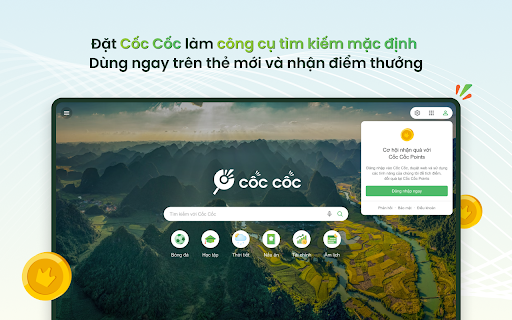
Cốc Cốc Search - Chrome Extension website preview

Cốc Cốc Search - Chrome Extension Website screenshot

What is Cốc Cốc Search Chrome Extension?

The Cốc Cốc Search Chrome extension allows users to set Cốc Cốc as their default search engine and new tab page, enhancing both search efficiency and the overall browsing experience tailored specifically for users in Vietnam.

How to Get Started with Cốc Cốc Search Chrome Extension?

Simply install the Cốc Cốc Search extension from the Chrome Web Store and configure it as your default search engine. After setup, you can customize your new tab page and explore various features that make search more intuitive and localized.

Key Features of Cốc Cốc Search Chrome Extension

Localized Search for Vietnam-specific Content

AI-Powered Chat and Search Assistant

Customizable New Tab Page with Background Options

Accumulate Points with Cốc Cốc Rewards

AI Solutions for 'How-to' Queries

Enhanced Safe Search Filters

Website Verification for Safer Browsing

Practical Use Cases of Cốc Cốc Search Chrome Extension

Instant Information Lookup on a Wide Range of Topics

Access to Financial Tools like Currency Conversions and Stock Market Data

Job Search Assistance with Salary Calculations

Educational Resources for Homework Help and Exam Preparation

Travel and Entertainment Resources Including Weather and Movie Listings

Product source: Cốc Cốc Search - Chrome Extension official website. Check the provider for current plans, limits and availability.

FAQ

Cốc Cốc Search - Chrome Extension questions and answers

Product context and practical checks for evaluating Cốc Cốc Search - Chrome Extension.

What is Cốc Cốc Search - Chrome Extension used for?

Cốc Cốc Search Chrome Extension: Personalize your search engine and new tab experience tailored for Vietnam users. Fast, local, and easy customization!

How do I get started with Cốc Cốc Search - Chrome Extension?

Simply install the Cốc Cốc Search extension from the Chrome Web Store and configure it as your default search engine. After setup, you can customize your new tab page and explore various features that make search more intuitive and localized.

Which capabilities are described for Cốc Cốc Search - Chrome Extension?

Localized Search for Vietnam-specific ContentAI-Powered Chat and Search AssistantCustomizable New Tab Page with Background OptionsAccumulate Points with Cốc Cốc RewardsAI Solutions for 'How-to' QueriesEnhanced Safe Search FiltersWebsite Verification for Safer Browsing

What projects can I evaluate Cốc Cốc Search - Chrome Extension for?

Instant Information Lookup on a Wide Range of TopicsAccess to Financial Tools like Currency Conversions and Stock Market DataJob Search Assistance with Salary CalculationsEducational Resources for Homework Help and Exam PreparationTravel and Entertainment Resources Including Weather and Movie Listings

What should I compare before choosing a Cốc Cốc Search - Chrome Extension plan?

Check Cốc Cốc Search - Chrome Extension’s current pricing page for included usage, renewal terms and any credit charges. Compare the cost of a usable result, including retries, rather than assuming that account registration includes free usage.

What inputs should I prepare for a Cốc Cốc Search - Chrome Extension trial?

Check supported documents, datasets and source access. Establish whether the product can inspect your actual material rather than answer from general knowledge.

How can I check the quality of a Cốc Cốc Search - Chrome Extension result?

Follow citations to the original source, recalculate important numbers and check the date and scope of the evidence. Distinguish an explanation from a verified result.

Which export options should I check in Cốc Cốc Search - Chrome Extension?

Look for usable citations, tables, downloadable data and reproducible steps. A clear answer should let another person inspect how the conclusion was reached.

What is a practical way to test Cốc Cốc Search - Chrome Extension against alternatives?

Choose a question with known sources and a checkable result. Compare citation accuracy, omissions and reproducibility rather than response length.

Where is the official Cốc Cốc Search - Chrome Extension website?

The website linked from this profile is https://chromewebstore.google.com/detail/cốc-cốc-search/jminnpalmlnicgodjhgijindkijibiil. Use the provider’s own documentation, account area and support channels to confirm current product details.

Visit Cốc Cốc Search - Chrome Extension