AI Advertising Assistant

Clay

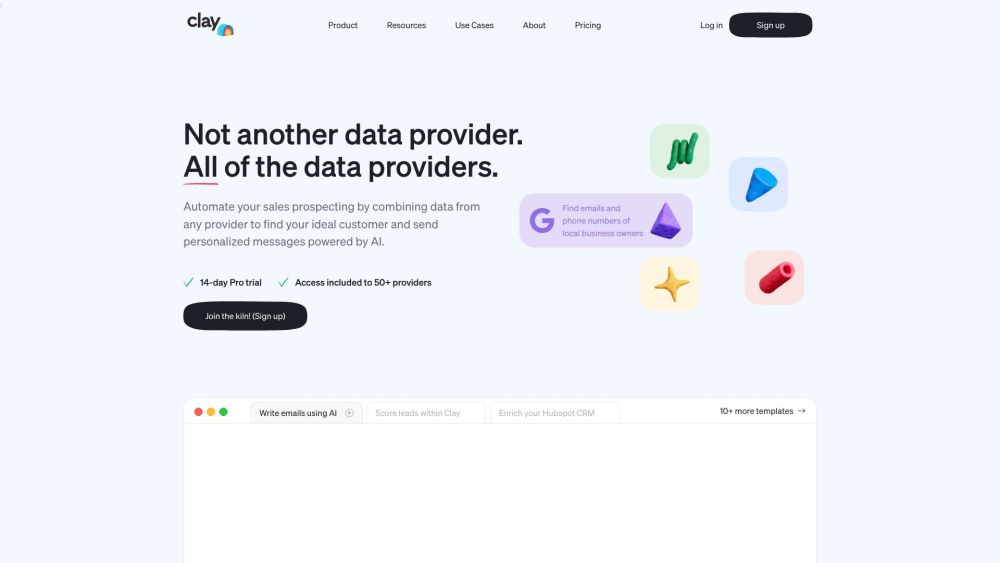
Clay is a prospecting tool that simplifies and automates the process of finding targeted leads. It brings together over 50 data sources to instantly build highly targeted lead lists. With Clay, users can access a wide range of data, such as company executives, department headcount growth, product lists, social media profiles, company summaries, job openings, and more.

Clay website preview

Clay Website screenshot

What is Clay?

Clay is an innovative prospecting tool designed to streamline and automate the lead generation process. It aggregates data from over 50 sources, enabling users to create highly targeted lead lists quickly. With Clay, users can access detailed information such as executive contacts, company growth metrics, product inventories, social media profiles, company overviews, job listings, and more.

How to Use Clay

Getting started with Clay is easy: sign up for an account and log in. From there, connect to over 50 data sources and select the specific information you need for your lead lists. Clay integrates seamlessly with numerous CRM platforms, allowing you to synchronize with your existing systems. Additionally, the Clay Chrome extension enables you to scrape leads from any website. Clay also offers AI-generated email templates and personalized campaigns to enhance your outreach efforts, along with automated features for company research, lead enrichment, job change tracking, email acquisition, tech stack searches, and more.

Core Features of Clay

Access to Over 50 Data Sources

Create Targeted Lead Lists Instantly

Integrate with 50+ CRM Platforms

Scrape Leads from Any Website

AI-Generated Email Templates

Automate Company Research

Enrich Leads with Additional Data

Track Job Changes and Acquire Work Emails

Search for Companies by Tech Stack

Create Personalized Campaigns

Connect with Local Businesses

Automate Prospecting with GPT-4

Clay's Use Cases

Build Effective Outbound Campaigns

Find and Engage with Local Businesses

Enhance Leads with Comprehensive Data

Automate Prospecting and Company Research

Craft AI-Personalized Campaigns

Receive Automated Job Change Alerts

Identify Companies by Their Tech Stack

Evaluate Website Relevance Using Keywords

Automate CRM Data Enrichment

Scrape Leads from Multiple Online Sources

Product source: Clay official website. Check the provider for current plans, limits and availability.

FAQ

Clay questions and answers

Product context and practical checks for evaluating Clay.

What is Clay used for?

Clay is a prospecting tool that simplifies and automates the process of finding targeted leads. It brings together over 50 data sources to instantly build highly targeted lead lists. With Clay, users can access a wide range of data, such as company executives, department headcount growth, product lists, social media profiles, company summaries, job openings, and more.

How do I get started with Clay?

Getting started with Clay is easy: sign up for an account and log in. From there, connect to over 50 data sources and select the specific information you need for your lead lists. Clay integrates seamlessly with numerous CRM platforms, allowing you to synchronize with your existing systems. Additionally, the Clay Chrome extension enables you to scrape leads from any website. Clay also offers AI-generated email templates and personalized campaigns to enhance your outreach efforts, along with automated features for company research, lead enrichment, job change tracking, email acquisition, tech stack searches, and more.

Which capabilities are described for Clay?

Access to Over 50 Data SourcesCreate Targeted Lead Lists InstantlyIntegrate with 50+ CRM PlatformsScrape Leads from Any WebsiteAI-Generated Email TemplatesAutomate Company ResearchEnrich Leads with Additional DataTrack Job Changes and Acquire Work EmailsSearch for Companies by Tech StackCreate Personalized CampaignsConnect with Local BusinessesAutomate Prospecting with GPT-4

What projects can I evaluate Clay for?

Build Effective Outbound CampaignsFind and Engage with Local BusinessesEnhance Leads with Comprehensive DataAutomate Prospecting and Company ResearchCraft AI-Personalized CampaignsReceive Automated Job Change AlertsIdentify Companies by Their Tech StackEvaluate Website Relevance Using KeywordsAutomate CRM Data EnrichmentScrape Leads from Multiple Online Sources Clay Support Email & Customer Service Contact & Refund Information Contact Clay support at: [email protected]. For more information, visit the contact us page(mailto:[email protected]?subject=New%20message%20from%20the%20website%20(www.clay.com)). Clay Company Company Name: Clay Learn more about Clay by visiting the about us page(https://www.clay.com/meet-clay). Clay Login Login to Clay at: https://app.clay.com/ Clay Sign Up Sign up for Clay at: https://app.clay.com/signup Clay Pricing View pricing details at: https://www.clay.com/pricing Clay YouTube Visit Clay's YouTube channel: https://www.youtube.com/@clay-prospecting Clay LinkedIn Follow Clay on LinkedIn: https://www.linkedin.com/company/clay-hq/

What should I compare before choosing a Clay plan?

View pricing details at: https://www.clay.com/pricing Confirm current prices and allowances on the provider’s website before purchasing.

What inputs should I prepare for a Clay trial?

Look for text prompts, image references, masks or sketches as appropriate. Compare composition control, supported upload types and the ability to revise a selected area.

How can I check the quality of a Clay result?

Inspect text, hands, edges, reflections and repeated objects at full size. Check that important product or brand details survive editing.

Which export options should I check in Clay?

Compare pixel dimensions, transparency, file formats and any enlargement options. Confirm that the downloaded result works in your design or publishing software.

What is a practical way to test Clay against alternatives?

Prepare a brief with a subject, composition, lighting and required output size. Test a first generation and a targeted revision to see how much control you retain.

Where is the official Clay website?

The website linked from this profile is https://www.clay.com. Use the provider’s own documentation, account area and support channels to confirm current product details.

Visit Clay