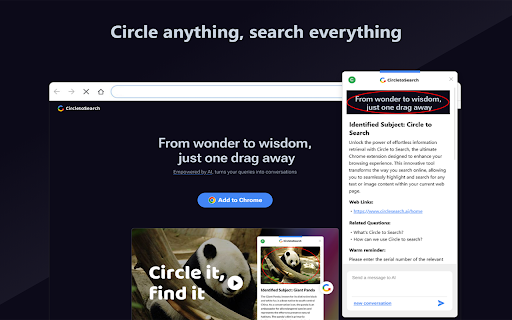
What is Circle to Search AI Chrome Extension?
Circle to Search is an innovative Chrome extension designed to supercharge your web searches using AI. With just a simple circle or highlight, you can instantly search for words, animals, recipes, or any other content without the hassle of switching tabs. This AI-powered tool seamlessly integrates into your browser, providing a faster and more intuitive search experience.
How to Use Circle to Search AI Chrome Extension?
1. Install: Click the 'Add to Chrome' button and pin the extension to your toolbar.
2. Activate: Tap the floating icon to start searching via circling or highlighting.
3. Sign In: Log in with your Google account for a customized experience.
4. Explore: Effortlessly conduct AI-powered searches right from the page you're browsing.
Core Features of Circle to Search AI Chrome Extension
Quick and Easy Search with a Circle
Circle any word, image, or phrase to instantly perform an AI-powered search without navigating away from your current page.
Flexible Highlighting Tools
Highlight text in various ways to fine-tune your search results and boost accuracy with AI support.
Effortless Browser Integration
The extension blends perfectly with Chrome, ensuring smooth functionality without interruptions to your workflow.
Boost Your Productivity
Whether you're researching or simply browsing, Circle to Search minimizes distractions, allowing you to stay focused and work more efficiently.
Practical Use Cases of Circle to Search AI Chrome Extension
Simplified Word Searches
Easily look up definitions, synonyms, and other details for any word you encounter while browsing.
Instant Animal Information
Curious about an animal you just read about? Circle it, and the extension will fetch detailed information in seconds.
Find Delicious Recipes
Discover recipes for your favorite dishes instantly by simply highlighting the food name or ingredient you're interested in.