Text to Image

Chromox

Chromox: Explore top Free OpenAI Sora alternatives for AI video generation. Discover use cases, pricing, reviews, core features, and compare alternatives—your ultimate guide in one place!

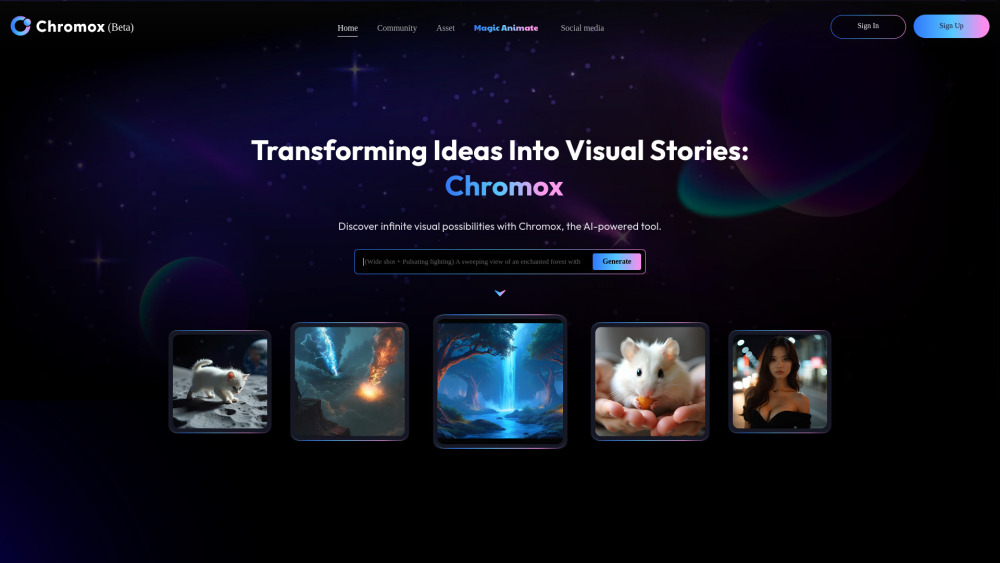
Chromox website preview

Chromox Website screenshot

Discover Chromox

Chromox is a powerful AI-driven platform that specializes in transforming text and images into stunning videos. It's an ideal tool for creators looking to bring their ideas to life with ease. The platform provides users with the flexibility to explore different creative avenues, thanks to its extensive library of pre-built models (CKPT, LoRA), as well as the ability to upload custom models, allowing for a diverse range of artistic expressions.

Getting Started with Chromox

Creating content on Chromox is straightforward and intuitive. Users can leverage several key functionalities:

  • Text-to-Image: Input a descriptive phrase and let the AI craft a corresponding image.
  • Text-to-Video: Describe a scene, and the platform will generate a short video clip based on your vision.
  • Image-to-Video: Upload an existing image, define motion settings, and watch it transform into a dynamic video.
  • Character Animation: Bring portraits to life by uploading photos and adding motion or voice inputs for lifelike animations.

Key Features of Chromox

Text-to-Image Conversion

Text-to-Video Generation

Image-to-Video Transformation

Video Editing Tools

Animated Character Creation

Applications of Chromox

Content Production: Ideal for crafting engaging visuals for social media, marketing campaigns, and advertisements.

Cinematic Projects: Assist in creating storyboards, visualizing scenes, and animating sequences for movies or short films.

Digital Art & Design: Generate innovative artwork and designs for exhibitions or digital projects.

Retail Enhancement: Improve product presentations through virtual try-ons or animated product displays.

Educational Resources: Develop interactive educational materials using custom visuals and animations.

Entertainment Media: Create captivating videos and animations for gaming, apps, or multimedia platforms.

Product source: Chromox official website. Check the provider for current plans, limits and availability.

FAQ

Chromox questions and answers

Product context and practical checks for evaluating Chromox.

What is Chromox used for?

Chromox: Explore top Free OpenAI Sora alternatives for AI video generation. Discover use cases, pricing, reviews, core features, and compare alternatives—your ultimate guide in one place!

How do I get started with Chromox?

Creating content on Chromox is straightforward and intuitive. Users can leverage several key functionalities: Text-to-Image: Input a descriptive phrase and let the AI craft a corresponding image. Text-to-Video: Describe a scene, and the platform will generate a short video clip based on your vision. Image-to-Video: Upload an existing image, define motion settings, and watch it transform into a dynamic video. Character Animation: Bring portraits to life by uploading photos and adding motion or voice inputs for lifelike animations.

Which capabilities are described for Chromox?

Text-to-Image ConversionText-to-Video GenerationImage-to-Video TransformationVideo Editing ToolsAnimated Character Creation

What projects can I evaluate Chromox for?

Content Production: Ideal for crafting engaging visuals for social media, marketing campaigns, and advertisements.Cinematic Projects: Assist in creating storyboards, visualizing scenes, and animating sequences for movies or short films.Digital Art & Design: Generate innovative artwork and designs for exhibitions or digital projects.Retail Enhancement: Improve product presentations through virtual try-ons or animated product displays.Educational Resources: Develop interactive educational materials using custom visuals and animations.Entertainment Media: Create captivating videos and animations for gaming, apps, or multimedia platforms. Customer SupportFor any inquiries, reach out to Chromox’s support team at [email protected]. Corporate InformationThe company behind Chromox is AlkaidVision. Accessing ChromoxLog in to Chromox via this link: https://chromox.alkaidvision.com/Home. Registering for ChromoxSign up for Chromox here: https://chromox.alkaidvision.com/Home. Chromox YouTube ChannelVisit Chromox’s official YouTube channel: https://alkaidvision.com/community/youtube. Chromox Twitter ProfileFollow Chromox on Twitter: https://alkaidvision.com/community/twitter.

What should I compare before choosing a Chromox plan?

Check Chromox’s current pricing page for included usage, renewal terms and any credit charges. Compare the cost of a usable result, including retries, rather than assuming that account registration includes free usage.

What inputs should I prepare for a Chromox trial?

Compare text prompts, reference frames, source footage and audio support. Check duration, aspect ratio and whether the tool lets you keep a subject consistent between shots.

How can I check the quality of a Chromox result?

Watch the entire clip for motion errors, distorted objects, changing identities, lip-sync problems and abrupt transitions. Inspect the downloaded file as well as the preview.

Which export options should I check in Chromox?

Check export resolution, frame rate, aspect ratio, audio tracks and watermark rules. A good preview is not a substitute for an export that fits your publishing channel.

What is a practical way to test Chromox against alternatives?

Use a short shot with one subject and one camera movement. Keep the prompt and duration constant, then compare usable seconds and the number of regenerations.

Where is the official Chromox website?

The website linked from this profile is https://chromox.alkaidvision.com. Use the provider’s own documentation, account area and support channels to confirm current product details.

Visit Chromox