AI Chatbot

Chatwith

Chatwith: Enhance customer service and reduce support workload with custom AI. Train it on your content for real-time, accurate customer interactions.

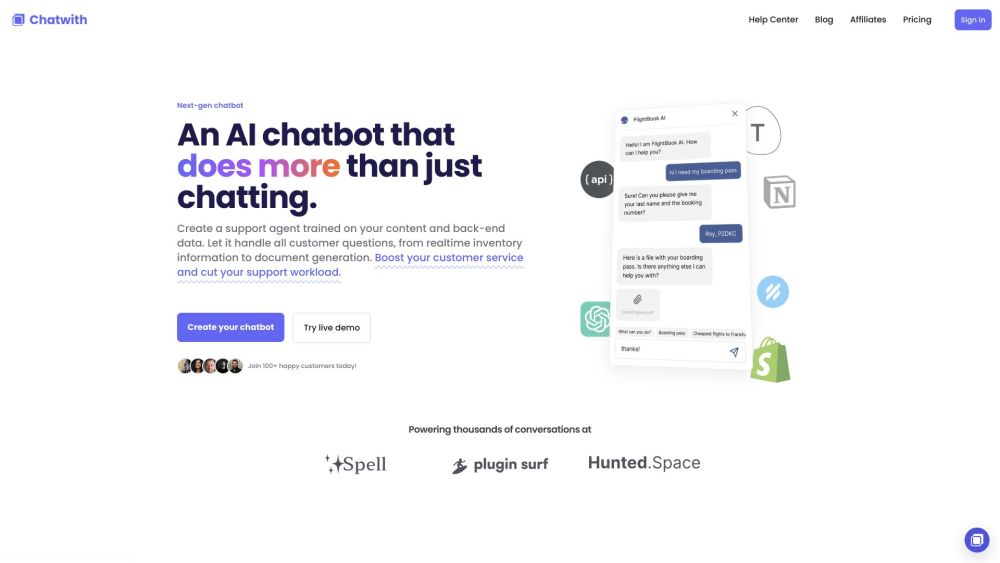
Chatwith website preview

Chatwith Website screenshot

What is Chatwith?

Chatwith is a custom AI chatbot designed to enhance your customer service experience while reducing your support workload. By leveraging AI, it can be trained on your specific content and back-end data, allowing it to handle customer inquiries and provide up-to-date information in real-time.

How to use Chatwith?

Using Chatwith is straightforward. Start by training the chatbot with your website's content, knowledge base, and additional resources. Integrate it with your services through OpenAPI to ensure it provides the latest information and performs various actions. You can add the chatbot to your site with a single line of code or share it via a link. Your chatbot will be capable of answering customer queries, checking inventory, generating documents, and more.

Chatwith's Core Features

The core features of Chatwith include: Customization: Tailor the chatbot's colors, icons, theme, and brand voice to reflect your brand's identity. Universal Access: Display the chatbot as a popup or embed it as a widget anywhere on your site. Insights: Monitor customer interactions with the chatbot to gain valuable insights and enhance your support and product offerings. Easy Installation: Compatible with popular platforms like Shopify and WordPress, installation requires just a single line of code.

Chatwith's Use Cases

Examples of how to use Chatwith:

  • Integrate with the Shopify API to let customers check their order status.
  • Train on HelpScout documentation and enable a live chat widget for customer support.
  • Add a ChatGPT plugin to your site to allow visitors to interact with the chatbot outside of ChatGPT.
  • Connect to a directory database to assist visitors in finding content through chatbot conversations.
  • Collect responses from visitors and submit them to Typeform.
  • Train on Notion documents to help students find answers via a shared chatbot link.

Product source: Chatwith official website. Check the provider for current plans, limits and availability.

FAQ

Chatwith questions and answers

Product context and practical checks for evaluating Chatwith.

What is Chatwith used for?

Chatwith: Enhance customer service and reduce support workload with custom AI. Train it on your content for real-time, accurate customer interactions.

How do I get started with Chatwith?

Using Chatwith is straightforward. Start by training the chatbot with your website's content, knowledge base, and additional resources. Integrate it with your services through OpenAPI to ensure it provides the latest information and performs various actions. You can add the chatbot to your site with a single line of code or share it via a link. Your chatbot will be capable of answering customer queries, checking inventory, generating documents, and more.

Which capabilities are described for Chatwith?

The core features of Chatwith include: Customization: Tailor the chatbot's colors, icons, theme, and brand voice to reflect your brand's identity. Universal Access: Display the chatbot as a popup or embed it as a widget anywhere on your site. Insights: Monitor customer interactions with the chatbot to gain valuable insights and enhance your support and product offerings. Easy Installation: Compatible with popular platforms like Shopify and WordPress, installation requires just a single line of code.

What projects can I evaluate Chatwith for?

Examples of how to use Chatwith: Integrate with the Shopify API to let customers check their order status. Train on HelpScout documentation and enable a live chat widget for customer support. Add a ChatGPT plugin to your site to allow visitors to interact with the chatbot outside of ChatGPT. Connect to a directory database to assist visitors in finding content through chatbot conversations. Collect responses from visitors and submit them to Typeform. Train on Notion documents to help students find answers via a shared chatbot link. Chatwith Discord Join the Chatwith community on Discord: https://discord.gg/gyKcx8eksG. For more details, click here. Chatwith Support Email & Customer Service Contact For customer service, contact Chatwith support at: [email protected]. Chatwith Login Access your Chatwith account here: https://chatwith.tools/app Chatwith Sign Up Sign up for Chatwith here: https://chatwith.tools/app Chatwith Pricing View Chatwith pricing details here: https://chatwith.tools/pricing

What should I compare before choosing a Chatwith plan?

View Chatwith pricing details here: https://chatwith.tools/pricing Confirm current prices and allowances on the provider’s website before purchasing.

What inputs should I prepare for a Chatwith trial?

Compare support for source documents, style instructions, outlines and length limits. Check whether citations link to real material rather than merely looking like references.

How can I check the quality of a Chatwith result?

Verify names, dates, quotations and factual claims against the original sources. Edit tone, remove repetition and make sure the text answers the intended reader’s question.

Which export options should I check in Chatwith?

Check export to plain text, Markdown, documents or your publishing system. Formatting, headings and working links matter when moving a draft into production.

What is a practical way to test Chatwith against alternatives?

Use a real brief and a short source document. Compare factual accuracy, structure and editing time rather than accepting the longest or most confident draft.

Where is the official Chatwith website?

The website linked from this profile is https://www.promptdodo.com. Use the provider’s own documentation, account area and support channels to confirm current product details.

Visit Chatwith