Writing Assistants

ChatUp AI

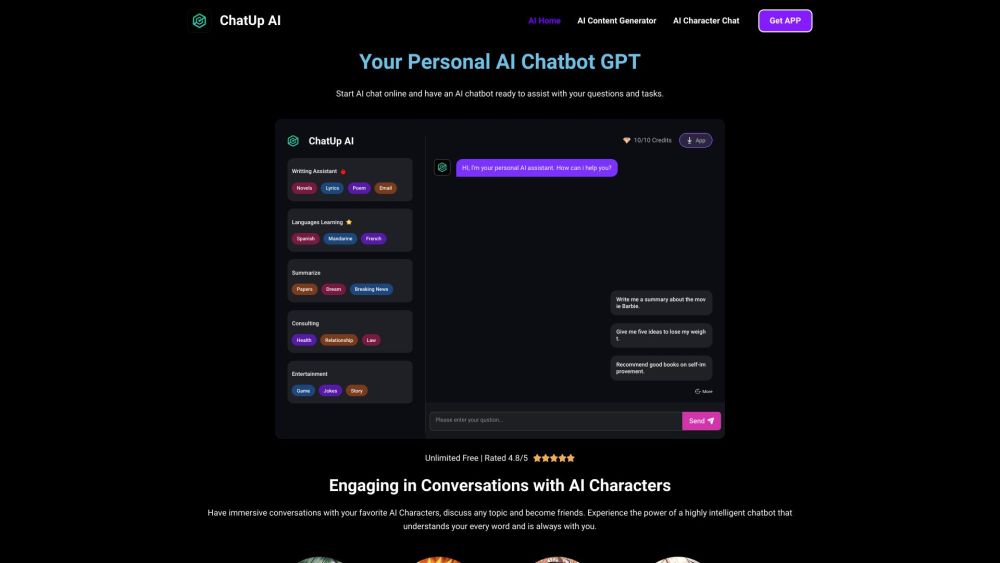
ChatUp AI: Your personal AI assistant! Start chats, get answers, and complete tasks with AI Characters. Enjoy instant online assistance with ChatUp AI Chatbot.

ChatUp AI website preview

ChatUp AI Website screenshot

What is ChatUp AI?

ChatUp AI is your go-to personal AI chatbot, powered by GPT technology. Initiate online chats and have an intelligent assistant at your fingertips, ready to answer questions and complete tasks. Engage with unique AI characters for an interactive experience.

How to use ChatUp AI?

Step 1: Enter a clear and concise prompt or query in the chat box to begin your conversation with the AI chatbot. Step 2: Submit your input, allowing the AI model to process and generate a well-informed response based on its vast knowledge base. Step 3: Keep the dialogue going by asking follow-up questions or adding comments. The AI chatbot will seamlessly continue the conversation, providing thorough and insightful answers.

ChatUp AI's Core Features

Unlimited Free Access

Conversing with AI Characters

AI-Powered Content Creation

AI Companionship

Marketing Assistance

SEO Optimization Tools

Language Practice

General Knowledge Assistance

ChatUp AI's Use Cases

Engaging in Diverse Conversations

Generating Unique Content

Interacting with AI Characters

Writing Essays, Articles, and Blog Posts

Proofreading and Editing

Creating Engaging Narratives

Providing Companionship

Supporting Marketing Strategies

Conducting Keyword Research

Enhancing Language Skills

Delivering Answers and Recommendations

Keeping Users Updated on Trends and News

Product source: ChatUp AI official website. Check the provider for current plans, limits and availability.

FAQ

ChatUp AI questions and answers

Product context and practical checks for evaluating ChatUp AI.

What is ChatUp AI used for?

ChatUp AI: Your personal AI assistant! Start chats, get answers, and complete tasks with AI Characters. Enjoy instant online assistance with ChatUp AI Chatbot.

How do I get started with ChatUp AI?

Step 1: Enter a clear and concise prompt or query in the chat box to begin your conversation with the AI chatbot. Step 2: Submit your input, allowing the AI model to process and generate a well-informed response based on its vast knowledge base. Step 3: Keep the dialogue going by asking follow-up questions or adding comments. The AI chatbot will seamlessly continue the conversation, providing thorough and insightful answers.

Which capabilities are described for ChatUp AI?

Unlimited Free AccessConversing with AI CharactersAI-Powered Content CreationAI CompanionshipMarketing AssistanceSEO Optimization ToolsLanguage PracticeGeneral Knowledge Assistance

What projects can I evaluate ChatUp AI for?

Engaging in Diverse ConversationsGenerating Unique ContentInteracting with AI CharactersWriting Essays, Articles, and Blog PostsProofreading and EditingCreating Engaging NarrativesProviding CompanionshipSupporting Marketing StrategiesConducting Keyword ResearchEnhancing Language SkillsDelivering Answers and RecommendationsKeeping Users Updated on Trends and News ChatUp AI Support and Contact Information For customer service, you can reach ChatUp AI support via email at [email protected]. For more contact options, visit the contact us page. ChatUp AI Pricing For detailed pricing information, visit: https://aichattings.com/price/ ChatUp AI on Facebook Follow us on Facebook: https://www.facebook.com/profile.php?id=61553909794821 ChatUp AI on Pinterest Check out our Pinterest page: https://www.pinterest.com/aichatupai/

What should I compare before choosing a ChatUp AI plan?

For detailed pricing information, visit: https://aichattings.com/price/ Confirm current prices and allowances on the provider’s website before purchasing.

What inputs should I prepare for a ChatUp AI trial?

Look for text prompts, image references, masks or sketches as appropriate. Compare composition control, supported upload types and the ability to revise a selected area.

How can I check the quality of a ChatUp AI result?

Inspect text, hands, edges, reflections and repeated objects at full size. Check that important product or brand details survive editing.

Which export options should I check in ChatUp AI?

Compare pixel dimensions, transparency, file formats and any enlargement options. Confirm that the downloaded result works in your design or publishing software.

What is a practical way to test ChatUp AI against alternatives?

Prepare a brief with a subject, composition, lighting and required output size. Test a first generation and a targeted revision to see how much control you retain.

Where is the official ChatUp AI website?

The website linked from this profile is https://aichattings.com. Use the provider’s own documentation, account area and support channels to confirm current product details.

Visit ChatUp AI