AI Content Generator

Chatty AI Assistant

Chatty AI Assistant: Leverage GPT-4 tech for superior content writing, expert Q&A, and insights in health, finance, tech, and more. Unlock your potential!

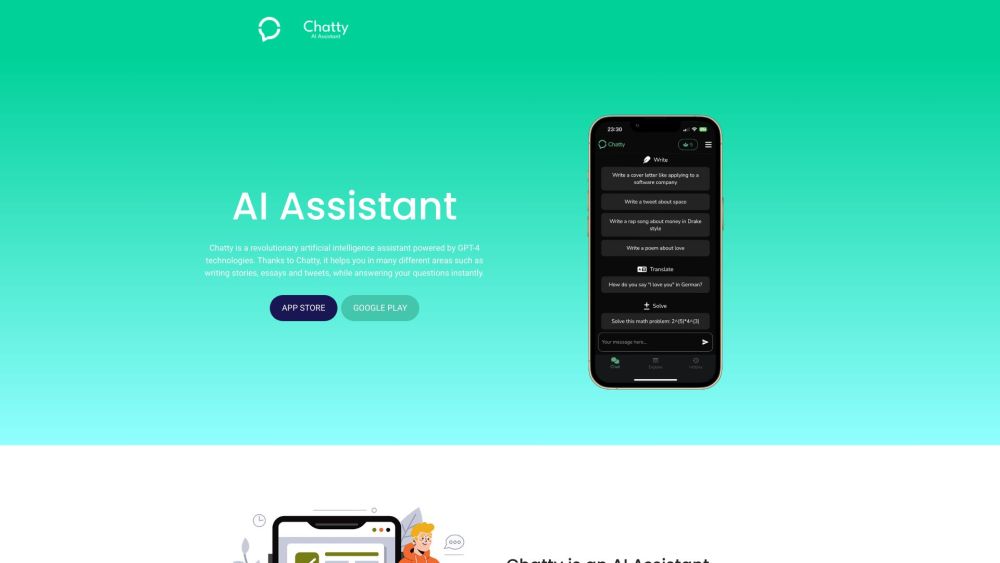
Chatty AI Assistant website preview

Chatty Website screenshot

What is Chatty?

Chatty is an innovative AI assistant driven by GPT-4 technology. It excels in creating diverse content, answering inquiries, and offering expert advice across various domains such as nutrition, health, finance, and technology.

How to use Chatty?

To start using Chatty, download the app from the App Store or Google Play. After installation, select the expertise you require and begin your interaction. Chatty assists with writing, provides topic-specific guidance, and helps complete tasks with top-notch efficiency.

Chatty's Core Features

Content creation for blogs, stories, essays, and more

Professional advice in areas like nutrition, health, finance, and technology

Music: Compose lyrics for any genre

Historian: Offer historical insights

Inspirational: Provide mid-journey motivational prompts

CEO: Deliver executive-level insights

Get Recipe: Offer culinary guidance

Travel Guide: Plan your trips with expert advice

Coding: Assist as a cybersecurity expert

Movie: Review and critique films

Chatty's Use Cases

Creating stories, essays, and social media content

Receiving expert advice in numerous fields

Generating song lyrics

Exploring historical events

Finding inspiration and motivation

Gaining insights from a CEO perspective

Learning new recipes

Planning trips with detailed guidance

Getting help with coding and cybersecurity issues

Reading in-depth movie reviews

Product source: Chatty AI Assistant official website. Check the provider for current plans, limits and availability.

FAQ

Chatty AI Assistant questions and answers

Product context and practical checks for evaluating Chatty AI Assistant.

What is Chatty AI Assistant used for?

Chatty AI Assistant: Leverage GPT-4 tech for superior content writing, expert Q&A, and insights in health, finance, tech, and more. Unlock your potential!

How do I get started with Chatty AI Assistant?

To start using Chatty, download the app from the App Store or Google Play. After installation, select the expertise you require and begin your interaction. Chatty assists with writing, provides topic-specific guidance, and helps complete tasks with top-notch efficiency.

Which capabilities are described for Chatty AI Assistant?

Content creation for blogs, stories, essays, and moreProfessional advice in areas like nutrition, health, finance, and technologyMusic: Compose lyrics for any genreHistorian: Offer historical insightsInspirational: Provide mid-journey motivational promptsCEO: Deliver executive-level insightsGet Recipe: Offer culinary guidanceTravel Guide: Plan your trips with expert adviceCoding: Assist as a cybersecurity expertMovie: Review and critique films

What projects can I evaluate Chatty AI Assistant for?

Creating stories, essays, and social media contentReceiving expert advice in numerous fieldsGenerating song lyricsExploring historical eventsFinding inspiration and motivationGaining insights from a CEO perspectiveLearning new recipesPlanning trips with detailed guidanceGetting help with coding and cybersecurity issuesReading in-depth movie reviews

What should I compare before choosing a Chatty AI Assistant plan?

Check Chatty AI Assistant’s current pricing page for included usage, renewal terms and any credit charges. Compare the cost of a usable result, including retries, rather than assuming that account registration includes free usage.

What inputs should I prepare for a Chatty AI Assistant trial?

Compare support for source documents, style instructions, outlines and length limits. Check whether citations link to real material rather than merely looking like references.

How can I check the quality of a Chatty AI Assistant result?

Verify names, dates, quotations and factual claims against the original sources. Edit tone, remove repetition and make sure the text answers the intended reader’s question.

Which export options should I check in Chatty AI Assistant?

Check export to plain text, Markdown, documents or your publishing system. Formatting, headings and working links matter when moving a draft into production.

What is a practical way to test Chatty AI Assistant against alternatives?

Use a real brief and a short source document. Compare factual accuracy, structure and editing time rather than accepting the longest or most confident draft.

Where is the official Chatty AI Assistant website?

The website linked from this profile is https://chattyai.tech. Use the provider’s own documentation, account area and support channels to confirm current product details.

Visit Chatty AI Assistant