AI Content Generator

ChatGPT2Help

Boost productivity with ChatGPT2Help: Your AI assistant for Chrome. Instantly write, edit, and get virtual support anywhere, anytime. Perfect for any industry!

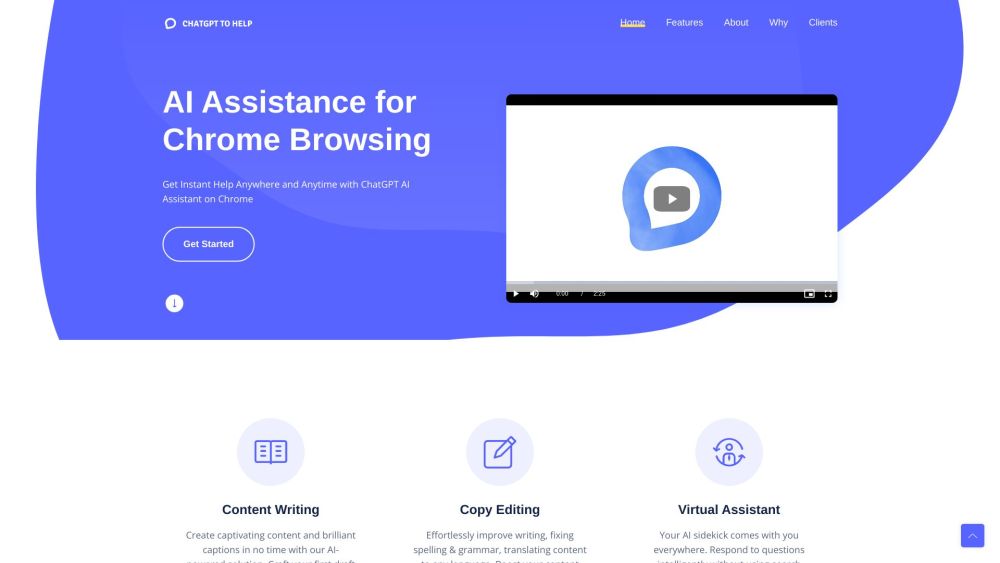
ChatGPT2Help website preview

ChatGPT2Help Website screenshot

What is ChatGPT2Help?

ChatGPT2Help is a cutting-edge AI-driven tool designed to provide real-time assistance during Chrome browsing sessions. This versatile tool is ideal for writing, editing, and offering virtual help, significantly enhancing productivity across various domains.

How to use ChatGPT2Help?

Using ChatGPT2Help is straightforward. Install the Chrome extension and enable it while browsing. The tool then assists with writing tasks, corrects grammar and spelling errors, translates content, answers questions intelligently, summarizes information, and extracts key points from web content. Its seamless integration with all online platforms makes it indispensable for a wide range of purposes.

ChatGPT2Help's Core Features

Content Writing: Generate engaging content and compelling captions quickly and efficiently.

Copy Editing: Enhance your writing by fixing spelling and grammar errors and translating content into any language.

Virtual Assistant: Provide intelligent responses, summarize online content, and identify actionable items without the need for extensive searches.

AI Assistance for Chrome Browsing: Receive immediate help anytime, anywhere with the ChatGPT2Help AI assistant on Chrome.

ChatGPT2Help's Use Cases

{ "title": "Marketing", "description": "Assist businesses in optimizing marketing strategies by analyzing data, predicting customer trends, and identifying the most effective channels." }

{ "title": "Customer Service", "description": "Improve customer service by answering common questions and resolving issues, thereby increasing customer satisfaction and reducing agent workload." }

{ "title": "Education", "description": "Develop personalized learning plans tailored to students' unique strengths, weaknesses, learning styles, and preferences." }

{ "title": "Real Estate", "description": "Automatically create detailed property listings based on features, saving time and ensuring consistency for real estate professionals." }

{ "title": "Legal Documents", "description": "Review contracts, identify potential risks, and extract key information. Automate the creation of legal documents such as contracts and briefs." }

{ "title": "Healthcare", "description": "Aid physicians by analyzing patient data to provide potential diagnoses and treatment suggestions, expediting the diagnostic process." }

Product source: ChatGPT2Help official website. Check the provider for current plans, limits and availability.

FAQ

ChatGPT2Help questions and answers

Product context and practical checks for evaluating ChatGPT2Help.

What is ChatGPT2Help used for?

Boost productivity with ChatGPT2Help: Your AI assistant for Chrome. Instantly write, edit, and get virtual support anywhere, anytime. Perfect for any industry!

How do I get started with ChatGPT2Help?

Using ChatGPT2Help is straightforward. Install the Chrome extension and enable it while browsing. The tool then assists with writing tasks, corrects grammar and spelling errors, translates content, answers questions intelligently, summarizes information, and extracts key points from web content. Its seamless integration with all online platforms makes it indispensable for a wide range of purposes.

Which capabilities are described for ChatGPT2Help?

Content Writing: Generate engaging content and compelling captions quickly and efficiently.Copy Editing: Enhance your writing by fixing spelling and grammar errors and translating content into any language.Virtual Assistant: Provide intelligent responses, summarize online content, and identify actionable items without the need for extensive searches.AI Assistance for Chrome Browsing: Receive immediate help anytime, anywhere with the ChatGPT2Help AI assistant on Chrome.

What projects can I evaluate ChatGPT2Help for?

{ "title": "Marketing", "description": "Assist businesses in optimizing marketing strategies by analyzing data, predicting customer trends, and identifying the most effective channels." }{ "title": "Customer Service", "description": "Improve customer service by answering common questions and resolving issues, thereby increasing customer satisfaction and reducing agent workload." }{ "title": "Education", "description": "Develop personalized learning plans tailored to students' unique strengths, weaknesses, learning styles, and preferences." }{ "title": "Real Estate", "description": "Automatically create detailed property listings based on features, saving time and ensuring consistency for real estate professionals." }{ "title": "Legal Documents", "description": "Review contracts, identify potential risks, and extract key information. Automate the creation of legal documents such as contracts and briefs." }{ "title": "Healthcare", "description": "Aid physicians by analyzing patient data to provide potential diagnoses and treatment suggestions, expediting the diagnostic process." } ChatGPT2Help Reddit Join the ChatGPT2Help community on Reddit: https://www.reddit.com/r/chatgpt2help/ ChatGPT2Help Support Email & Customer Service Contact & Refund Contact etc. For support, reach out via email: [email protected]. ChatGPT2Help Company ChatGPT2Help is brought to you by Hensun Innovation LLC. ChatGPT2Help Twitter Follow us on Twitter: https://twitter.com/chatgpt2help ChatGPT2Help Reddit Join the discussion on Reddit: https://www.reddit.com/r/chatgpt2help/

What should I compare before choosing a ChatGPT2Help plan?

Check ChatGPT2Help’s current pricing page for included usage, renewal terms and any credit charges. Compare the cost of a usable result, including retries, rather than assuming that account registration includes free usage.

What inputs should I prepare for a ChatGPT2Help trial?

Compare support for source documents, style instructions, outlines and length limits. Check whether citations link to real material rather than merely looking like references.

How can I check the quality of a ChatGPT2Help result?

Verify names, dates, quotations and factual claims against the original sources. Edit tone, remove repetition and make sure the text answers the intended reader’s question.

Which export options should I check in ChatGPT2Help?

Check export to plain text, Markdown, documents or your publishing system. Formatting, headings and working links matter when moving a draft into production.

What is a practical way to test ChatGPT2Help against alternatives?

Use a real brief and a short source document. Compare factual accuracy, structure and editing time rather than accepting the longest or most confident draft.

Where is the official ChatGPT2Help website?

The website linked from this profile is https://www.chatgpt2help.com. Use the provider’s own documentation, account area and support channels to confirm current product details.

Visit ChatGPT2Help