AI Advertising Assistant

ChatGPT for Twitter

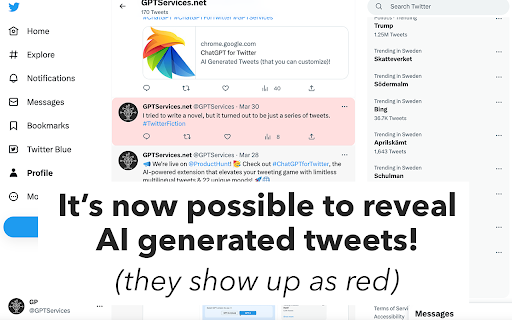
Unleash Twitter's potential with 'ChatGPT for Twitter - Chrome Extension': AI-generated, multilingual tweets at your fingertips. Boost engagement effortlessly!

ChatGPT for Twitter website preview

ChatGPT for Twitter - Chrome Extension Website screenshot

What is ChatGPT for Twitter: AI Chrome Extension?

ChatGPT for Twitter is a powerful AI-driven tool designed to enhance your Twitter experience by creating engaging, multilingual tweets effortlessly. Offering support for 22 unique emotional tones and moods, this tool allows users to bypass the traditional character limits and generate impactful tweets. It also lets users discover AI-generated tweets from a global community of users, helping spark creativity and enhance social media interactions.

How to use ChatGPT for Twitter Chrome Extension?

Using the ChatGPT for Twitter extension is simple. Visit our official website, register for a free account, and access the tool's full range of features. Once logged in, choose from 22 available moods and input your tweet content. The AI will generate a captivating, mood-appropriate tweet for you. Additionally, you can browse tweets generated by other users, making it easy to get inspired or discover fresh ideas for your own tweets.

Key Features of ChatGPT for Twitter

Generate multilingual tweets with ease

Select from 22 moods for emotional variety

No character limit restrictions

Access and explore AI-generated tweets from others

Use Cases for ChatGPT for Twitter Chrome Extension

Create engaging tweets that resonate with your audience

Express your emotions in multiple languages and tones

Find inspiration through AI-generated tweets from others

Product source: ChatGPT for Twitter official website. Check the provider for current plans, limits and availability.

FAQ

ChatGPT for Twitter questions and answers

Product context and practical checks for evaluating ChatGPT for Twitter.

What is ChatGPT for Twitter used for?

Unleash Twitter's potential with 'ChatGPT for Twitter - Chrome Extension': AI-generated, multilingual tweets at your fingertips. Boost engagement effortlessly!

How do I get started with ChatGPT for Twitter?

Using the ChatGPT for Twitter extension is simple. Visit our official website, register for a free account, and access the tool's full range of features. Once logged in, choose from 22 available moods and input your tweet content. The AI will generate a captivating, mood-appropriate tweet for you. Additionally, you can browse tweets generated by other users, making it easy to get inspired or discover fresh ideas for your own tweets.

Which capabilities are described for ChatGPT for Twitter?

Generate multilingual tweets with easeSelect from 22 moods for emotional varietyNo character limit restrictionsAccess and explore AI-generated tweets from others

What projects can I evaluate ChatGPT for Twitter for?

Create engaging tweets that resonate with your audienceExpress your emotions in multiple languages and tonesFind inspiration through AI-generated tweets from others

What should I compare before choosing a ChatGPT for Twitter plan?

Check ChatGPT for Twitter’s current pricing page for included usage, renewal terms and any credit charges. Compare the cost of a usable result, including retries, rather than assuming that account registration includes free usage.

What inputs should I prepare for a ChatGPT for Twitter trial?

Identify the files, text or account connections your task needs. Confirm that the product accepts those inputs and offers controls for reviewing its work.

How can I check the quality of a ChatGPT for Twitter result?

Test one representative task and inspect the result for accuracy and completeness. Record where manual corrections or extra tools are needed.

Which export options should I check in ChatGPT for Twitter?

Check export formats, integrations and whether you can keep using your work outside the service. Test a real export before committing to a longer plan.

What is a practical way to test ChatGPT for Twitter against alternatives?

Choose one task with a clear success condition. Keep the input consistent, record the time spent reviewing and compare the complete workflow cost.

Where is the official ChatGPT for Twitter website?

The website linked from this profile is https://chrome.google.com/webstore/detail/chatgpt-for-twitter/ihabhmefjiipbmppmjoleclimdeompdc. Use the provider’s own documentation, account area and support channels to confirm current product details.

Visit ChatGPT for Twitter