Writing Assistants

ChatASK

ChatASK: Revolutionize digital interactions with our AI chat app. Engage, assist, and elevate user experiences effortlessly. Transform how you connect today!

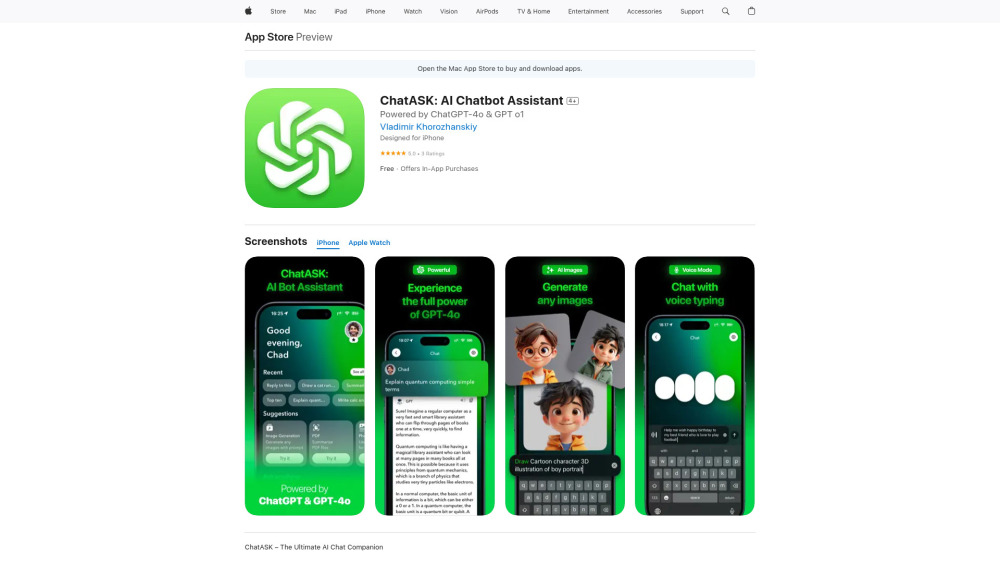
ChatASK website preview

ChatASK Website screenshot

What is ChatASK?

ChatASK is a cutting-edge AI chat application designed to enhance your digital communication experience. With the power of advanced AI technology, it provides tools like AI-driven image creation, mathematical problem resolution, seamless keyboard integration, voice-to-text functionality, and even support for wearable devices such as Apple Watch.

How Does ChatASK Work?

Engage in smarter conversations using ChatASK’s versatile features. Create stunning visuals with its AI image generator, solve complex math problems step-by-step, streamline typing with intelligent suggestions, dictate messages hands-free through voice typing, and access instant assistance right from your wrist via the Apple Watch app or lock screen widget.

Key Features of ChatASK

AI-Powered Image Creation

Step-by-Step Math Solutions

Smart Keyboard Integration

Voice Dictation

Apple Watch Compatibility

Practical Applications of ChatASK

Craft Stunning Visuals Instantly

Tackle Difficult Math Problems Easily

Effortlessly Enhance Your Typing Experience

Send Messages Without Typing Using Voice Commands

Stay Connected on the Go with Apple Watch Support

Product source: ChatASK official website. Check the provider for current plans, limits and availability.

FAQ

ChatASK questions and answers

Product context and practical checks for evaluating ChatASK.

What is ChatASK used for?

ChatASK: Revolutionize digital interactions with our AI chat app. Engage, assist, and elevate user experiences effortlessly. Transform how you connect today!

How do I get started with ChatASK?

Engage in smarter conversations using ChatASK’s versatile features. Create stunning visuals with its AI image generator, solve complex math problems step-by-step, streamline typing with intelligent suggestions, dictate messages hands-free through voice typing, and access instant assistance right from your wrist via the Apple Watch app or lock screen widget.

Which capabilities are described for ChatASK?

AI-Powered Image CreationStep-by-Step Math SolutionsSmart Keyboard IntegrationVoice DictationApple Watch Compatibility

What projects can I evaluate ChatASK for?

Craft Stunning Visuals InstantlyTackle Difficult Math Problems EasilyEffortlessly Enhance Your Typing ExperienceSend Messages Without Typing Using Voice CommandsStay Connected on the Go with Apple Watch Support

What should I compare before choosing a ChatASK plan?

Check ChatASK’s current pricing page for included usage, renewal terms and any credit charges. Compare the cost of a usable result, including retries, rather than assuming that account registration includes free usage.

What inputs should I prepare for a ChatASK trial?

Identify the files, text or account connections your task needs. Confirm that the product accepts those inputs and offers controls for reviewing its work.

How can I check the quality of a ChatASK result?

Test one representative task and inspect the result for accuracy and completeness. Record where manual corrections or extra tools are needed.

Which export options should I check in ChatASK?

Check export formats, integrations and whether you can keep using your work outside the service. Test a real export before committing to a longer plan.

What is a practical way to test ChatASK against alternatives?

Choose one task with a clear success condition. Keep the input consistent, record the time spent reviewing and compare the complete workflow cost.

Where is the official ChatASK website?

The website linked from this profile is https://apps.apple.com/app/id6612032749. Use the provider’s own documentation, account area and support channels to confirm current product details.

Visit ChatASK