Table of contents
Chat4Data: AI-Powered Chrome Extension for No-Code Web Data Extraction
Chat4Data: AI-powered Chrome extension that extracts web data instantly—just ask in plain English. No coding, no hassle.
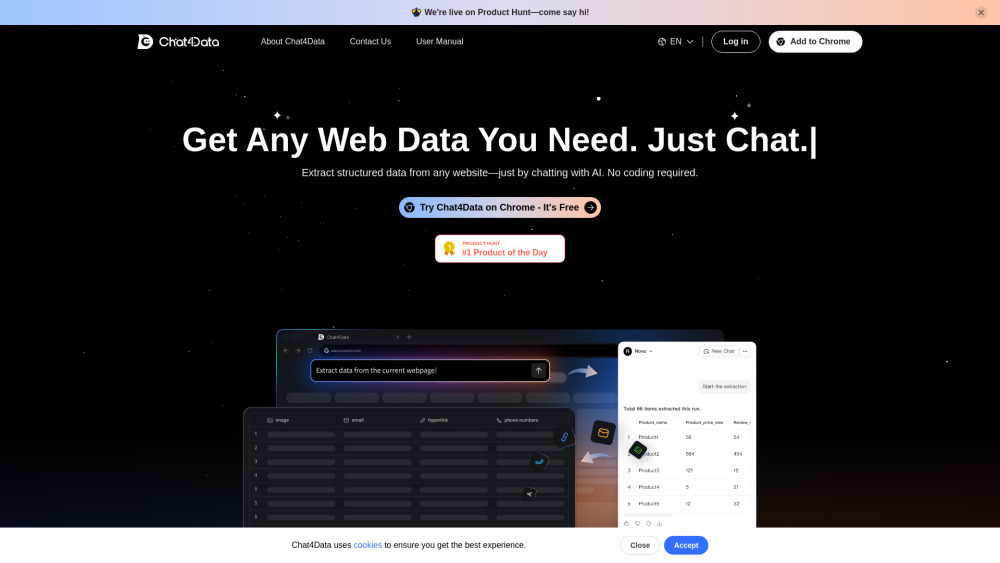
Introducing Chat4Data: Where Web Data Meets Conversation
Chat4Data redefines web data extraction—not as a technical chore, but as a natural dialogue. This intelligent Chrome extension leverages cutting-edge LLMs to let you interrogate any webpage in plain English: “Extract all product names, prices, and ratings from this Amazon listing,” or “Grab every email and phone number visible on this directory.” No selectors, no scripts, no syntax—just instant, structured outputs powered by AI that understands context, layout, and intent.
Getting Started in Under 60 Seconds
1. Install the free Chat4Data extension from the Chrome Web Store.
2. Create your account (zero credit card required) and log in.
3. Navigate to any website, click the Chat4Data icon, and start typing your request—or use one-click presets for common tasks like “Scrape all images” or “Export contact details.” That’s it. Your first dataset is ready before you finish reading this sentence.
Why Data Teams & Solo Professionals Choose Chat4Data
Conversational AI Extraction — No Code, No Compromise
Smart Presets + Adaptive Learning — Skip setup, accelerate output
Deep-Dive Field Support — Extract visible & hidden elements: metadata, alt text, structured JSON-LD, emails, tel links, embedded PDFs, and more
Spreadsheet-First Workflow — Describe your ideal Excel layout (“Columns: Title, URL, Date Posted, Estimated Budget”) and Chat4Data builds it live
Auto-Pagination Intelligence — Seamlessly crawl multi-page results (search listings, category archives, review sections) with one command
Real-Time Field Editing — Refine your extraction on the fly: “Remove duplicate entries,” “Add SKU column,” or “Only include items in stock”
One-Click Export — Download clean, ready-to-analyze Excel (.xlsx) files — formatted, validated, and column-ordered
Real-World Use Cases, Solved Simply
Competitor price monitoring across dynamic e-commerce sites
Lead generation from directories, portfolios, and local business pages
Content auditing: pull headlines, CTAs, schema markup, and broken links at scale
Research acceleration: gather academic citations, product specs, or job posting requirements in minutes
Frequently Asked Questions
-
What exactly is Chat4Data?
-
Which websites work best with Chat4Data?
-
Is there a free plan?
-
Do I need to know HTML, CSS, or Python?
-
Can I adjust what’s extracted after my first run?
-
What export options are available?
-
Are my scraping sessions saved automatically?
-
Need Help? We’re Here.
For support, refunds, or urgent assistance: visit our Contact Us page.
-
About the Team Behind Chat4Data
Chat4Data is developed by Lumoris Technologies Inc. — a team passionate about democratizing data access through human-centered AI.
Learn our story and mission: About Chat4Data.
-
Log In to Your Account
Access your dashboard and history: Chat4Data Login.
-
Watch Tutorials & Tips
Subscribe for walkthroughs, feature deep dives, and pro extraction strategies: Chat4Data YouTube Channel.
-
Follow Our Updates
Get product news, AI insights, and no-code data tips: X (Twitter) | Instagram.
FAQ from Chat4Data
What exactly is Chat4Data?
Chat4Data is an AI-native Chrome extension that transforms how you collect web data—replacing brittle scrapers and complex code with intuitive, conversational commands. It interprets your intent, navigates site structure autonomously, and delivers clean, spreadsheet-ready outputs—no developer skills required.
Which websites work best with Chat4Data?
It excels on content-rich, publicly accessible HTML sites—including e-commerce listings (Amazon, eBay), directories, SaaS websites, news archives, and job boards. While JavaScript-heavy SPAs may require minor prompt tuning, its adaptive parsing handles modern frameworks far better than traditional rule-based tools.
Is there a free plan?
Yes. Every new user receives 1 million free AI tokens—enough for hundreds of medium-complexity extractions. After that, top-ups start at just $1 per million tokens. No subscriptions, no hidden fees.
Do I need to know HTML, CSS, or Python?
None whatsoever. Chat4Data abstracts away the complexity: you describe *what* you want—not *how* to get it. Whether you’re a marketer, analyst, founder, or student, your domain knowledge is all you need.
Can I adjust what’s extracted after my first run?
Absolutely—and instantly. Just type a follow-up instruction: “Add manufacturer field,” “Exclude out-of-stock items,” or “Re-extract using mobile view.” The AI reprocesses the page contextually—no reconfiguration, no reloads.
What export options are available?
Currently, Chat4Data exports to Excel (.xlsx) with auto-formatted columns, data validation, and UTF-8 support—including merged cells, hyperlinks, and rich text preservation where applicable.
Are my scraping sessions saved automatically?
Not yet—but we’re building it. Right now, your session data lives only in your browser until you download it. To keep your results safe, download your Excel file immediately after extraction. Cloud sync and history vault features are rolling out in Q4 2025.