AI tool profile

Cabina.AI

All-in-one AI Chats workspace: productivity, communication & education

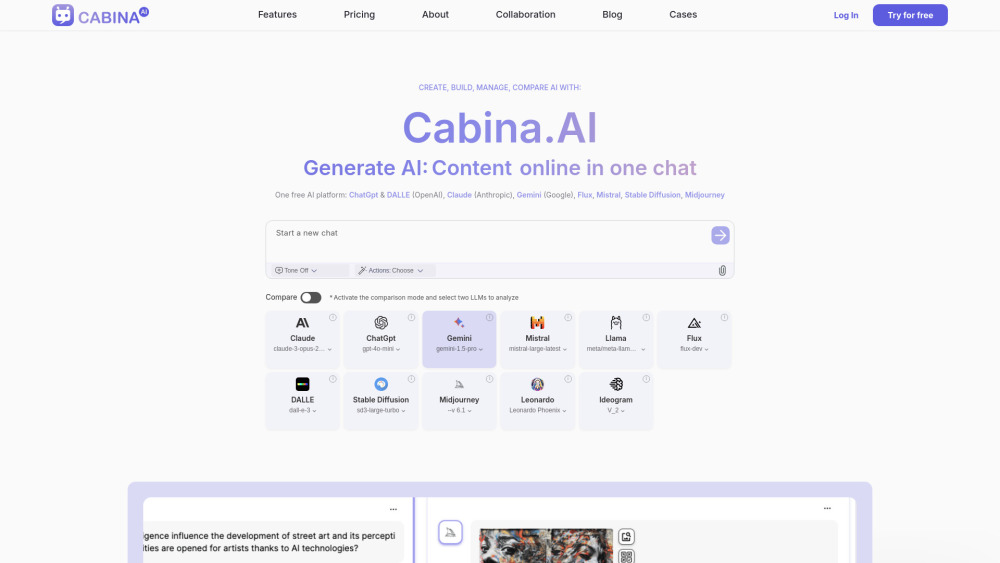
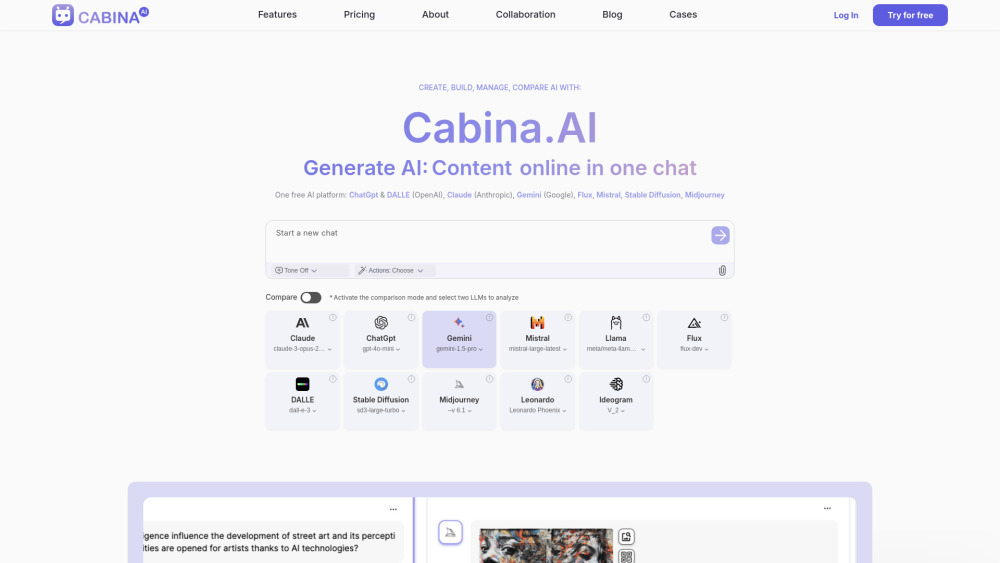
Cabina.AI website preview

Cabina.AI Website screenshot

What is Cabina.AI?

Effortlessly manage and interact with all your favorite chatbots in one place. Seamlessly switch between models, retaining shared context for streamlined conversations. Compare responses, use ready-made Actions instead of long prompts, generate art, and transform video or sound into text, tables & images. Also, create your own AI Voices with different professions and supercharge your daily productivity.

How to use Cabina.AI?

Sign up via email or Google account and write a question or command to action. P.S. Get more with promocode: TOOLIFYAI25 (activate after registrations)

Cabina.AI's Core Features

Shared context via different LLMs (AI models): change the AI & keep the context of the conversation

Compare mode: one prompt - 2X results from different AI & LLM

Customizable Agent voices and roles

Actions get ready-use AI commands with high-quality results

Supports all popular formats: txt, doc, pdf, tables, YouTube video, sound

Custom Folders for easy workflow

ALL TOP AI under one roof: pay less - get more

Chat with: chatGPT, Gemini, Flux1, Claude, Ideogram, Leonardo, LLAMA, Mistral, Midjourney, DALLE, StableDiffusion in one window

Cabina.AI's Use Cases

Use AI actions button for Translate, Summarize, Analyse, Explain, Shortern texts & documents

Create AI Agent voice: role based (profession, hobby, phd) Agent based on all popular AI in same time

Chat with PDF, YouTube Video, etc

Compare popular AI in one window: ChatGpt vs Claude, Dalle vs Leonardo, Ideogram vs Stable Diffusion

Create PithDeck

Fill out any lengthy forms for your project (grants, product descriptions )

Humanize your AI content

Creating Payment Modals, UI interfaces

Create SMM posts for popular social networks with hashtags

Create content in compare mode with AI fact-checking

Create a marketing plan/strategy based on any info

Create script for video

Product source: Cabina.AI official website. Check the provider for current plans, limits and availability.

FAQ

Cabina.AI questions and answers

Product context and practical checks for evaluating Cabina.AI.

What is Cabina.AI used for?

All-in-one AI Chats workspace: productivity, communication & education

How do I get started with Cabina.AI?

Sign up via email or Google account and write a question or command to action. P.S. Get more with promocode: TOOLIFYAI25 (activate after registrations)

Which capabilities are described for Cabina.AI?

Shared context via different LLMs (AI models): change the AI & keep the context of the conversationCompare mode: one prompt - 2X results from different AI & LLMCustomizable Agent voices and rolesActions get ready-use AI commands with high-quality resultsSupports all popular formats: txt, doc, pdf, tables, YouTube video, soundCustom Folders for easy workflowALL TOP AI under one roof: pay less - get moreChat with: chatGPT, Gemini, Flux1, Claude, Ideogram, Leonardo, LLAMA, Mistral, Midjourney, DALLE, StableDiffusion in one window

What projects can I evaluate Cabina.AI for?

Use AI actions button for Translate, Summarize, Analyse, Explain, Shortern texts & documentsCreate AI Agent voice: role based (profession, hobby, phd) Agent based on all popular AI in same timeChat with PDF, YouTube Video, etcCompare popular AI in one window: ChatGpt vs Claude, Dalle vs Leonardo, Ideogram vs Stable DiffusionCreate PithDeckFill out any lengthy forms for your project (grants, product descriptions )Humanize your AI contentCreating Payment Modals, UI interfacesCreate SMM posts for popular social networks with hashtagsCreate content in compare mode with AI fact-checkingCreate a marketing plan/strategy based on any infoCreate script for video Cabina.AI Support Email & Customer service contact & Refund contact etc. More Contact, visit the contact us page(https://cabina.ai/contact-us) Cabina.AI Company More about Cabina.AI, Please visit the about us page(https://cabina.ai/about). Cabina.AI Pricing Cabina.AI Pricing Link: https://cabina.ai/#pricing Cabina.AI Facebook Cabina.AI Facebook Link: https://www.facebook.com/CabinaAICabina.AI Youtube Cabina.AI Youtube Link: https://www.youtube.com/@CabinaAICabina.AI Linkedin Cabina.AI Linkedin Link: https://www.linkedin.com/company/cabina-ai/Cabina.AI Instagram Cabina.AI Instagram Link: https://www.instagram.com/cabina_ai/

What should I compare before choosing a Cabina.AI plan?

Cabina.AI Pricing Link: https://cabina.ai/#pricing Confirm current prices and allowances on the provider’s website before purchasing.

What inputs should I prepare for a Cabina.AI trial?

Check supported documents, datasets and source access. Establish whether the product can inspect your actual material rather than answer from general knowledge.

How can I check the quality of a Cabina.AI result?

Follow citations to the original source, recalculate important numbers and check the date and scope of the evidence. Distinguish an explanation from a verified result.

Which export options should I check in Cabina.AI?

Look for usable citations, tables, downloadable data and reproducible steps. A clear answer should let another person inspect how the conclusion was reached.

What is a practical way to test Cabina.AI against alternatives?

Choose a question with known sources and a checkable result. Compare citation accuracy, omissions and reproducibility rather than response length.

Where is the official Cabina.AI website?

The website linked from this profile is https://cabina.ai. Use the provider’s own documentation, account area and support channels to confirm current product details.

Visit Cabina.AI