What is Browserfly?
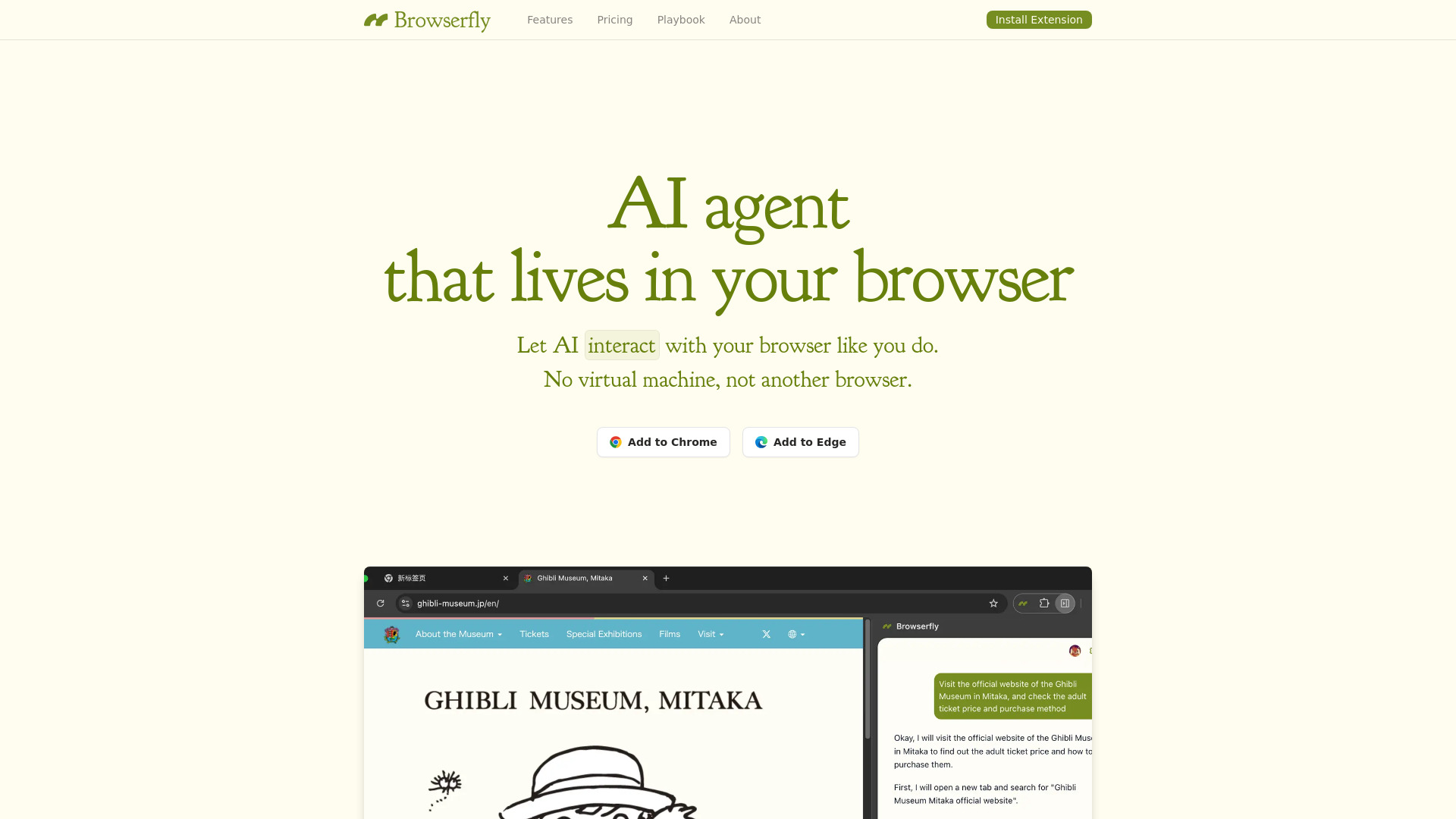
Browserfly is an intelligent, no-code AI browser agent designed to turn everyday web browsing into a fully automated, intent-driven experience. Built from the ground up for real-world usability, it runs natively inside your current browser—no sandboxed environments, no VMs, no context switching. Instead, Browserfly acts as a silent, responsive co-pilot: observing pages, interpreting your plain-language instructions, and performing actions *exactly* as a skilled human would—clicking, typing, scrolling, selecting, extracting, and navigating—all while preserving your login sessions, cookies, and browsing context. It’s not just automation—it’s cognition applied to the browser, making complex, multi-step web tasks feel as simple as asking a question.
How to Use Browserfly
Getting started takes seconds: install the extension, open any tab, and begin speaking (or typing) in natural language. There’s no scripting, no selectors to memorize, no debugging console. Want to compare laptop specs across three retailers? Say, “Find the latest MacBook Air on Apple’s site, then check Best Buy and Amazon for matching models and lowest price—list them side by side.” Browserfly parses your request, navigates each site, locates relevant elements using visual + semantic understanding, extracts structured data, and delivers a clean summary—no setup required. You can refine interactions on the fly: “Now highlight all ‘In Stock’ badges,” or “Skip the pop-ups and go straight to the checkout form.” Over time, it learns your preferences and adapts to dynamic layouts, third-party scripts, and anti-bot defenses—without you lifting a finger.
Power users extend Browserfly beyond one-off tasks: schedule daily lead-generation scrapes from LinkedIn and Crunchbase, build self-updating dashboards from public reports, or orchestrate end-to-end QA workflows across staging environments. Whether you’re validating SEO meta tags across 50 landing pages or auto-filling grant applications with pre-approved templates, Browserfly transforms fragmented browser work into repeatable, auditable, and shareable workflows—all orchestrated in English.
Key Features of Browserfly
- True Natural Language Automation: Go beyond keyword triggers—Browserfly understands nuance, context, and implied intent. Phrases like “grab the email addresses from everyone listed under ‘Team’” or “skip the newsletter signup but fill everything else on this registration page” are interpreted accurately, not just matched.
- Adaptive Element Intelligence: Leverages multimodal AI (language + vision + DOM reasoning) to locate and interact with elements—even when IDs change, classes shift, or content loads asynchronously. Describe what something *is* (“the green ‘Request Demo’ button near the pricing table”), not where it lives in the code.
- Built-In, Not Bolted-On: Runs entirely within your active browser session—no separate containers, no session duplication, no re-authentication. Your tabs stay open, your extensions remain active, and your workflow flows uninterrupted.
- Workflow-First Architecture: Supports both atomic actions (“download this PDF”) and sophisticated multi-session sequences (“log into Salesforce → pull last week’s campaign reports → export CSV → email summary to team”). Save, version, and reuse workflows—or trigger them via calendar, API, or keyboard shortcut.
Together, these features eliminate friction—not just in execution, but in *thinking*. Browserfly removes the cognitive load of translating goals into technical steps, so you spend less time automating and more time acting on insights.
Why Choose Browserfly?
In a landscape crowded with brittle RPA bots and developer-only scripting tools, Browserfly redefines accessibility without sacrificing power. It’s the only browser automation platform that treats natural language not as a UI gimmick—but as the *primary interface*, backed by AI trained explicitly on real-world web interaction patterns. Security-conscious teams appreciate its zero-data-exit model: all processing happens locally in-browser; sensitive credentials, internal portals, and proprietary dashboards never leave your machine. Meanwhile, operations leaders value its scalability—from a solo analyst automating weekly reports to global sales teams deploying standardized CRM enrichment flows across thousands of browsers.
Unlike legacy tools requiring infrastructure overhead or niche coding skills, Browserfly meets users where they are: at the browser. Featured among top-tier AI productivity platforms on aitop-tools.com, it bridges the gap between consumer-grade convenience and enterprise-grade reliability—delivering production-ready automation through the most intuitive interface possible: the way humans already communicate.
Use Cases and Applications
Browserfly thrives where manual web work is high-volume, high-variance, and high-value. Recruiters automate candidate sourcing by scanning job boards, parsing resumes from PDFs embedded in pages, and auto-populating ATS fields—all triggered by a single command. Financial analysts monitor earnings call transcripts across Bloomberg, Reuters, and company sites, extracting sentiment scores and key metrics into live spreadsheets. Academic researchers run reproducible literature reviews: “Find all 2023–2024 peer-reviewed papers on transformer efficiency, filter for open-access, extract abstracts and citation counts, and save as BibTeX.” And customer support leads deploy self-healing QA bots that navigate every step of their SaaS onboarding flow—flagging broken links, missing translations, or slow-loading components—before users ever notice.