AI Product Description Generator

Browserbear

Browserbear: Efficient Nocode Web Scraper for hassle-free data extraction. Automate tasks, gather insights, and boost productivity effortlessly.

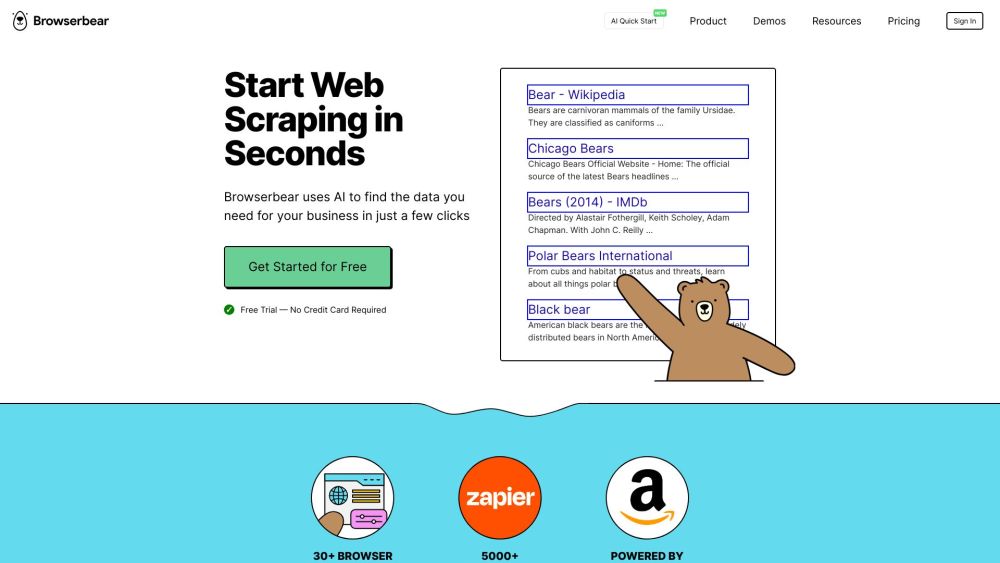
Browserbear website preview

Browserbear Website screenshot

What is Browserbear?

Browserbear is a powerful nocode web scraper designed for efficient data extraction and automation.

How to use Browserbear?

Browserbear enables you to create diverse browser automations and trigger them via APIs or nocode tools, simplifying complex workflows.

Browserbear's Core Features

Task Builder

Create and customize automated tasks with ease using Browserbear's intuitive task builder.

Web Scraping

Effortlessly scrape web data for analysis, reporting, and integration with other systems.

Automated Testing

Set up automated tests to ensure the functionality and reliability of your web applications.

Integrations

Connect Browserbear with various tools and platforms for seamless data flow and enhanced functionality.

Custom Feeds

Create tailored data feeds to keep track of specific information from the web in real-time.

Zapier

Integrate with Zapier to automate workflows and connect Browserbear with over 2000 apps.

REST API

Use Browserbear's REST API to integrate its capabilities into your own applications and services.

Demos

Explore various demo projects to see Browserbear in action and understand its potential uses.

Interactive Demos

Try out interactive demos to get hands-on experience with Browserbear's features and tools.

Take Screenshots

Automate the process of capturing screenshots from websites for documentation or analysis.

Scrape Job Data

Extract job listings and other relevant data from various job boards and career sites.

Assertion Test

Run assertion tests to verify that web elements meet your specified conditions and requirements.

Browserbear's Use Cases

Data Extraction

Efficiently extract structured data from websites for various applications.

Automated Testing

Automate testing procedures to enhance the reliability and performance of your web services.

Web Scraping

Utilize web scraping to gather data from diverse online sources for analysis and reporting.

Data Integration

Integrate the extracted data into your existing systems and workflows seamlessly.

Task Automation

Automate repetitive tasks to save time and increase productivity.

Product source: Browserbear official website. Check the provider for current plans, limits and availability.

FAQ

Browserbear questions and answers

Product context and practical checks for evaluating Browserbear.

What is Browserbear used for?

Browserbear: Efficient Nocode Web Scraper for hassle-free data extraction. Automate tasks, gather insights, and boost productivity effortlessly.

How do I get started with Browserbear?

Browserbear enables you to create diverse browser automations and trigger them via APIs or nocode tools, simplifying complex workflows.

Which capabilities are described for Browserbear?

Task BuilderCreate and customize automated tasks with ease using Browserbear's intuitive task builder.Web ScrapingEffortlessly scrape web data for analysis, reporting, and integration with other systems.Automated TestingSet up automated tests to ensure the functionality and reliability of your web applications.IntegrationsConnect Browserbear with various tools and platforms for seamless data flow and enhanced functionality.Custom FeedsCreate tailored data feeds to keep track of specific information from the web in real-time.ZapierIntegrate with Zapier to automate workflows and connect Browserbear with over 2000 apps.REST APIUse Browserbear's REST API to integrate its capabilities into your own applications and services.DemosExplore various demo projects to see Browserbear in action and understand its potential uses.Interactive DemosTry out interactive demos to get hands-on experience with Browserbear's features and tools.Take ScreenshotsAutomate the process of capturing screenshots from websites for documentation or analysis.Scrape Job DataExtract job listings and other relevant data from various job boards and career sites.Assertion TestRun assertion tests to verify that web elements meet your specified conditions and requirements.

What projects can I evaluate Browserbear for?

Data ExtractionEfficiently extract structured data from websites for various applications.Automated TestingAutomate testing procedures to enhance the reliability and performance of your web services.Web ScrapingUtilize web scraping to gather data from diverse online sources for analysis and reporting.Data IntegrationIntegrate the extracted data into your existing systems and workflows seamlessly.Task AutomationAutomate repetitive tasks to save time and increase productivity. Browserbear Support Email & Customer Service Contact & Refund Contact For more contact information, visit the contact us page. Browserbear Login Access your account via the Browserbear login page: https://app.browserbear.com/ Browserbear Sign up Sign up for Browserbear here: https://app.browserbear.com/ Browserbear Pricing Check out the pricing options for Browserbear: https://www.browserbear.com/pricing/

What should I compare before choosing a Browserbear plan?

Check out the pricing options for Browserbear: https://www.browserbear.com/pricing/ Confirm current prices and allowances on the provider’s website before purchasing.

What inputs should I prepare for a Browserbear trial?

Compare repository access, context limits, supported languages and tool permissions. Check whether the assistant can read relevant files and run your existing checks.

How can I check the quality of a Browserbear result?

Review the diff, run tests and inspect error handling and dependency changes. Generated code should meet the same review standard as a human contribution.

Which export options should I check in Browserbear?

Prefer changes you can inspect and keep in version control. Check whether code, tests and configuration can be exported without depending on a hosted preview.

What is a practical way to test Browserbear against alternatives?

Choose a small reproducible bug with an existing failing check. Measure whether the tool fixes the cause, preserves behavior and produces a reviewable change.

Where is the official Browserbear website?

The website linked from this profile is https://browserbear.com. Use the provider’s own documentation, account area and support channels to confirm current product details.

Visit Browserbear