AI Book Writing

Bookshelf

Track, organize, and remember what you read with Bookshelf: Reading Tracker. Our AI-assisted tool makes reading more enjoyable and effective.

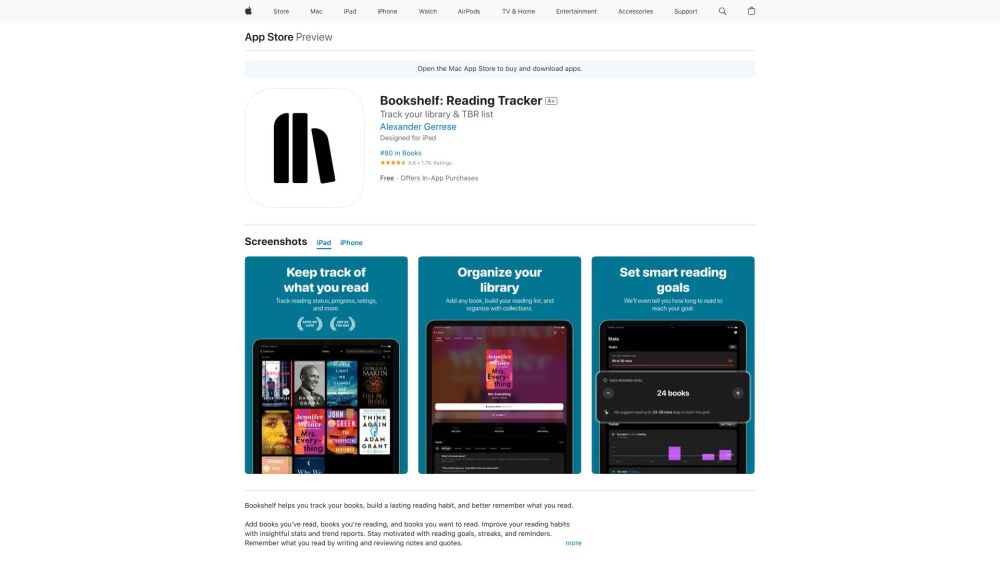
Bookshelf website preview

Bookshelf: Reading Tracker Website screenshot

What is Bookshelf: Reading Tracker?

Enhance your reading experience with AI-assisted tracking and organization.

How to use Bookshelf: Reading Tracker?

Join over 250,000 readers who use Bookshelf to manage their library, develop a consistent reading habit, and remember what they read. Import your Goodreads library or search and scan millions of books to get started today!

Bookshelf: Reading Tracker's Core Features

Quick Add

Build your library by searching millions of books, scanning barcodes, or adding books manually.

Book Recommendations

Discover your next favorite book with AI-driven recommendations and access to NYT Bestseller lists.

Everything Tracker

Manage your book collections, track reading status, ratings, dates, and more seamlessly.

Reading Sessions

Focus on your reading while we track your sessions automatically.

Book Chat

Engage with our AI librarian to generate summaries, flashcards, and discuss key ideas.

Reading Stats

Visualize your reading habits over time with detailed charts and statistics.

Reading Goals

Set yearly reading goals to motivate yourself or compete with friends.

Estimated Completion Time

Predict how long it will take to finish any book based on your reading speed.

Smart Notes

Create notes or vocab cards, write summaries, and prepare study questions. Scan text directly from books or add your own rich text.

Knowledge Quizzes

Improve retention with spaced repetition quizzes on your note cards.

Reading Reminders

Get timely notifications to keep you on track with your reading and review schedules.

Goodreads and Reading List Import

Import your existing libraries with a single tap to get started quickly.

Cloud Sync

Sync your library across your iOS devices to keep everything up-to-date.

App Icons

Personalize your experience with beautiful custom home screen icons.

Library Export

Export your library and notes to a CSV file for safekeeping.

Dark Mode

Enjoy a visually pleasing interface both during the day and night.

Bookshelf: Reading Tracker's Use Cases

Track your library, develop a lasting reading habit, remember what you read, enhance your reading habits, set goals, prepare study materials, import libraries, sync between devices, and customize app aesthetics.

Product source: Bookshelf official website. Check the provider for current plans, limits and availability.

FAQ

Bookshelf questions and answers

Product context and practical checks for evaluating Bookshelf.

What is Bookshelf used for?

Track, organize, and remember what you read with Bookshelf: Reading Tracker. Our AI-assisted tool makes reading more enjoyable and effective.

How do I get started with Bookshelf?

Join over 250,000 readers who use Bookshelf to manage their library, develop a consistent reading habit, and remember what they read. Import your Goodreads library or search and scan millions of books to get started today!

Which capabilities are described for Bookshelf?

Quick AddBuild your library by searching millions of books, scanning barcodes, or adding books manually.Book RecommendationsDiscover your next favorite book with AI-driven recommendations and access to NYT Bestseller lists.Everything TrackerManage your book collections, track reading status, ratings, dates, and more seamlessly.Reading SessionsFocus on your reading while we track your sessions automatically.Book ChatEngage with our AI librarian to generate summaries, flashcards, and discuss key ideas.Reading StatsVisualize your reading habits over time with detailed charts and statistics.Reading GoalsSet yearly reading goals to motivate yourself or compete with friends.Estimated Completion TimePredict how long it will take to finish any book based on your reading speed.Smart NotesCreate notes or vocab cards, write summaries, and prepare study questions. Scan text directly from books or add your own rich text.Knowledge QuizzesImprove retention with spaced repetition quizzes on your note cards.Reading RemindersGet timely notifications to keep you on track with your reading and review schedules.Goodreads and Reading List ImportImport your existing libraries with a single tap to get started quickly.Cloud SyncSync your library across your iOS devices to keep everything up-to-date.App IconsPersonalize your experience with beautiful custom home screen icons.Library ExportExport your library and notes to a CSV file for safekeeping.Dark ModeEnjoy a visually pleasing interface both during the day and night.

What projects can I evaluate Bookshelf for?

Track your library, develop a lasting reading habit, remember what you read, enhance your reading habits, set goals, prepare study materials, import libraries, sync between devices, and customize app aesthetics.

What should I compare before choosing a Bookshelf plan?

Check Bookshelf’s current pricing page for included usage, renewal terms and any credit charges. Compare the cost of a usable result, including retries, rather than assuming that account registration includes free usage.

What inputs should I prepare for a Bookshelf trial?

Identify the files, text or account connections your task needs. Confirm that the product accepts those inputs and offers controls for reviewing its work.

How can I check the quality of a Bookshelf result?

Test one representative task and inspect the result for accuracy and completeness. Record where manual corrections or extra tools are needed.

Which export options should I check in Bookshelf?

Check export formats, integrations and whether you can keep using your work outside the service. Test a real export before committing to a longer plan.

What is a practical way to test Bookshelf against alternatives?

Choose one task with a clear success condition. Keep the input consistent, record the time spent reviewing and compare the complete workflow cost.

Where is the official Bookshelf website?

The website linked from this profile is https://apps.apple.com/us/app/bookshelf-reading-tracker/id1469372414. Use the provider’s own documentation, account area and support channels to confirm current product details.

Visit Bookshelf