AI Chatbot

Bookshelf AI

Bookshelf AI transforms newsletters into custom GPTs—enabling interactive content, deeper engagement, and new revenue streams. Smart. Simple. Scalable.

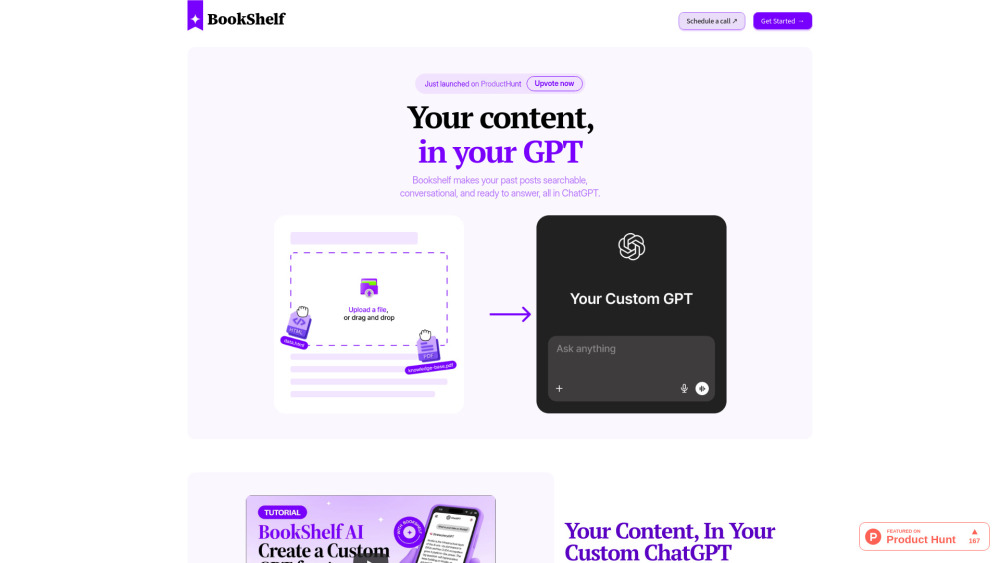
Bookshelf AI website preview

Bookshelf AI Website screenshot

Bookshelf AI: Where Content Meets Conversation, Community, and Commerce

Bookshelf AI reimagines static content as a living, interactive experience — transforming newsletters, blogs, whitepapers, and knowledge bases into branded, conversational AI assistants. Readers don’t just consume your writing; they interrogate it, explore connections within it, and receive precise, source-grounded answers — all drawn exclusively from your archive. And because every interaction is intentional and traceable, creators unlock sustainable revenue without ads, paywalls, or third-party platforms. Launch your AI-powered knowledge hub in under two minutes — zero technical skills needed.

How Bookshelf AI Works — Simpler Than You Think

Start by connecting your existing content source — whether it’s a Substack feed, Notion workspace, RSS archive, or CSV export. Bookshelf AI ingests, parses, and semantically indexes your material, building a private, context-aware language model trained solely on *your* voice and expertise. Within minutes, you’re live with a custom chat interface embedded directly on your site or shared via link — where readers ask questions, dive deeper into topics, and even initiate paid access — all while staying inside your ecosystem.

Why Creators Choose Bookshelf AI

Turn legacy content into an always-on engagement engine

Enable real-time, source-verified Q&A — no hallucinations, no web scraping

Capture recurring revenue through per-session access, tiered subscriptions, or one-time unlocks

Boost session duration and reduce bounce rates with instant, contextual answers

Uncover high-value audience insights — what readers *actually* want to know

Preserve full ownership: your data stays private, your branding remains front-and-center

No developer dependency — intuitive dashboard, drag-and-drop controls, instant publishing

Go from upload to live AI assistant in under 120 seconds

Real-World Impact: Beyond the Demo

Convert dormant archives into evergreen income — monetize insights that were previously buried in PDFs or old posts.

Turn passive subscribers into active participants — deepen loyalty by making your expertise instantly accessible and explorable.

Spot emerging trends before they trend — surface unanswered questions, knowledge gaps, and content demand signals in real time.

Scale your authority — deploy a consistent, on-brand AI representative that reflects your tone, values, and domain mastery.

Product source: Bookshelf AI official website. Check the provider for current plans, limits and availability.

FAQ

Bookshelf AI questions and answers

Product context and practical checks for evaluating Bookshelf AI.

What is Bookshelf AI used for?

Bookshelf AI transforms newsletters into custom GPTs—enabling interactive content, deeper engagement, and new revenue streams. Smart. Simple. Scalable.

How do I get started with Bookshelf AI?

Start by connecting your existing content source — whether it’s a Substack feed, Notion workspace, RSS archive, or CSV export. Bookshelf AI ingests, parses, and semantically indexes your material, building a private, context-aware language model trained solely on *your* voice and expertise. Within minutes, you’re live with a custom chat interface embedded directly on your site or shared via link — where readers ask questions, dive deeper into topics, and even initiate paid access — all while staying inside your ecosystem.

What should I compare before choosing a Bookshelf AI plan?

Check Bookshelf AI’s current pricing page for included usage, renewal terms and any credit charges. Compare the cost of a usable result, including retries, rather than assuming that account registration includes free usage.

What inputs should I prepare for a Bookshelf AI trial?

Look for text prompts, image references, masks or sketches as appropriate. Compare composition control, supported upload types and the ability to revise a selected area.

How can I check the quality of a Bookshelf AI result?

Inspect text, hands, edges, reflections and repeated objects at full size. Check that important product or brand details survive editing.

Which export options should I check in Bookshelf AI?

Compare pixel dimensions, transparency, file formats and any enlargement options. Confirm that the downloaded result works in your design or publishing software.

What is a practical way to test Bookshelf AI against alternatives?

Prepare a brief with a subject, composition, lighting and required output size. Test a first generation and a targeted revision to see how much control you retain.

What should I review before uploading material to Bookshelf AI?

Read the provider’s rules on access, retention, deletion and use of uploaded material. Start with a non-confidential sample that you have permission to use.

How can I check whether Bookshelf AI fits my existing workflow?

List the steps before and after using Bookshelf AI, including preparation, review and export. Test that complete sequence and check whether handoffs require manual conversion or another paid service.

Where is the official Bookshelf AI website?

The website linked from this profile is https://bookshelf.diy. Use the provider’s own documentation, account area and support channels to confirm current product details.

Visit Bookshelf AI