AI Productivity Tools

Bloks

Boost productivity with Bloks, the AI-powered assistant for note-taking, task management, and meeting organization. Stay organized and efficient effortlessly.

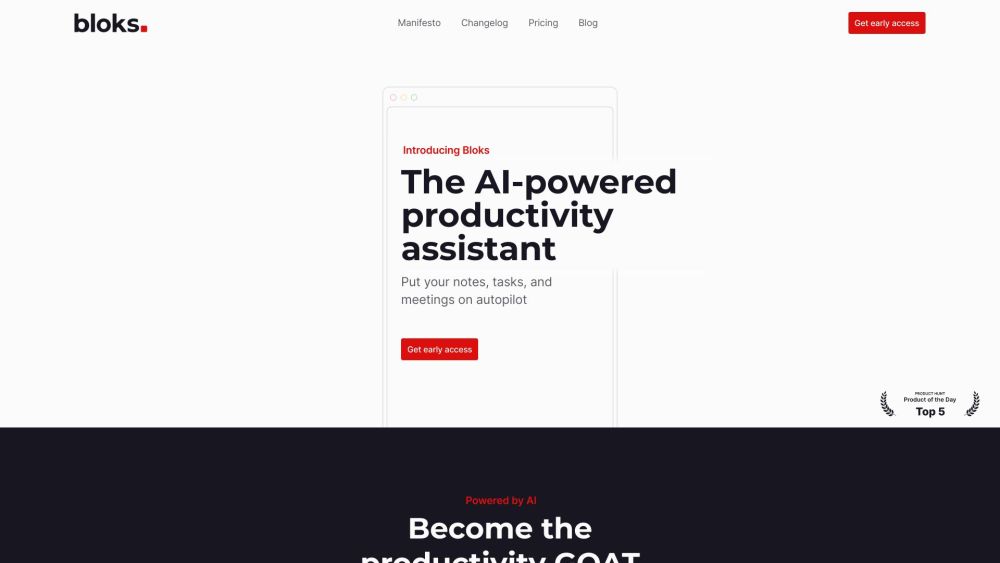
Bloks website preview

Bloks Website screenshot

What is Bloks?

Bloks is an advanced AI-powered productivity assistant designed to enhance your efficiency by automating note-taking, task management, and meeting organization. Acting as a personal assistant, Bloks helps keep you organized and boosts your productivity.

How to Use Bloks?

1. Capture: Easily take notes, create to-do lists, or allow the AI to handle it. Bloks enables you to jot down quick ideas, transcribe meeting audio, and store all information in a single app. 2. Organize: Bloks smartly organizes your captured information by automatically tagging and linking it with relevant notes, emails, contacts, and events to provide comprehensive context. 3. Get Stuff Done: With Bloks' AI capabilities, you can efficiently complete tasks like drafting messages, preparing for meetings, prioritizing tasks, and receiving reminders for follow-ups.

Core Features of Bloks

Automated Meeting Notes and Action Items

AI-Generated Meeting Summaries and To-Dos

Enhanced Notes with Emails, Attachments, and Events

Comprehensive Task and Priority Overviews

AI Assistance for Drafting Emails, Messages, and More

Personal CRM to Manage Companies, Contacts, Topics, and Events

Bloks Use Cases

Individuals Aiming to Stay Organized and Productive

Team Leads Managing Tasks and Follow-Ups

Self-Employed Professionals Tracking Key Conversations and Tasks

Consultants Reviewing Previous Conversations and Presentations

Sales Professionals Keeping Track of Sales Call Details

Product source: Bloks official website. Check the provider for current plans, limits and availability.

FAQ

Bloks questions and answers

Product context and practical checks for evaluating Bloks.

What is Bloks used for?

Boost productivity with Bloks, the AI-powered assistant for note-taking, task management, and meeting organization. Stay organized and efficient effortlessly.

How do I get started with Bloks?

1. Capture: Easily take notes, create to-do lists, or allow the AI to handle it. Bloks enables you to jot down quick ideas, transcribe meeting audio, and store all information in a single app. 2. Organize: Bloks smartly organizes your captured information by automatically tagging and linking it with relevant notes, emails, contacts, and events to provide comprehensive context. 3. Get Stuff Done: With Bloks' AI capabilities, you can efficiently complete tasks like drafting messages, preparing for meetings, prioritizing tasks, and receiving reminders for follow-ups.

Which capabilities are described for Bloks?

Automated Meeting Notes and Action ItemsAI-Generated Meeting Summaries and To-DosEnhanced Notes with Emails, Attachments, and EventsComprehensive Task and Priority OverviewsAI Assistance for Drafting Emails, Messages, and MorePersonal CRM to Manage Companies, Contacts, Topics, and Events

What projects can I evaluate Bloks for?

Individuals Aiming to Stay Organized and ProductiveTeam Leads Managing Tasks and Follow-UpsSelf-Employed Professionals Tracking Key Conversations and TasksConsultants Reviewing Previous Conversations and PresentationsSales Professionals Keeping Track of Sales Call Details Bloks Company Bloks Company Name: Bloks, Inc. Bloks Pricing Bloks Pricing Link: https://www.bloks.app/pricing Bloks YouTube Bloks YouTube Link: https://www.youtube.com/@bloks_app Bloks LinkedIn Bloks LinkedIn Link: https://www.linkedin.com/company/bloksapp/ Bloks Twitter Bloks Twitter Link: https://twitter.com/bloks_app Bloks Instagram Bloks Instagram Link: https://www.instagram.com/bloks_app/

What should I compare before choosing a Bloks plan?

Bloks Pricing Link: https://www.bloks.app/pricing Confirm current prices and allowances on the provider’s website before purchasing.

What inputs should I prepare for a Bloks trial?

Identify the files, text or account connections your task needs. Confirm that the product accepts those inputs and offers controls for reviewing its work.

How can I check the quality of a Bloks result?

Test one representative task and inspect the result for accuracy and completeness. Record where manual corrections or extra tools are needed.

Which export options should I check in Bloks?

Check export formats, integrations and whether you can keep using your work outside the service. Test a real export before committing to a longer plan.

What is a practical way to test Bloks against alternatives?

Choose one task with a clear success condition. Keep the input consistent, record the time spent reviewing and compare the complete workflow cost.

Where is the official Bloks website?

The website linked from this profile is https://www.bloks.app. Use the provider’s own documentation, account area and support channels to confirm current product details.

Visit Bloks