AI Analytics Assistant

Blokay

Blokay: The AI-powered platform for instant, efficient software development. Accelerate coding, streamline workflows, and boost productivity with AI-driven precision.

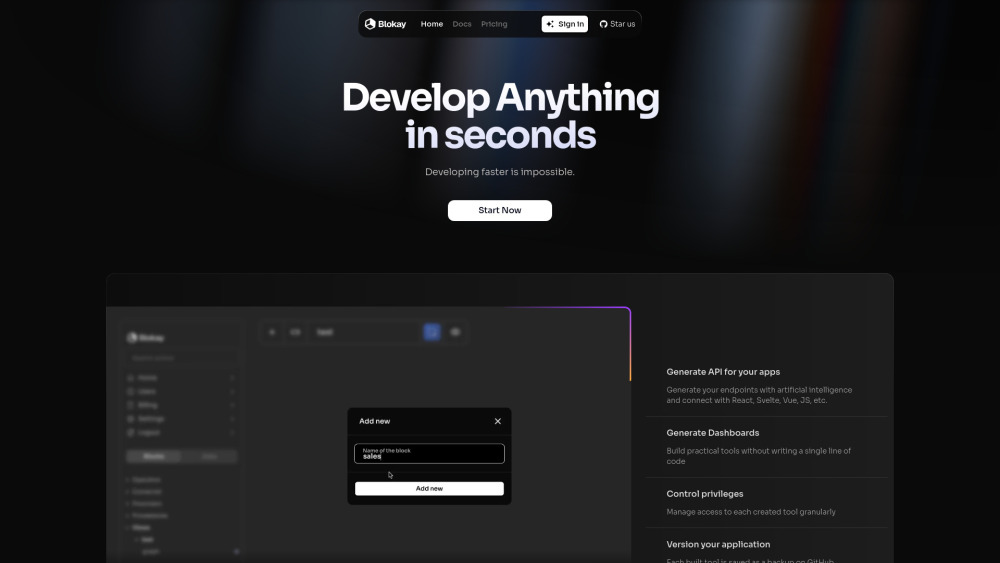
Blokay website preview

Blokay Website screenshot

What is Blokay?

Blokay is an AI-powered platform that revolutionizes software development by allowing users to rapidly create dashboards, backoffices, APIs, and more, all without needing to write any code. By leveraging artificial intelligence and pre-built components, Blokay streamlines the entire development process, enabling users to build sophisticated tools in a matter of seconds.

How to use Blokay?

Getting started with Blokay is simple. After signing in, users can choose from a variety of tools such as dashboards, backoffices, and APIs. The platform provides easy configuration options that allow for personalized settings. Once configured, the tool can be deployed instantly, making it accessible and ready for use in just moments.

Blokay's Core Features

Rapid development of dashboards, backoffices, and APIs

AI-driven endpoint generation

Detailed access control and version management

Seamless integration with frameworks like React, Svelte, and Vue

Blokay's Use Cases

Quickly developing essential tools without coding skills

Instant creation of sales analytics, APIs, and dashboards

Efficiently managing user access and version control

  • Blokay Support Email & Customer service contact & Refund contact etc.

    For customer support, you can reach Blokay at [email protected].

  • Blokay Company

    Blokay is the official company behind the platform, dedicated to enhancing the efficiency of software development.

  • Blokay Login

    Access your Blokay account here: https://app.blokay.com

  • Blokay Sign up

    New users can sign up for Blokay here: https://app.blokay.com/register

  • Blokay Pricing

    For details on Blokay's pricing plans, visit: https://blokay.com/pricing

  • Blokay Github

    Explore Blokay's code on GitHub: https://github.com/blokay-llc/blokay

Product source: Blokay official website. Check the provider for current plans, limits and availability.

FAQ

Blokay questions and answers

Product context and practical checks for evaluating Blokay.

What is Blokay used for?

Blokay: The AI-powered platform for instant, efficient software development. Accelerate coding, streamline workflows, and boost productivity with AI-driven precision.

How do I get started with Blokay?

Getting started with Blokay is simple. After signing in, users can choose from a variety of tools such as dashboards, backoffices, and APIs. The platform provides easy configuration options that allow for personalized settings. Once configured, the tool can be deployed instantly, making it accessible and ready for use in just moments.

Which capabilities are described for Blokay?

Rapid development of dashboards, backoffices, and APIsAI-driven endpoint generationDetailed access control and version managementSeamless integration with frameworks like React, Svelte, and Vue

What projects can I evaluate Blokay for?

Quickly developing essential tools without coding skillsInstant creation of sales analytics, APIs, and dashboardsEfficiently managing user access and version control Blokay Support Email & Customer service contact & Refund contact etc. For customer support, you can reach Blokay at [email protected]. Blokay Company Blokay is the official company behind the platform, dedicated to enhancing the efficiency of software development. Blokay Login Access your Blokay account here: https://app.blokay.com Blokay Sign up New users can sign up for Blokay here: https://app.blokay.com/register Blokay Pricing For details on Blokay's pricing plans, visit: https://blokay.com/pricing Blokay Github Explore Blokay's code on GitHub: https://github.com/blokay-llc/blokay

What should I compare before choosing a Blokay plan?

For details on Blokay's pricing plans, visit: https://blokay.com/pricing Confirm current prices and allowances on the provider’s website before purchasing.

What inputs should I prepare for a Blokay trial?

Compare repository access, context limits, supported languages and tool permissions. Check whether the assistant can read relevant files and run your existing checks.

How can I check the quality of a Blokay result?

Review the diff, run tests and inspect error handling and dependency changes. Generated code should meet the same review standard as a human contribution.

Which export options should I check in Blokay?

Prefer changes you can inspect and keep in version control. Check whether code, tests and configuration can be exported without depending on a hosted preview.

What is a practical way to test Blokay against alternatives?

Choose a small reproducible bug with an existing failing check. Measure whether the tool fixes the cause, preserves behavior and produces a reviewable change.

Where is the official Blokay website?

The website linked from this profile is https://blokay.com. Use the provider’s own documentation, account area and support channels to confirm current product details.

Visit Blokay