Other

Bing AI Copilot - Chrome Extension

Bing AI Copilot - Chrome Extension: Unlock free GPT-4 access exclusively for students. Boost learning, streamline tasks, and elevate productivity!

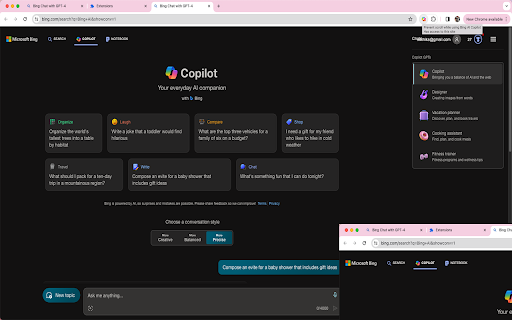
Bing AI Copilot - Chrome Extension website preview

Bing AI Copilot - Chrome Extension Website screenshot

What is the Bing AI Copilot Chrome Extension?

The Bing AI Copilot Chrome Extension is designed specifically for students, offering free access to GPT-4's powerful AI capabilities.

How to Access Bing AI Copilot?

Simply install the Bing AI Copilot Chrome extension, and students can begin using GPT-4 for free.

Key Features of the Bing AI Copilot Chrome Extension

Free GPT-4 Access for Students

One of the most notable features of the Bing AI Copilot is free and direct access to GPT-4, enabling students to leverage advanced AI tools at no cost.

Use Cases for Bing AI Copilot

Supporting Research and Academic Assignments

Students can use GPT-4 through the extension to enhance their research, generate ideas, or complete complex academic tasks with AI assistance.

Product source: Bing AI Copilot - Chrome Extension official website. Check the provider for current plans, limits and availability.

FAQ

Bing AI Copilot - Chrome Extension questions and answers

Product context and practical checks for evaluating Bing AI Copilot - Chrome Extension.

What is Bing AI Copilot - Chrome Extension used for?

Bing AI Copilot - Chrome Extension: Unlock free GPT-4 access exclusively for students. Boost learning, streamline tasks, and elevate productivity!

How do I get started with Bing AI Copilot - Chrome Extension?

Simply install the Bing AI Copilot Chrome extension, and students can begin using GPT-4 for free.

Which capabilities are described for Bing AI Copilot - Chrome Extension?

Free GPT-4 Access for Students One of the most notable features of the Bing AI Copilot is free and direct access to GPT-4, enabling students to leverage advanced AI tools at no cost.

What projects can I evaluate Bing AI Copilot - Chrome Extension for?

Supporting Research and Academic Assignments Students can use GPT-4 through the extension to enhance their research, generate ideas, or complete complex academic tasks with AI assistance.

What should I compare before choosing a Bing AI Copilot - Chrome Extension plan?

Check Bing AI Copilot - Chrome Extension’s current pricing page for included usage, renewal terms and any credit charges. Compare the cost of a usable result, including retries, rather than assuming that account registration includes free usage.

What inputs should I prepare for a Bing AI Copilot - Chrome Extension trial?

Check supported documents, datasets and source access. Establish whether the product can inspect your actual material rather than answer from general knowledge.

How can I check the quality of a Bing AI Copilot - Chrome Extension result?

Follow citations to the original source, recalculate important numbers and check the date and scope of the evidence. Distinguish an explanation from a verified result.

Which export options should I check in Bing AI Copilot - Chrome Extension?

Look for usable citations, tables, downloadable data and reproducible steps. A clear answer should let another person inspect how the conclusion was reached.

What is a practical way to test Bing AI Copilot - Chrome Extension against alternatives?

Choose a question with known sources and a checkable result. Compare citation accuracy, omissions and reproducibility rather than response length.

Where is the official Bing AI Copilot - Chrome Extension website?

The website linked from this profile is https://chromewebstore.google.com/detail/copilot-prevent-scroll-do/cmdkmldlcddajdgcdbecjjkadmhgakhl. Use the provider’s own documentation, account area and support channels to confirm current product details.

Visit Bing AI Copilot - Chrome Extension