Photo &amp Image Editor

BG Remover - Chrome Extension

Say goodbye to tedious manual editing with BG Remover - the powerful AI tool for effortless background removal. Perfect for Chrome users!

BG Remover - Chrome Extension website preview
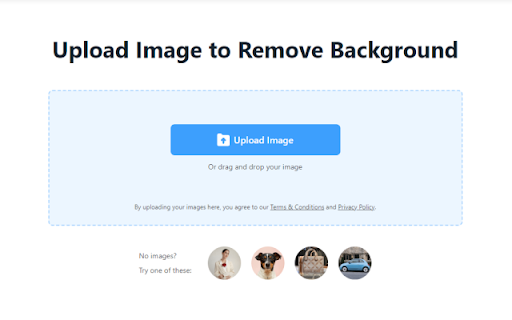
BG Remover - Chrome Extension Website screenshot

Introducing BG Remover - Chrome Extension: The AI Background Removal Tool

Are you tired of spending hours manually removing backgrounds from your photos? Look no further! BG Remover is an innovative AI-powered tool designed to simplify background removal in photo editing.

How to Use BG Remover - Chrome Extension

Using BG Remover is as easy as 1-2-3:

  1. Click 'Upload image' to select a photo.
  2. Let the power of AI automatically remove the background.
  3. Download your edited image with a transparent background.

Core Features of BG Remover - Chrome Extension

AI-Powered Background Removal

BG Remover utilizes advanced artificial intelligence technology to accurately and efficiently remove backgrounds from your photos.

Easy-to-Use Interface

With a user-friendly interface, BG Remover makes it simple for anyone to achieve professional-quality background removal without any hassle.

Time-Saving Solution

Say goodbye to tedious manual background removal tasks. BG Remover is a time-saving solution that allows you to focus on what matters most - your creative projects.

Use Cases for BG Remover - Chrome Extension

E-commerce: Batch Background Removal

For e-commerce businesses, BG Remover offers the convenience of batch background removal, allowing you to process up to 50 images at once.

Personal Use: Social Media Profile Pictures

Create stunning profile pictures for your social media accounts with BG Remover. Stand out from the crowd and make a lasting impression.

Graphic Design: Quick Background Removal

Graphic designers can benefit from BG Remover's quick and efficient background removal capabilities. Save time and enhance your design projects with ease.

Product source: BG Remover - Chrome Extension official website. Check the provider for current plans, limits and availability.

FAQ

BG Remover - Chrome Extension questions and answers

Product context and practical checks for evaluating BG Remover - Chrome Extension.

What is BG Remover - Chrome Extension used for?

Say goodbye to tedious manual editing with BG Remover - the powerful AI tool for effortless background removal. Perfect for Chrome users!

How do I get started with BG Remover - Chrome Extension?

Using BG Remover is as easy as 1-2-3: Click 'Upload image' to select a photo. Let the power of AI automatically remove the background. Download your edited image with a transparent background.

Which capabilities are described for BG Remover - Chrome Extension?

AI-Powered Background Removal BG Remover utilizes advanced artificial intelligence technology to accurately and efficiently remove backgrounds from your photos. Easy-to-Use Interface With a user-friendly interface, BG Remover makes it simple for anyone to achieve professional-quality background removal without any hassle. Time-Saving Solution Say goodbye to tedious manual background removal tasks. BG Remover is a time-saving solution that allows you to focus on what matters most - your creative projects.

What projects can I evaluate BG Remover - Chrome Extension for?

E-commerce: Batch Background Removal For e-commerce businesses, BG Remover offers the convenience of batch background removal, allowing you to process up to 50 images at once. Personal Use: Social Media Profile Pictures Create stunning profile pictures for your social media accounts with BG Remover. Stand out from the crowd and make a lasting impression. Graphic Design: Quick Background Removal Graphic designers can benefit from BG Remover's quick and efficient background removal capabilities. Save time and enhance your design projects with ease.

What should I compare before choosing a BG Remover - Chrome Extension plan?

Check BG Remover - Chrome Extension’s current pricing page for included usage, renewal terms and any credit charges. Compare the cost of a usable result, including retries, rather than assuming that account registration includes free usage.

What inputs should I prepare for a BG Remover - Chrome Extension trial?

Look for text prompts, image references, masks or sketches as appropriate. Compare composition control, supported upload types and the ability to revise a selected area.

How can I check the quality of a BG Remover - Chrome Extension result?

Inspect text, hands, edges, reflections and repeated objects at full size. Check that important product or brand details survive editing.

Which export options should I check in BG Remover - Chrome Extension?

Compare pixel dimensions, transparency, file formats and any enlargement options. Confirm that the downloaded result works in your design or publishing software.

What is a practical way to test BG Remover - Chrome Extension against alternatives?

Prepare a brief with a subject, composition, lighting and required output size. Test a first generation and a targeted revision to see how much control you retain.

Where is the official BG Remover - Chrome Extension website?

The website linked from this profile is https://chromewebstore.google.com/detail/bg-remover-remove-change/iihdpnabldfhgloaojojfllpbofnaeff. Use the provider’s own documentation, account area and support channels to confirm current product details.

Visit BG Remover - Chrome Extension